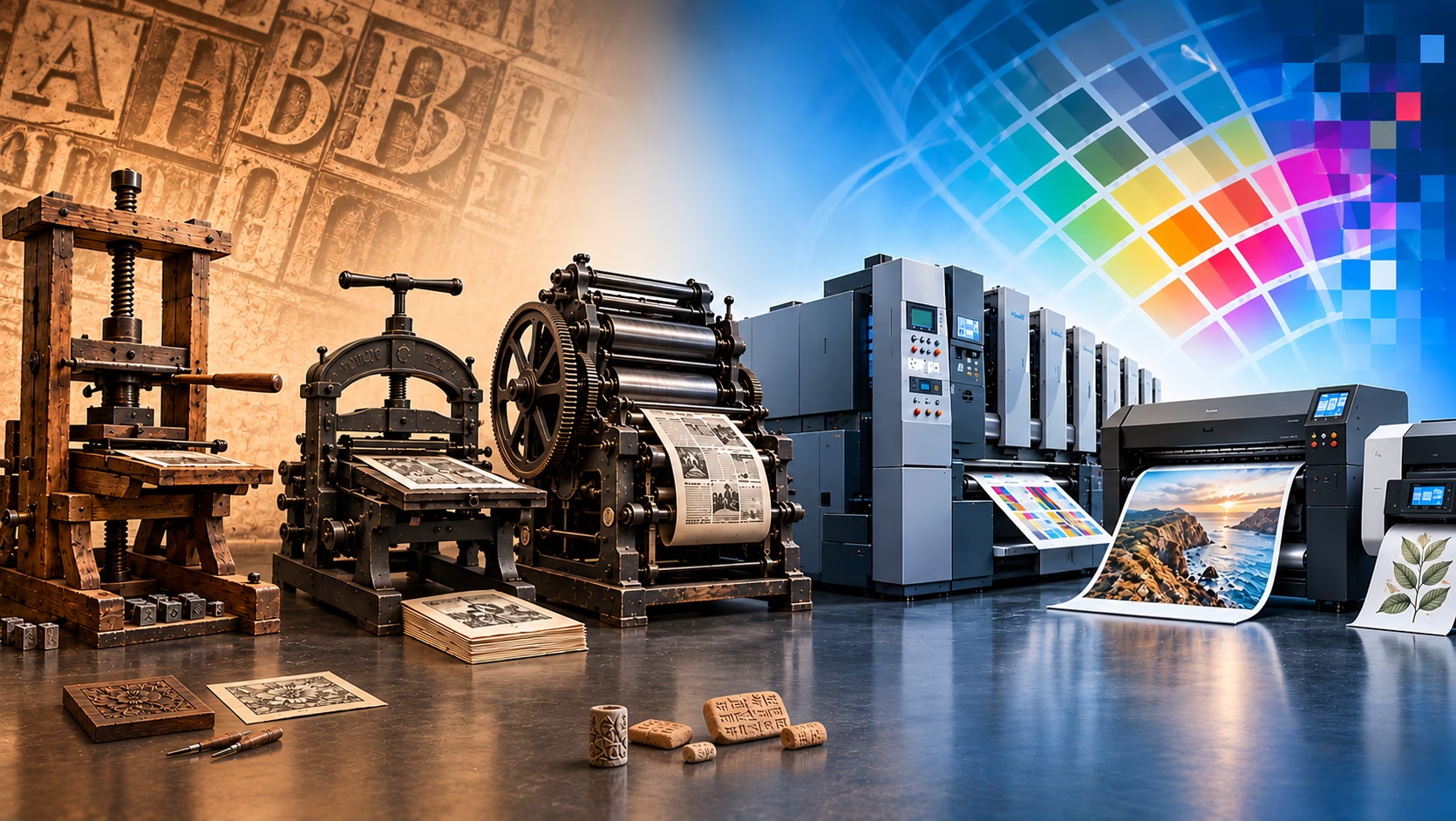
Types of printing: An A–Z guide
Printing has evolved from traditional hand-carved blocks and engraved plates to sophisticated digital systems capable of producing packaging, publications, textiles and three-dimensional objects. Each process has its own characteristics, advantages and limitations.
There is no single definitive number of types of printing. Some are established commercial processes, others are specialist applications, and some describe techniques used in printmaking or prepress rather than separate printing processes. This A–Z guide explains the principal methods, how they work and where they are commonly used.
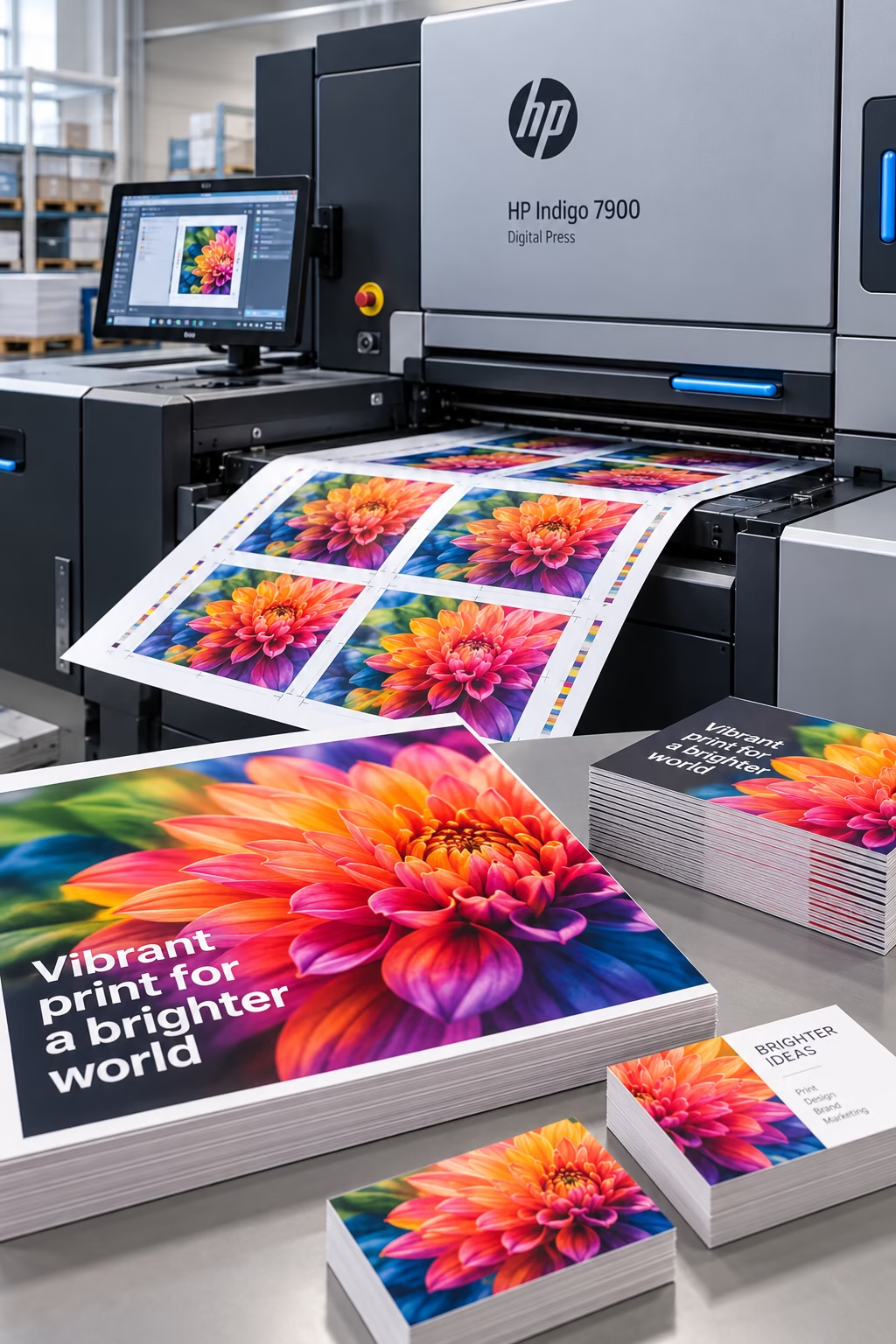
An HP Indigo digital press producing high-quality printed sheets, brochures and marketing materials.
Digital printing
Developed: Digital printing evolved through advances in computer technology, laser printing and inkjet printing. There is no single inventor or invention date.
Key milestone: 1993 — Benny Landa’s Indigo E-Print 1000 and Xeikon’s DCP-1 were introduced as pioneering digital colour presses. They helped establish commercial digital colour printing as a practical alternative to conventional plate-based printing. Source: PrintWeek – 20 Years of Digital
Digital printing transfers digital artwork to a printing device without requiring conventional printing plates. Two widely used technologies are inkjet and electrophotographic printing. Inkjet systems deposit tiny droplets of liquid ink onto a substrate. Electrophotographic systems use an electrostatic process to transfer toner, which is then fused to the material.
Digital printing is particularly useful for short and medium runs, personalised products and jobs that require frequent artwork changes. However, its suitability and cost-effectiveness depend on the equipment, substrate, finishing requirements and production volume.
Advantages
- Economical for short runs – Avoids the conventional plate-making costs associated with offset lithography, making smaller quantities more practical.
- Rapid turnaround – Reduced make-ready requirements can allow jobs to move from approved artwork to production quickly.
- Variable data printing – Individual copies can feature different names, addresses, images or personalised messages.
- Print on demand – Allows quantities to be produced as needed, potentially reducing excess stock, storage costs and waste.
- Easy artwork changes – Files can be updated between jobs without producing new conventional printing plates.
- Consistent repeatability – Digital files can be stored and reused for repeat orders, helping maintain consistency when the same equipment, materials and settings are used.
Common applications: Short-run brochures, business cards, books, personalised direct mail, posters, flyers, labels and on-demand publications.
HP Indigo 7900 product information: HP Indigo 7900 official brochure (PDF)
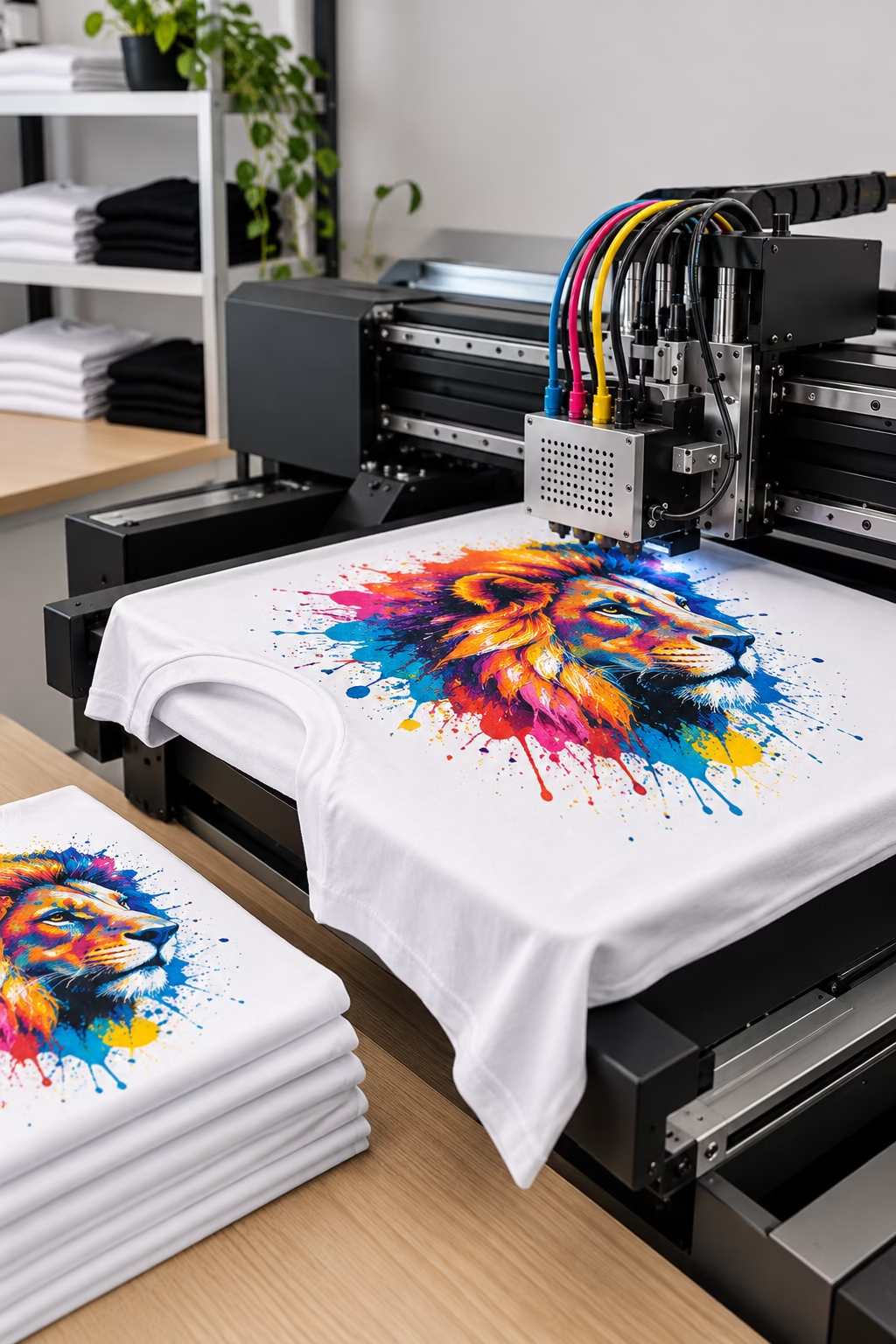
Direct-to-Garment (DTG) printing applies a full-colour design directly onto a T-shirt using specialised digital textile printing technology.
Direct-to-Garment (DTG)
Direct-to-Garment (DTG) Printing
Introduced commercially: 1996 — Matthew Rhome developed an early direct-to-garment printing system that formed the basis of the Revolution printer, produced by Digital Image Systems (DIS) in Florida. This was an important early milestone in the development of commercial DTG printing.
Direct-to-garment (DTG) printing is a digital inkjet process that prints designs directly onto garments, most commonly cotton T-shirts. Specialised printers apply water-based textile inks to the fabric, reproducing detailed images, fine lines, colour gradients and complex artwork without the need for traditional screen-printing screens.
DTG printing is particularly suited to personalised clothing, print-on-demand businesses and short production runs. Because each design is printed digitally, different designs can be produced without preparing a new set of screens. Garments may require pre-treatment, especially when printing white ink or designs onto dark fabrics, followed by heat curing to help the ink achieve the required durability.
The wider custom T-shirt printing market is projected to reach US$9.82 billion by 2030, according to a forecast cited by Shopify. This figure relates to the custom T-shirt printing market as a whole, not DTG printing alone.
Advantages of DTG Printing
- Full-colour reproduction – Produces detailed artwork, photographic images, gradients and complex colour combinations.
- Ideal for short runs – Avoids the screen preparation required for conventional screen printing, making small quantities and one-off garments practical.
- Personalisation – Each garment can feature a different name, image or design without changing physical printing screens.
- Detailed artwork – Reproduces fine details and intricate designs economically for suitable short-run jobs.
- Soft-feel prints – On suitable fabrics, correctly applied DTG inks can produce a print that retains much of the garment’s original feel.
Related Process: Heat-Transfer Printing and Heat Presses
Heat-transfer printing is a related garment-decoration method, but it differs from direct-to-garment printing. Rather than printing ink directly onto the garment, a design is produced separately and then transferred to the material using controlled heat and pressure.
A heat press applies the temperature, pressure and time needed to bond the transfer to the garment or other suitable substrate. The transfer itself may be produced using different technologies, including direct-to-film (DTF) printingand dye-sublimation printing.
The heat press does not normally create the original printed design; it is the equipment used to apply the transfer. The materials and transfer method determine which fabrics and products are suitable.
For more information, see our sections on DTF Printing and Sublimation Printing.
Common applications: Custom T-shirts, personalised clothing, promotional garments, small-batch fashion collections, merchandise and print-on-demand apparel.
Find out more here: https://www.fespa.com
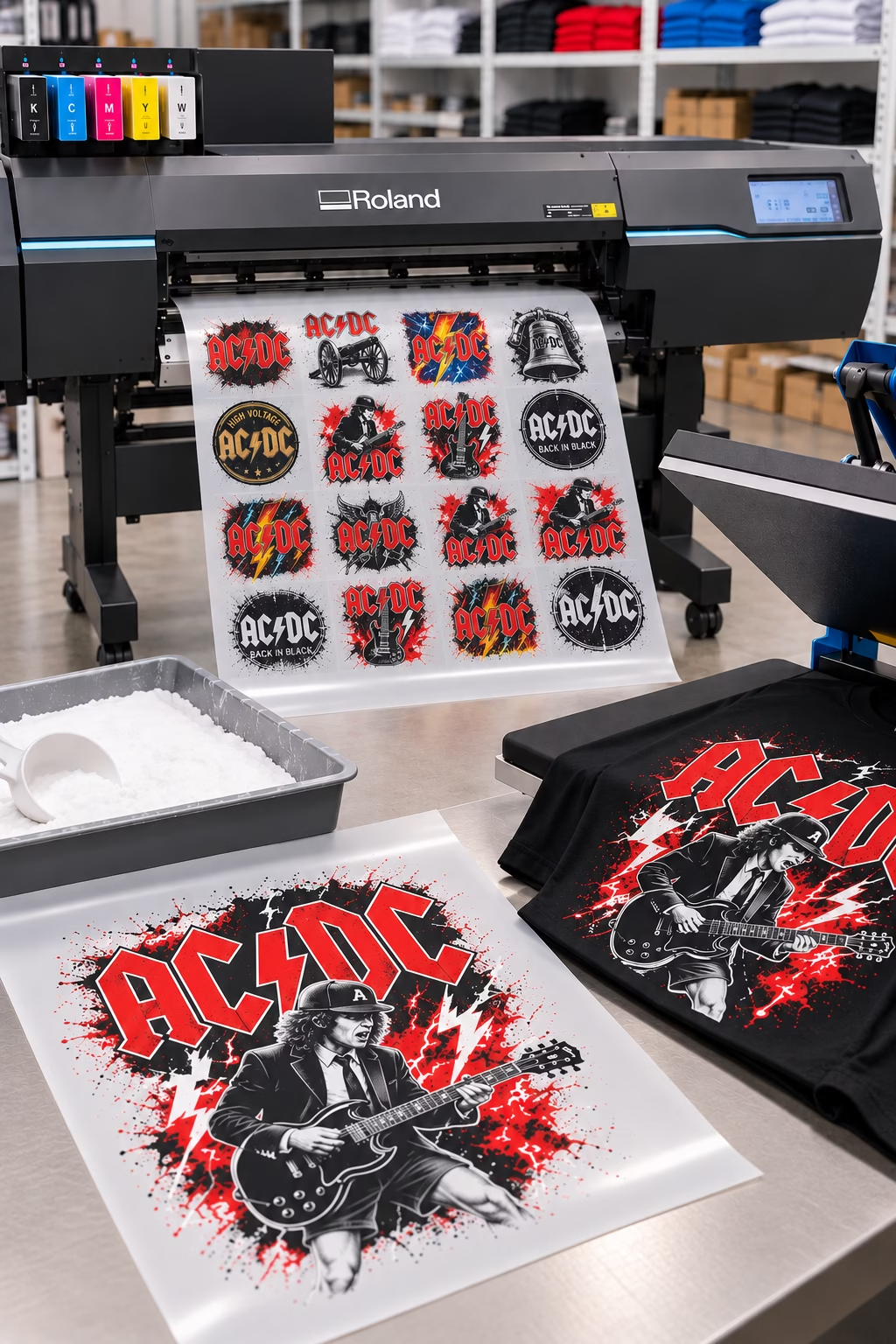
A Roland DTF printer producing multiple full-colour garment designs on transfer film, ready for heat transfer onto T-shirts.
Direct-to-Film (DTF) Printing
Invented 2020’s: Developed commercially in the early 2020s, DTF printing evolved from advances in digital textile printing and heat-transfer technology.
Direct-to-Film (DTF) printing is a digital printing process in which designs are printed onto a special transfer film using textile inks. An adhesive powder is applied to the wet ink and cured before the design is heat-transferred onto the garment. Unlike Direct-to-Garment (DTG) printing, DTF does not print directly onto the fabric, allowing it to be used on a wider range of materials, including cotton, polyester and fabric blends.
DTF is particularly suited to custom clothing, promotional garments and small to medium print runs. It produces vibrant, detailed designs and can be used on both light and dark fabrics. Because the design is transferred from a film, it offers greater material flexibility than many direct-printing methods.
Advantages
- Wide fabric compatibility – Suitable for cotton, polyester, blends and other compatible textiles.
- Vibrant colours – Produces bold, opaque designs on both light and dark garments.
- No fabric pretreatment – Typically requires no special pretreatment of the garment before transfer.
- Versatile production – Transfers can be prepared in advance and applied to garments as required.
Common applications: Custom T-shirts, sportswear, workwear, promotional clothing, personalised garments and small-batch fashion collections.
Find out more here: https://www.fespa.com
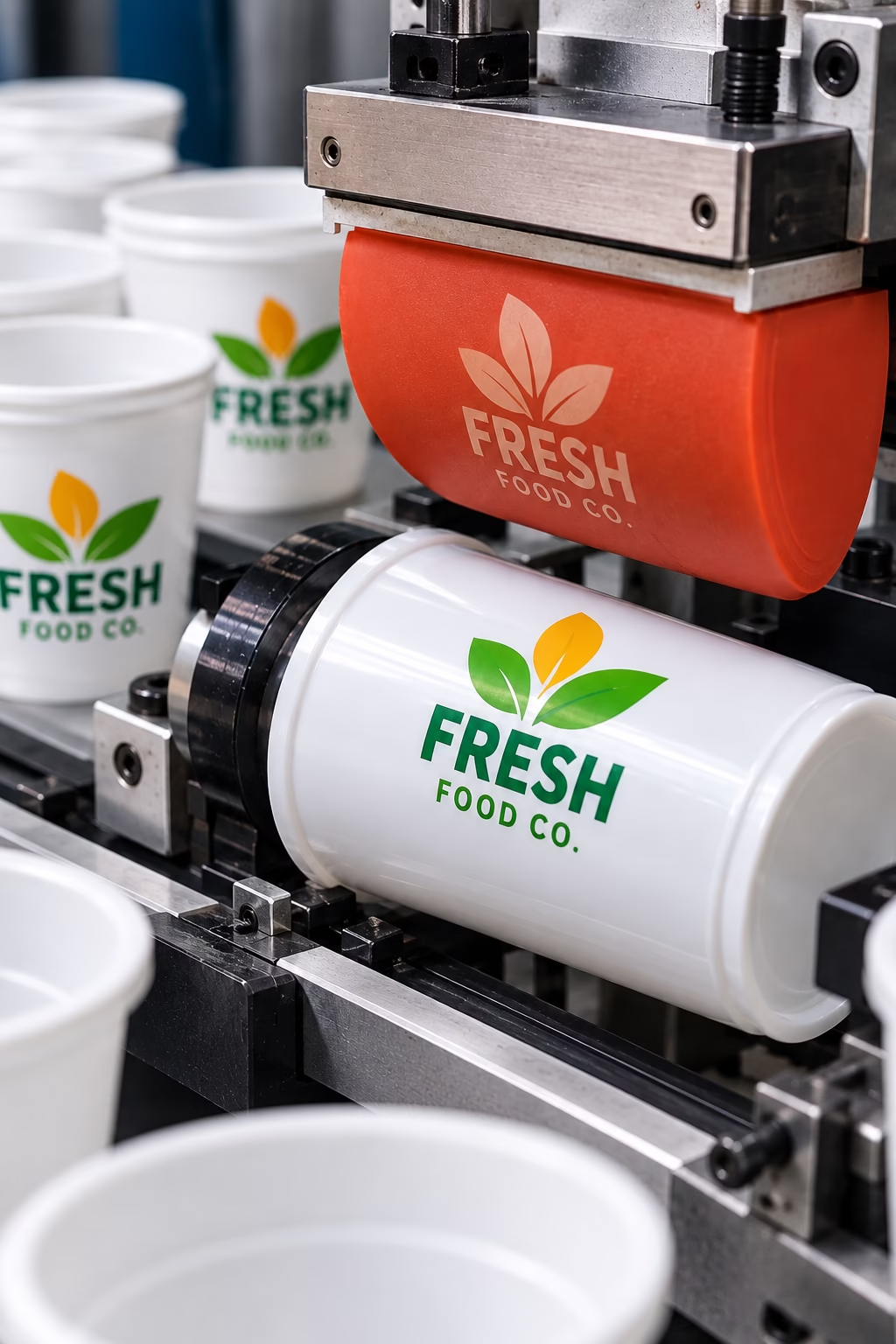
Dry offset printing – An indirect printing process that transfers ink from a raised printing plate to a rubber blanket, which applies the image to the surface of plastic products such as cups, lids and containers.
Dry Offset Printing
Invented: Dry offset developed from early indirect printing techniques; no single inventor is universally credited.
Dry offset printing is an indirect printing process that transfers ink from a raised printing plate onto a rubber blanket, which then transfers the image onto the final surface. Unlike conventional offset lithography, it uses raised image areas rather than a flat, chemically treated plate, and does not require water or dampening solution. It is particularly suited to printing on shaped plastic products.
Advantages
- Ideal for shaped objects – Prints effectively onto curved and slightly irregular surfaces, such as plastic containers and bottle caps.
- High-speed production – Suitable for printing large quantities of identical items efficiently.
- Consistent results – Produces repeatable images and reliable colour across long production runs.
- Cost-effective at volume – Lowers the unit cost when manufacturing large quantities of printed products.
Common Applications: Plastic cups, bottle caps, lids, tubs, containers, disposable tableware and other moulded plastic products.
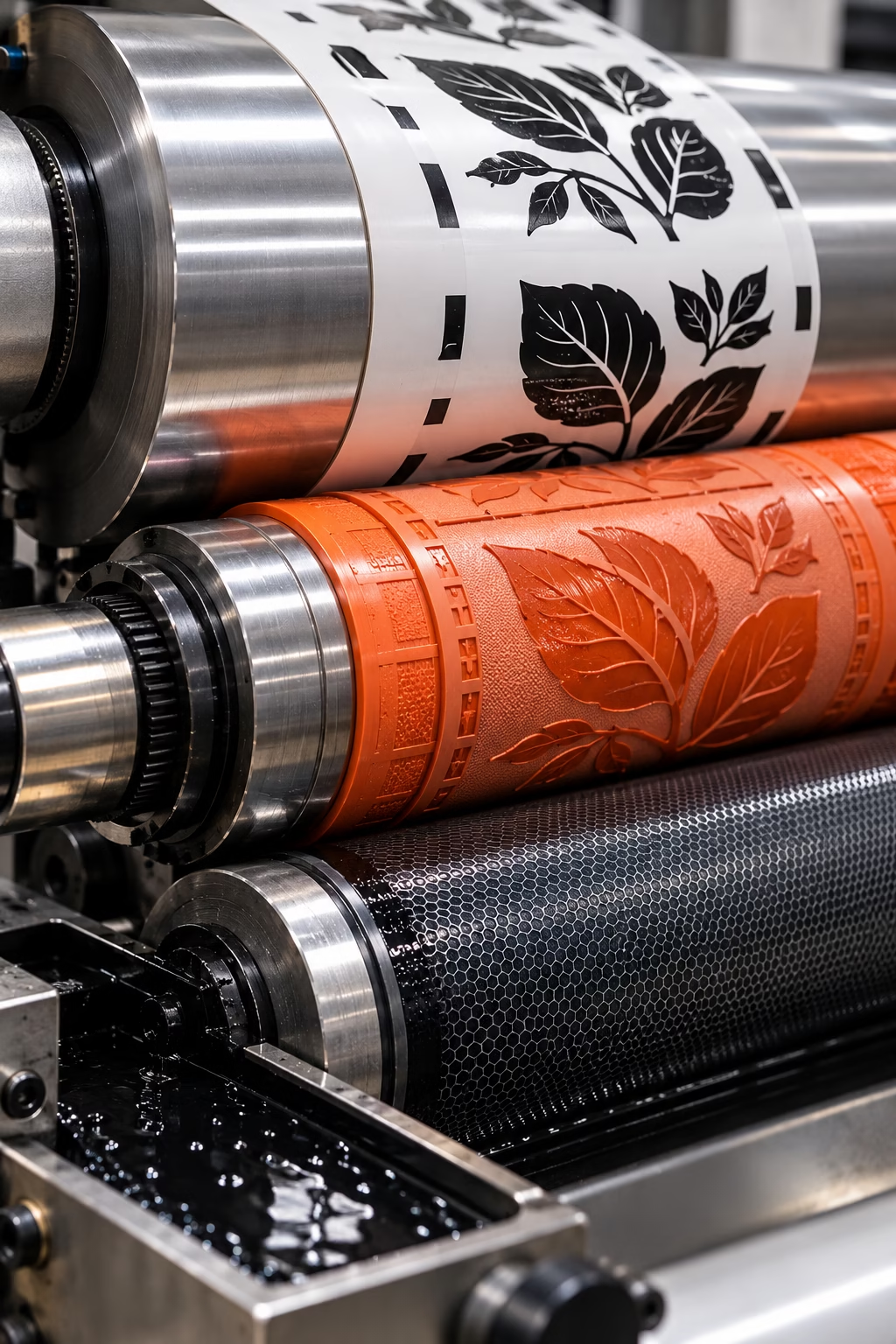
Flexography (Flexo)
Invented: 1890. Bibby, Baron & Sons, an English company based in Liverpool, which built an early flexographic press using flexible rubber printing plates. The process was originally known as aniline printing and was renamed flexography in the early 1950s.
Flexography is a high-speed rotary printing process that uses flexible relief plates made from photopolymer or rubber. The image areas are raised, allowing ink to transfer from the plate to the substrate.
An anilox roller meters a controlled quantity of ink onto the printing plate. The plate then transfers the image to the material. Flexography can accommodate a wide range of substrates, including paper, board, films and certain other flexible materials. It is especially suited to continuous production and high-volume packaging work.
Advantages
- Continuous production – Prints from reels of material, making it particularly efficient for packaging and labels compared with sheet-fed processes.
- Prints on non-absorbent materials – Handles plastic films and flexible packaging materials that are unsuitable for many conventional paper-printing processes.
- Prints and finishes in one pass – Can combine printing with processes such as varnishing, laminating, die-cutting and slitting on a single production line.
- Suitable for packaging production – Prints directly onto materials used for bags, labels, cartons and wrappers, often avoiding the need to print on a separate sheet and then transfer it.
Common applications: Flexible packaging, food packaging, labels, carrier bags, corrugated packaging and wrapping materials.
Find out What is flexography https://prepress.co.uk/what-is-flexography
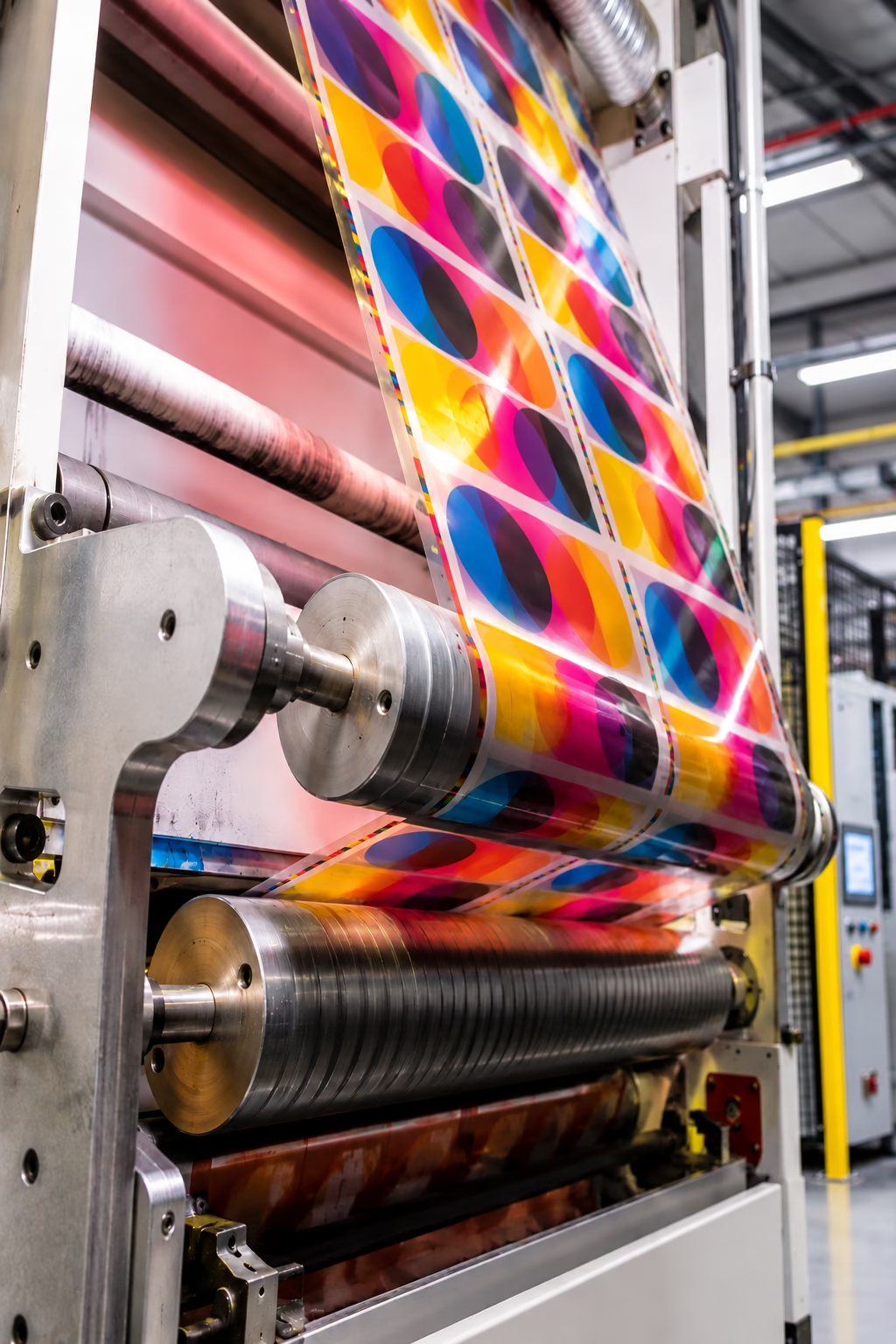
Rotogravure uses engraved cylinders containing thousands of tiny ink-holding cells to produce consistent, high-quality print at high speed, particularly for long runs of packaging and publications.
Gravure (Rotogravure) printing
Gravure printing is an intaglio process in which ink is transferred from tiny recessed cells in a printing surface onto paper or another material. The term covers different forms of gravure printing, including traditional flat-plate methods. Rotogravure is the rotary industrial version, using engraved cylinders to print continuously at high speed. See further down.
How does Gravure (Rotogravure) printing work?
- An engraved cylinder rotates through an ink supply, filling its tiny recessed cells with ink. A precision blade, called a doctor blade, wipes excess ink from the surface, leaving ink in the cells. The material passes between the engraved cylinder and an impression roller, transferring the image. Separate printing units apply each colour in sequence.
Advantages
- Consistent quality: Produces fine detail, smooth tonal transitions and reliable colour.
- High production speeds: Well suited to continuous, high-volume printing.
- Long print runs: Engraved cylinders can be used for extensive production runs.
Common applications: Rotogravure is commonly used for flexible packaging, magazines, catalogues, wallpaper and decorative materials. Although its setup costs are high, it can be highly cost-effective for very large quantities.Gravure is most cost-effective when large quantities and consistent results justify the initial investment.
Read more here https://rotogravure.org/about/
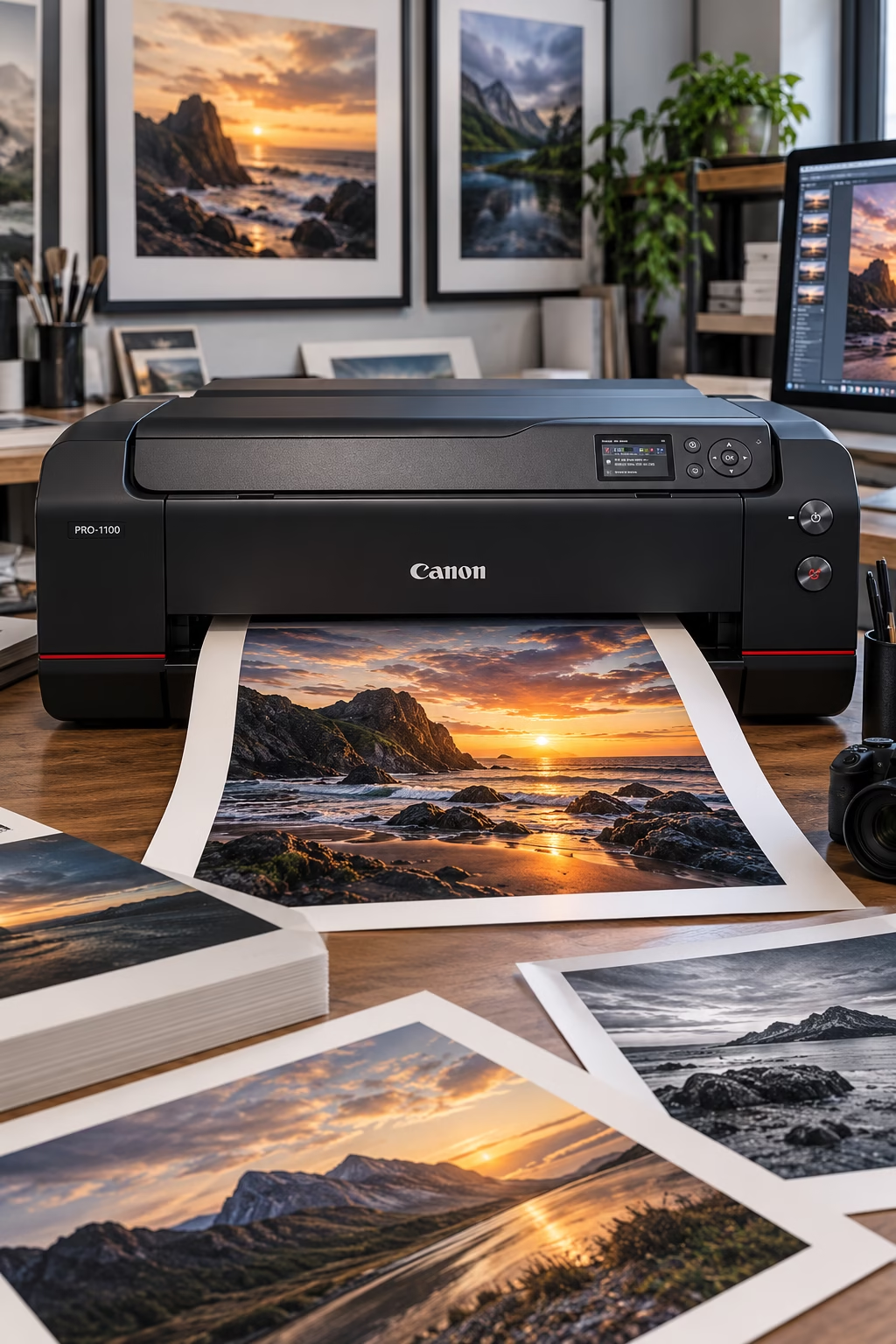
Fine-art inkjet printing uses high-resolution image data, carefully selected paper and archival-quality inks to produce detailed photographic and artistic prints.
Giclée printing
Giclée (pronounced zhee-clay) describes a form of high-quality digital inkjet reproduction, particularly associated with fine art and photographic prints.
The process uses high-resolution inkjet equipment, often with multiple pigment-based inks, to reproduce subtle tonal variations and detailed imagery. Archival-quality inks and suitable papers or other approved media can help improve longevity, although the result depends on the complete materials and printing system.
The term itself does not guarantee a particular level of quality or permanence. Ink formulation, substrate, environmental conditions and display methods all influence how long a print retains its appearance.
Common applications: Fine art reproductions, photographic prints, limited-edition artwork and gallery-quality images.
Canon professional printer range https://www.canon.co.uk/store/
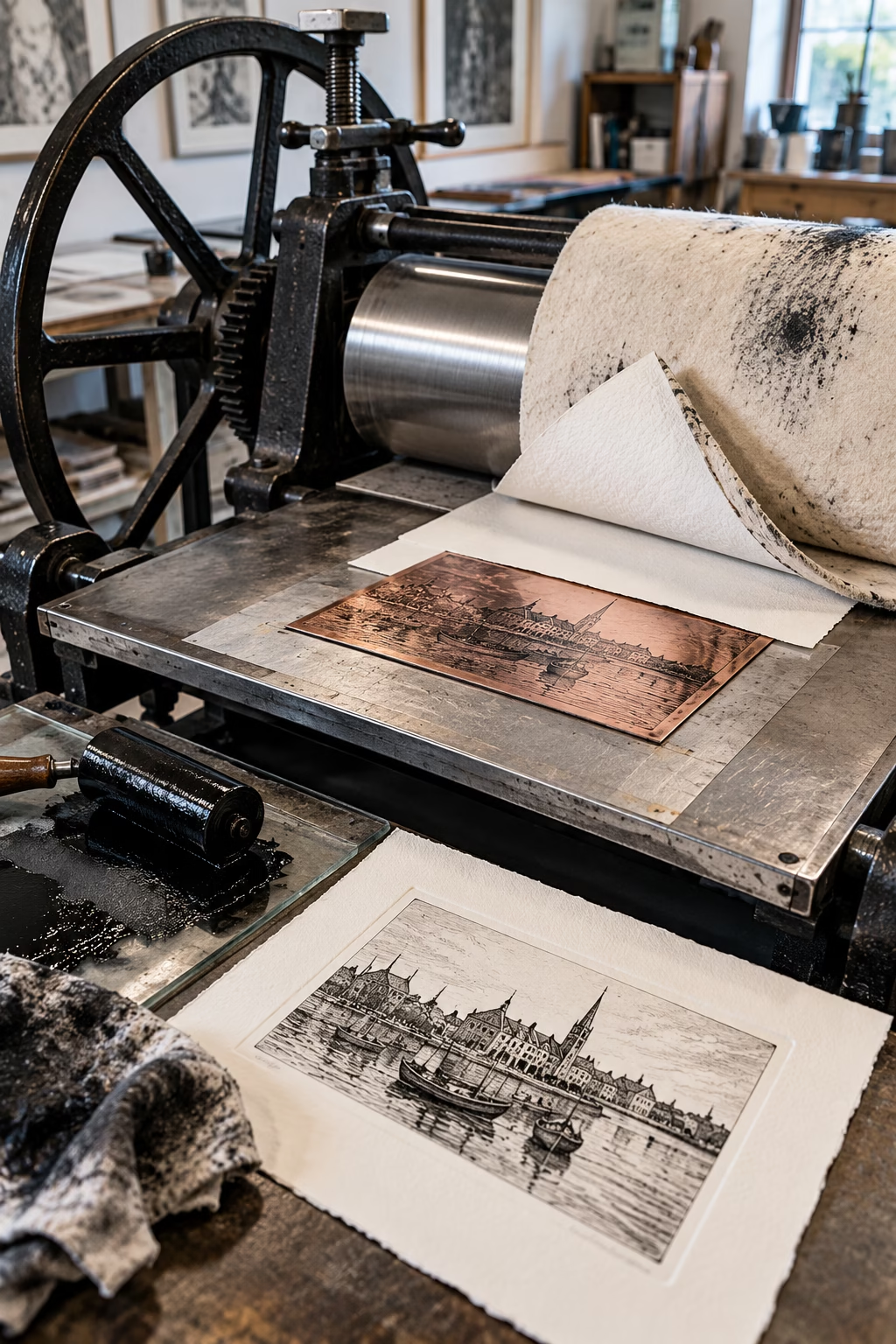
Intaglio printing transfers ink from recessed lines and textures in an engraved or etched plate onto paper under high pressure, producing fine detail and rich tonal effects.
Intaglio printing
Intaglio is a printing method in which the image is held in recessed areas of a plate rather than on raised surfaces. The plate is inked, and excess ink is wiped from its surface, leaving ink in the engraved or etched areas. Dampened paper is pressed against the plate under considerable pressure, drawing ink out of the recesses and onto the paper. The process can produce fine lines, rich tones and distinctive surface characteristics.
Traditional intaglio techniques include etching, engraving and drypoint. Rotogravure is a related industrial process that uses engraved cylinders for high-volume production.
Common applications: Fine art prints, banknotes, security documents and specialist printed work.
Find out more Intaglio printing here: https://www.takachpress.com/etchhand/
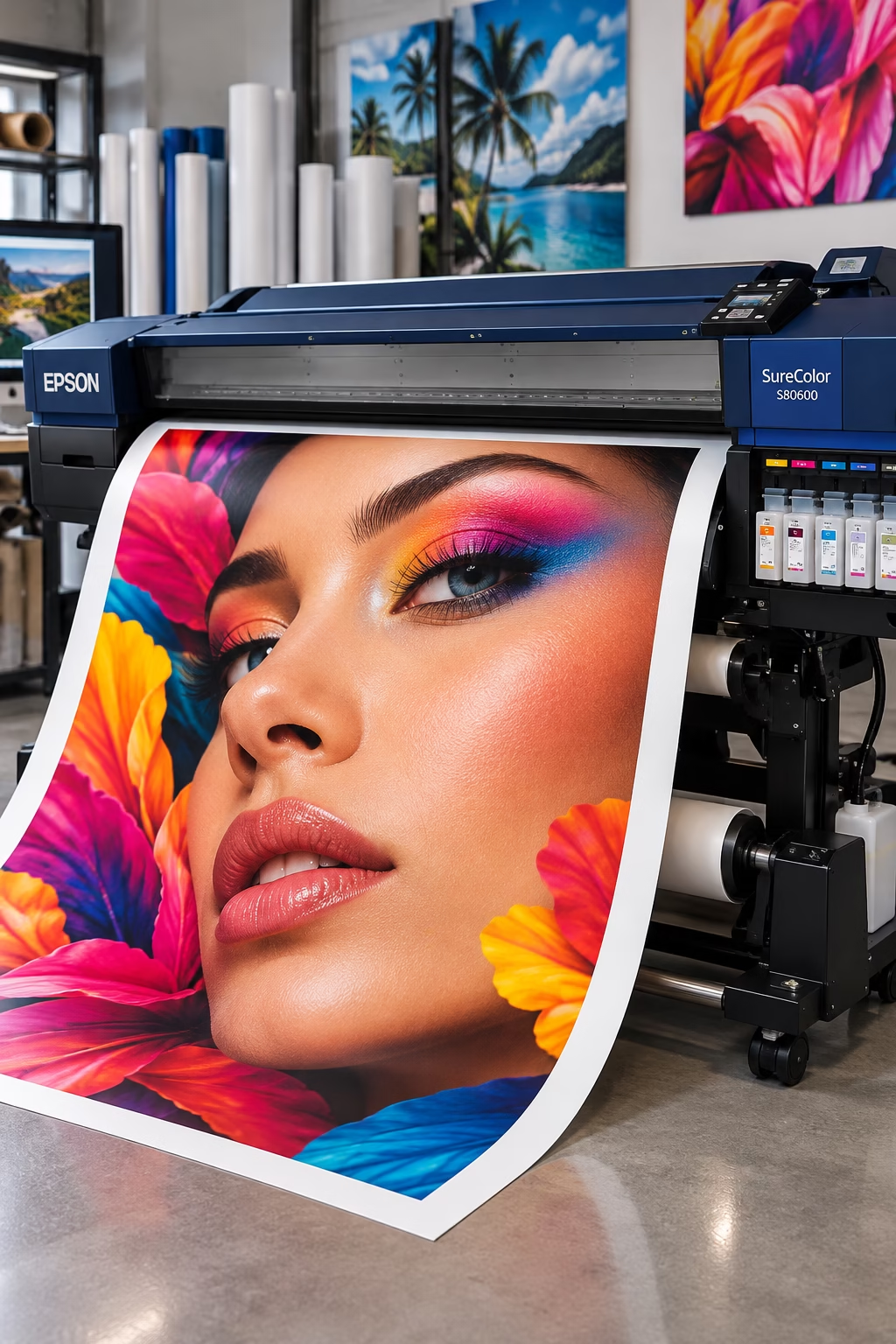
Large-format printing produces oversized graphics for banners, posters, exhibition displays, vehicle graphics and signage.
Large-Format printing
Large-format printing is used to produce graphics for applications such as posters, banners, exhibition displays, shop signage, vehicle graphics, window displays and wall coverings.
Professional wide-format printers use several ink and printing technologies. The most suitable option depends on the material being printed, where the graphic will be displayed, its expected service life and the finish required.
Advantages
- Large-scale impact – Produces prominent graphics that attract attention in exhibitions, retail environments, public spaces and outdoor locations.
- Versatile materials – Suitable printers can handle a wide range of substrates, from flexible vinyl and textiles to rigid display boards and panels.
- High-quality reproduction – Can deliver sharp text, detailed imagery and vibrant colours for professional display and promotional work.
- Custom sizes and formats – Allows graphics to be produced in a wide range of dimensions to suit specific spaces, structures and display requirements.
- Indoor and outdoor applications – With the appropriate ink, media and finishing, prints can be tailored to different environments and levels of exposure.
- Flexible production options – Digital inkjet technology makes short runs, bespoke graphics and personalised designs practical without the need for conventional printing plates.
Common applications: Exhibition graphics, banners, posters, vehicle graphics, retail displays, signage, wall coverings and photographic prints.
Find out more about the Epson product range: https://www.epson.eu/en_EU/verticals/
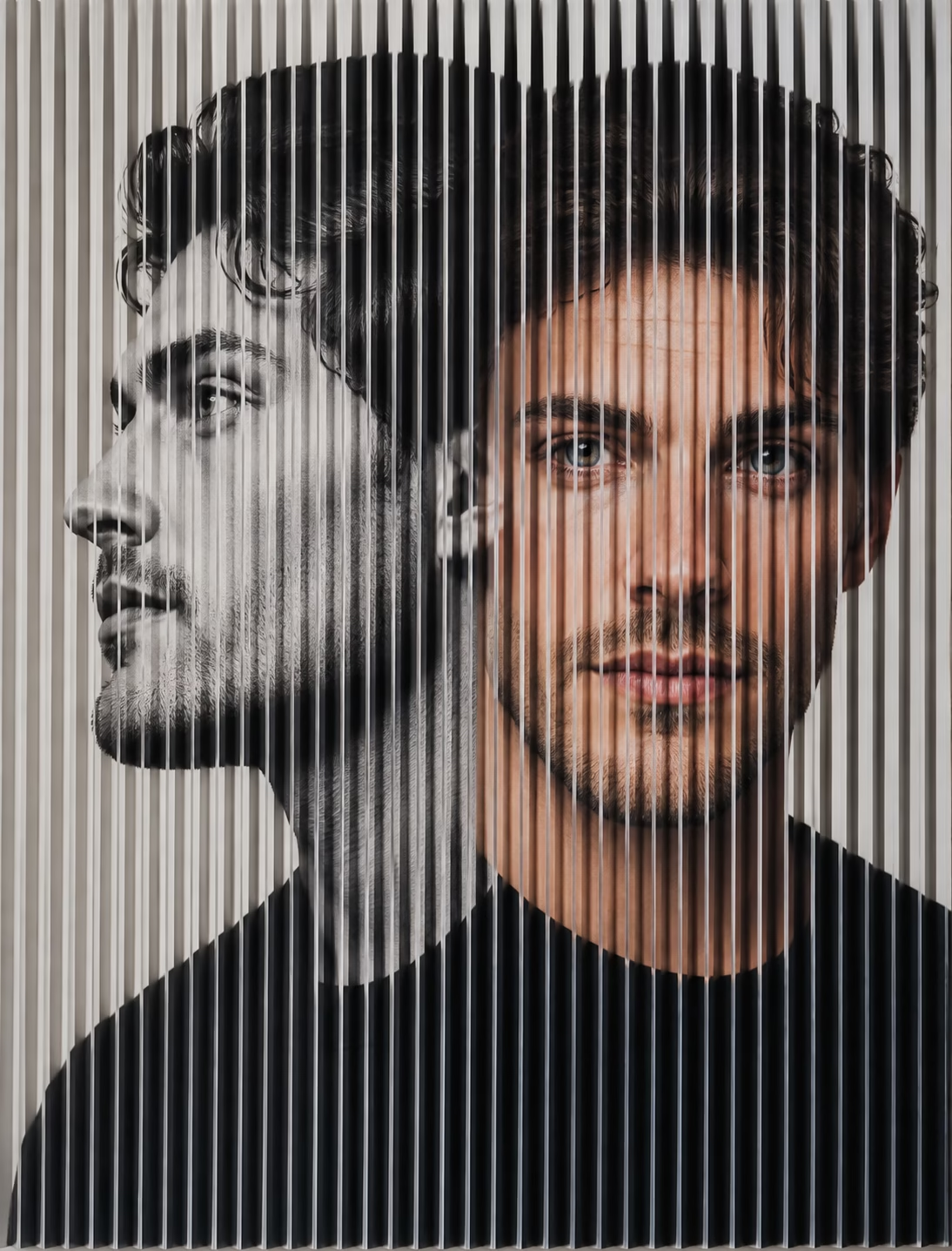
Lenticular printing – A portrait appears to change as the viewing angle shifts. The specially engineered lens surface reveals different images from different positions, creating a striking visual effect without screens or electronics.
Lenticular Printing
Early development: 1908 — French physicist Gabriel Lippmann developed the concept of integral photography, an important precursor to modern lenticular imaging. Commercial lenticular printing developed through later advances during the 20th century.
Lenticular printing combines specially prepared, interlaced images with a transparent plastic sheet containing tiny lens-shaped ridges. These lenses direct different parts of the printed image towards the viewer at different angles, creating the illusion of movement, changing images or three-dimensional depth without special glasses.
The artwork must be carefully prepared so that the image strips align precisely with the lenses. Accurate image resolution, registration and alignment are essential to achieve a clear effect. Depending on the production method, the interlaced image can be printed directly onto the back of the lenticular sheet or printed onto a separate material and then laminated to it.
From our experience: In the 1990s, PrePress produced artwork for lenticular printing projects, a technically demanding process requiring careful image preparation and precise alignment.
Advantages
- Eye-catching effects – Creates movement, image transitions and 3D depth in a static printed product.
- No electronics required – The visual effects are created by the lenses and printed image, without screens, batteries or power.
- Memorable marketing – Helps promotional materials, packaging and displays stand out from conventional flat printing.
- Versatile applications – Can be used for postcards, business cards, book covers, posters, packaging and promotional products.
Common applications: Promotional cards, novelty prints, book covers, packaging, point-of-sale displays, posters, collectables and product advertising.
The equipment used for lenticular printing

1. Lithographic Offset Printing
Offset presses can produce high-quality interlaced artwork for lenticular products in medium and large production runs. The image may be printed onto a suitable substrate before the lenticular lens sheet is applied, or printed directly onto compatible lenticular material using an appropriately configured press. Precise registration is essential.
Reference: Heidelberg – Lenticular Printing

2. High-Resolution Digital Printing
Digital printing is useful for shorter runs, personalised products and large-format lenticular graphics. Depending on the equipment and materials, the interlaced image can be printed onto a separate substrate for lamination or directly onto the flat reverse side of a suitable lenticular sheet.
Reference: Mimaki Europe – Lenticular Printing

3. Artwork Preparation and Finishing
Before printing, specialist software divides the source images into fine strips and interlaces them into a single composite image. The image resolution must be matched to the lens pitch—the number of lenses per unit of measurement.
After printing, the lens sheet must be aligned accurately with the interlaced artwork. Depending on the production method, this may involve precision laminating or mounting equipment. Poor alignment can cause ghosting, blurred transitions or an unclear 3D effect.
Reference: Kodak – How Does Lenticular Printing Work?
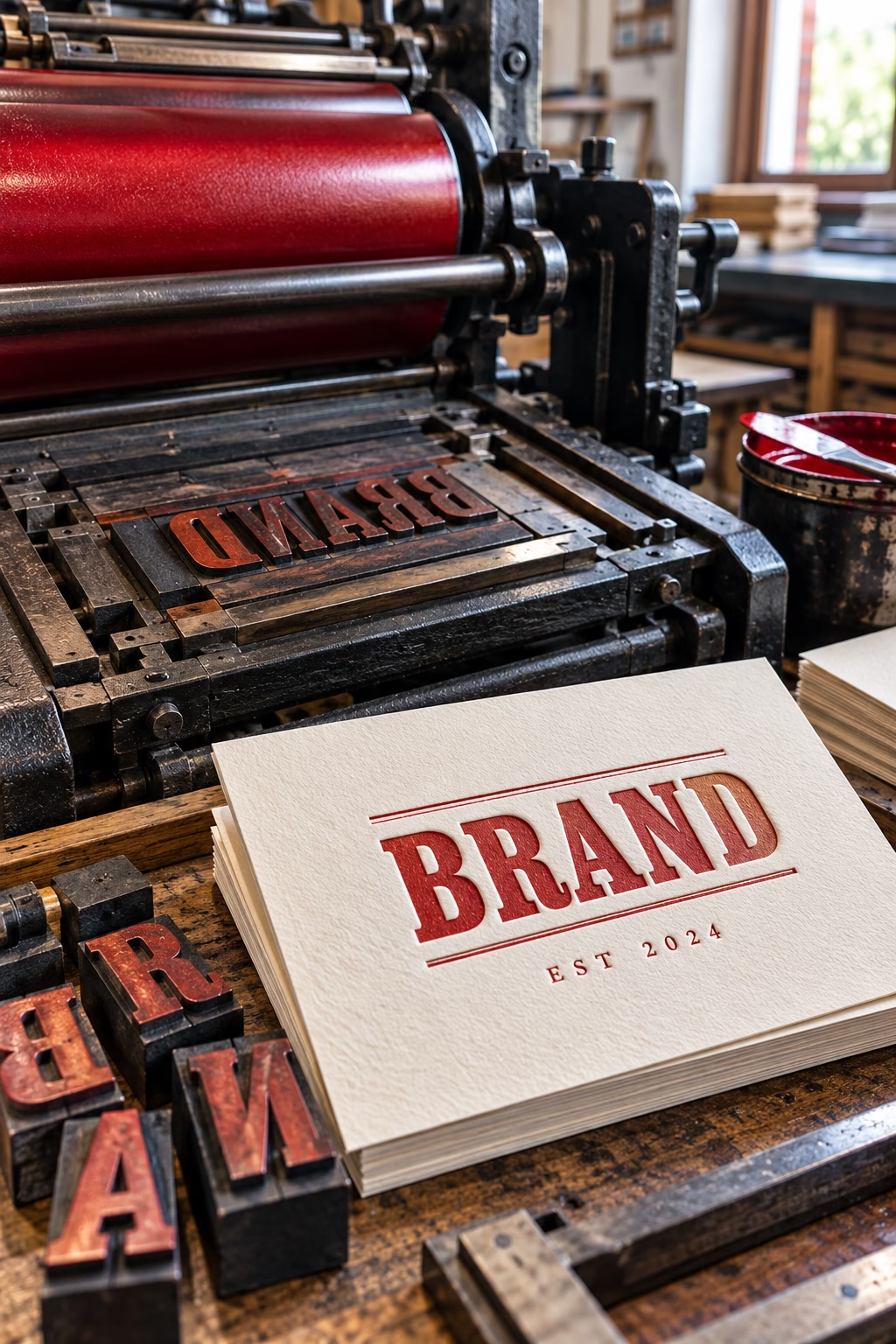
Letterpress printing presses printed the first books in German during the 1440’s
Letterpress printing
Developed: Around 1450 — Johannes Gutenberg, a German goldsmith and inventor, developed a practical system of movable metal type and mechanical printing in Europe. His work established the foundations of European letterpress printing.
Letterpress is a relief printing process in which raised type or image areas transfer ink to paper under pressure. Historically, it was the principal method used for printing books, newspapers and other publications.
Modern letterpress is often associated with specialist stationery and premium printed products. It can produce a distinctive impression in the paper, particularly when a deeper impression is deliberately used as a design feature.
Common applications: Premium business cards, wedding stationery, invitations, art prints and specialist publications.
Read more here: https://www.mainz.de/microsite/gutenberg-museum/
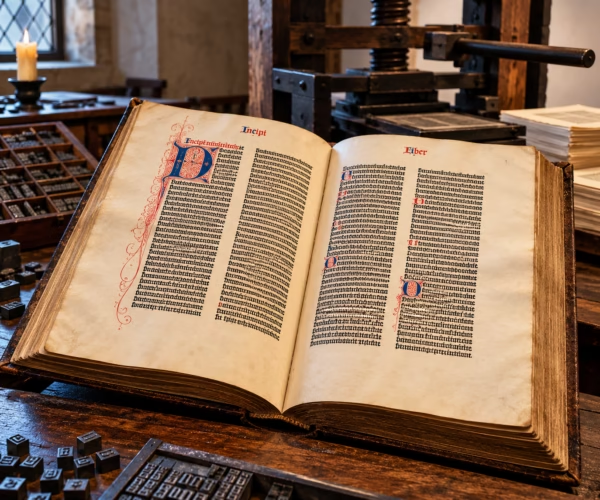
Gutenberg Bible in the Candlelit Pressroom
The History of Letterpress Printing: Gutenberg and the Book That Changed the World
Letterpress printing has a history stretching back more than 500 years in Europe, although printing techniques had existed in East Asia centuries earlier. The man most closely associated with the development of movable-metal-type printing in Europe is Johannes Gutenberg, a German goldsmith and inventor who worked in Mainz during the 1440s and early 1450s.
Gutenberg’s achievement was not simply to create a printing press. He developed a practical system combining reusable metal type, suitable printing ink and a mechanical press. Together, these innovations transformed the production of books in Europe.
Before printing became established, books in Europe were largely copied by hand. Producing a substantial manuscript could take months or years, making books expensive and limiting the number of copies available. Gutenberg’s system offered a more efficient approach. Individual metal letters could be cast, arranged into words and lines, locked into a frame, inked and pressed onto paper. Once printed, the type could be dismantled and reused to set another page. This made it possible to produce multiple copies of a text with far greater speed and consistency than copying each one by hand.
The Gutenberg Bible
The most famous book associated with Gutenberg is the Gutenberg Bible, also known as the 42-line Bible. Printed in Mainz around 1454–1455, it is widely regarded as the first major book produced in Western Europe using movable metal type. Its name comes from the layout of most of its pages, which contain two columns of 42 lines.
The scale and quality of the work were remarkable. The Bible comprises approximately 1,282 pages across two volumes. Historians estimate that around 180 copies were produced, using both paper and vellum—a fine parchment made from animal skin. The precise production figures remain estimates rather than confirmed totals.
The typography was carefully designed to resemble the handwritten manuscripts that wealthy readers and religious institutions already valued. Decorative initials and other embellishments were added by hand to many copies after printing, combining the efficiency of the new technology with the established skills of scribes and illuminators.
The Gutenberg Bible was not the first printed book in history. Printing had existed in East Asia for centuries, and movable type had been developed there before Gutenberg’s work. His achievement was to establish an effective movable-metal-type printing system in Europe, helping to lay the foundations for the expansion of European book production. Library of Congress – The Gutenberg Bible
How printing changed the world
The consequences extended far beyond the printing workshop. Printed books and other texts could be produced in increasing quantities and distributed across wider areas. Knowledge, religious arguments, scientific observations and new ideas could circulate more readily between cities and countries.
Printing became an important influence on the Renaissance, the Reformation and the development of modern science. These changes unfolded over generations, rather than happening overnight, but the ability to reproduce texts consistently helped ideas reach wider audiences.
Gutenberg’s work also helped establish printing as a skilled commercial industry. Printers needed type, presses, paper, ink and trained workers, while publishers and booksellers developed ways to bring printed material to readers. The printing workshop became a place where craftsmanship, engineering and business came together—a combination that remains familiar in the printing industry today.
From Gutenberg’s press to modern letterpress
The basic principle behind letterpress printing remained important for centuries: ink is applied to a raised printing surface, which is then pressed against paper to transfer the image. Metal type and wooden type were joined by engraved blocks, printing plates and increasingly sophisticated machinery. Improvements in press design and typesetting helped letterpress become a dominant method for producing books, newspapers, stationery and commercial printed material.
During the twentieth century, offset lithography and other printing technologies took over many high-volume applications. Letterpress did not disappear, however. Specialist printers continue to use it for premium business cards, wedding invitations, stationery, limited-edition books and art prints.
Modern letterpress can create a distinctive impression in the paper, particularly when a deeper impression is deliberately used as a design feature. The combination of type, ink, paper choice and careful presswork gives the process a physical character that remains attractive to designers and customers.
More than five centuries after Gutenberg’s work in Mainz, letterpress remains a reminder that printing is not just about putting ink on paper. It is also about the engineering, design and craftsmanship that allow ideas to be reproduced and shared. The Gutenberg Bible stands as one of the great landmarks in that story, while letterpress continues as a living craft and specialist printing process.
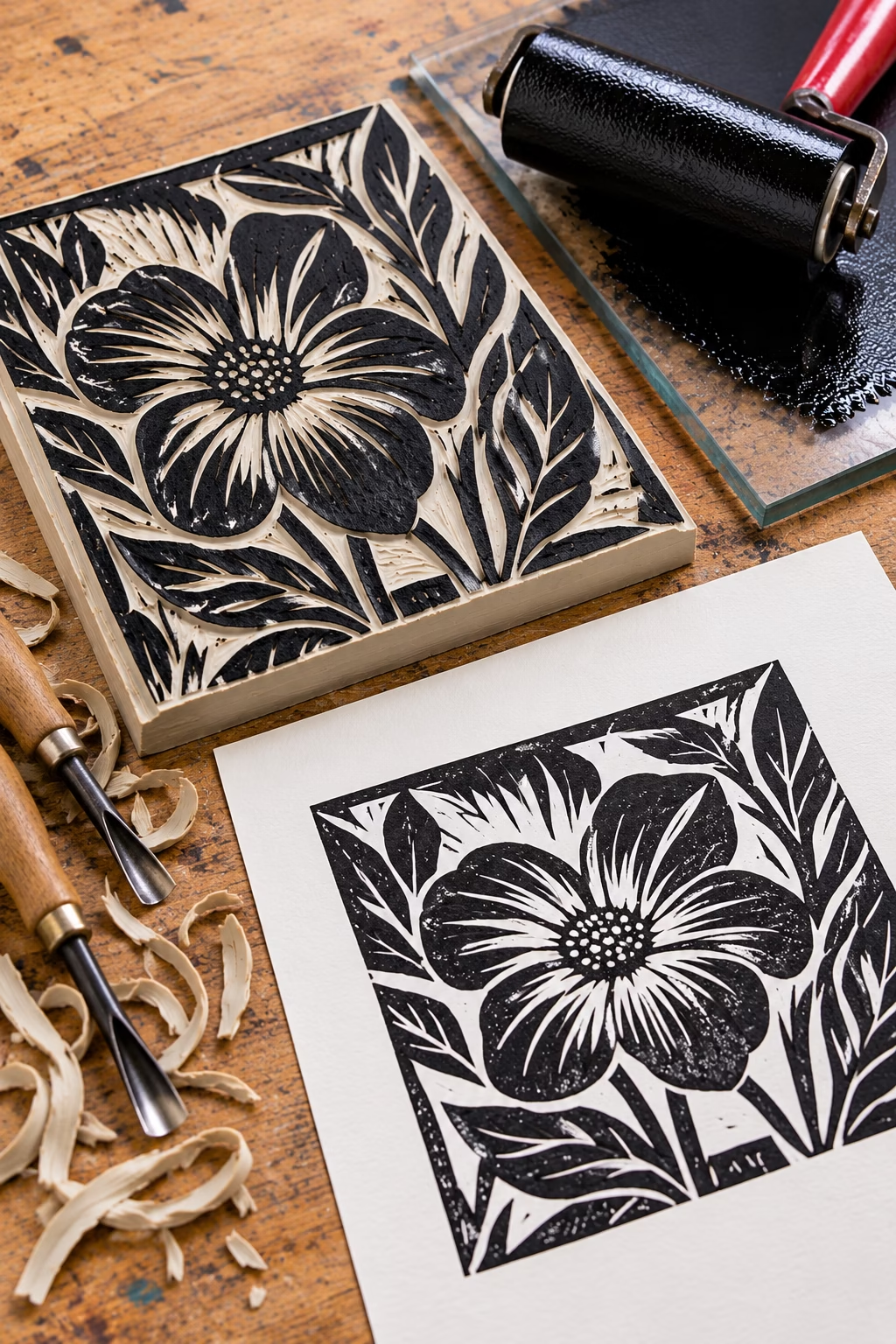
Linocut is a relief printing method in which areas of a lino block are cut away, leaving the raised design to be inked and pressed onto paper.
Linocut (Lino printing)
Originated: Around 1903 — German artist Erich Heckel produced one of the earliest known artistic linocuts. The technique became more widely established during the early 20th century.
Linocut, also known as lino printing, is a relief printing technique in which a design is carved into a sheet of linoleum. The areas that are not intended to print are cut away, leaving the design raised above the surface. Ink is rolled onto these raised areas before paper is placed over the block and pressure is applied, either by hand or using a printing press.
Unlike woodcut printing, linoleum has no natural grain, allowing the artist to carve freely in different directions. Its relatively soft surface makes it easier to cut than many types of wood, helping artists create flowing lines, bold shapes and striking contrasts between ink and unprinted paper.
Linocut is widely used by artists, illustrators and printmaking studios to produce original artwork and limited-edition prints. Although often associated with monochrome images, multiple colours can be achieved by printing from separate blocks or by using a reduction technique, in which the same block is progressively carved and printed in successive colours. Because material is removed at each stage, the block generally cannot be reused to reproduce the complete edition.
Advantages
- Accessible and affordable – Lino and basic carving tools are relatively inexpensive, making the process suitable for beginners, students and professional artists.
- Distinctive visual style – Produces bold shapes, strong contrasts and expressive hand-carved lines.
- Versatile printing – Prints can be produced by hand or with a press, using different inks and papers to achieve a range of effects.
- Suitable for multi-colour work – Separate blocks or the reduction technique allow artists to create layered colour compositions.
Common applications: Original artwork, limited-edition prints, posters, illustrations, greeting cards, book illustrations and educational printmaking projects.
Read more here: What is print? – Victoria and Albert Museum
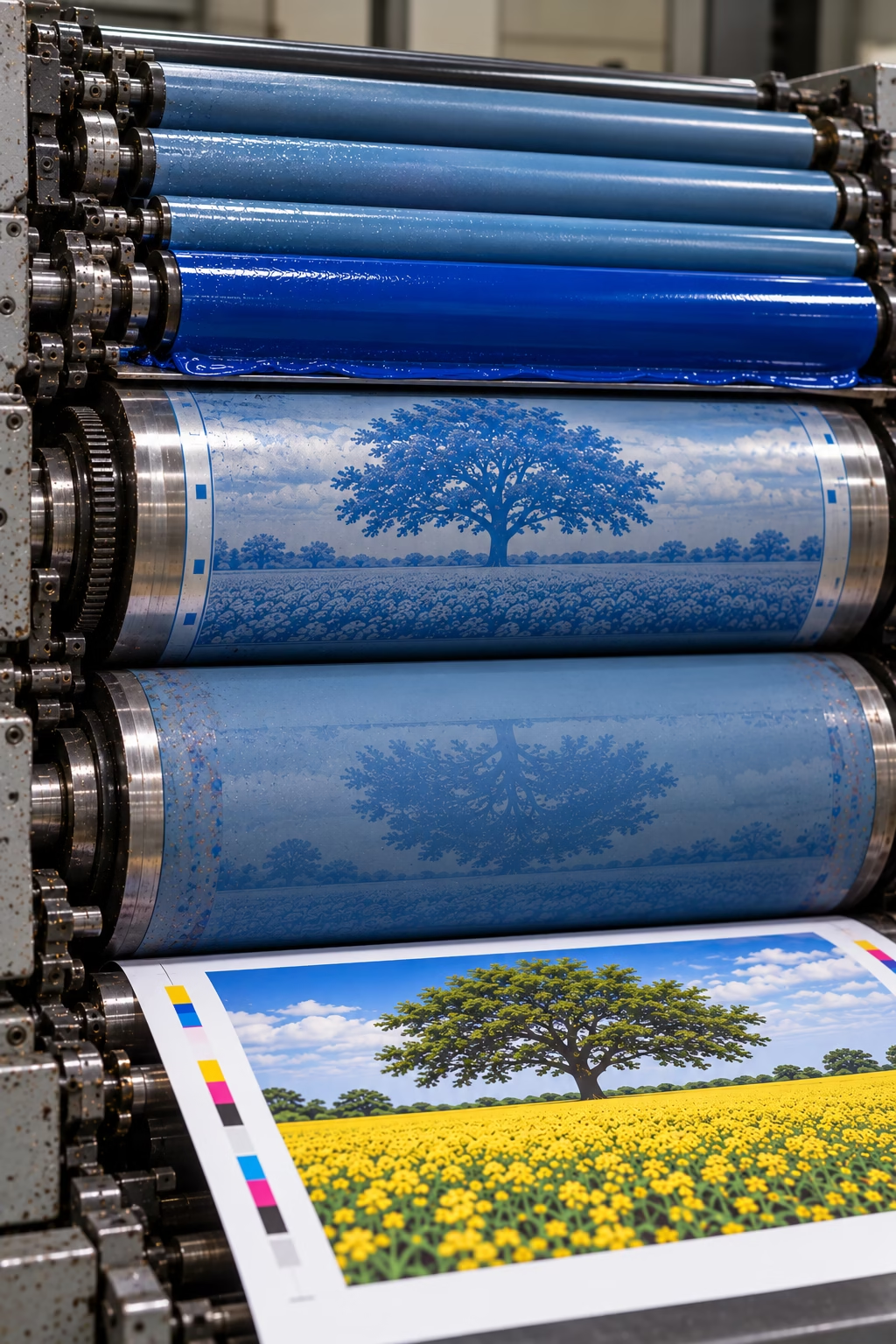
Offset lithography uses the principle that water and oil-based ink repel one another. The image transfers from the plate to a rubber blanket cylinder, which then transfers it onto paper.
Offset lithography
Developed: 1875 — Robert Barclay patented an early rotary offset lithographic press for printing on metal. Around 1903–1904, Ira Washington Rubel and Caspar Hermann independently advanced offset lithography for printing on paper.
Offset lithography, also known as offset litho, is one of the principal commercial printing processes. Conventional offset lithography uses the principle that oil-based ink and water repel one another. The image and non-image areas of a flat printing plate are treated so that ink adheres to the image areas while the non-image areas accept a dampening solution and repel the ink.
The image is transferred from the printing plate to a rubber blanket and then onto the printing substrate, usually paper or board. This indirect transfer is the reason the process is called offset printing.
There are two main ways of feeding material through an offset press. Sheet-fed offset prints on individual sheets and is widely used for brochures, leaflets, books and marketing materials. Web offset feeds paper from a continuous roll and is suited to high-volume production, including magazines, catalogues and newspapers. Specialised waterless offset systems also exist, using a different method to prevent ink from adhering to non-image areas.
Offset lithography is valued for its high print quality, reliable colour reproduction and ability to produce consistent results across substantial production runs. Although setting up a job involves costs such as plate preparation and press make-ready, the cost per copy can become economical as the quantity increases.
Advantages
- Excellent print quality – Produces sharp text, fine detail and high-quality images with consistent colour reproduction.
- Cost-effective at volume – Setup costs can be spread across larger quantities, reducing the cost per copy.
- Consistent results – Well-controlled presses can maintain reliable colour and image quality throughout a production run.
- Versatile applications – Suitable for a wide range of paper and board stocks, depending on the press, inks and job specifications.
Common applications: Magazines, books, brochures, catalogues, leaflets, flyers, newspapers, annual reports, corporate literature, calendars, posters and direct-mail marketing materials.
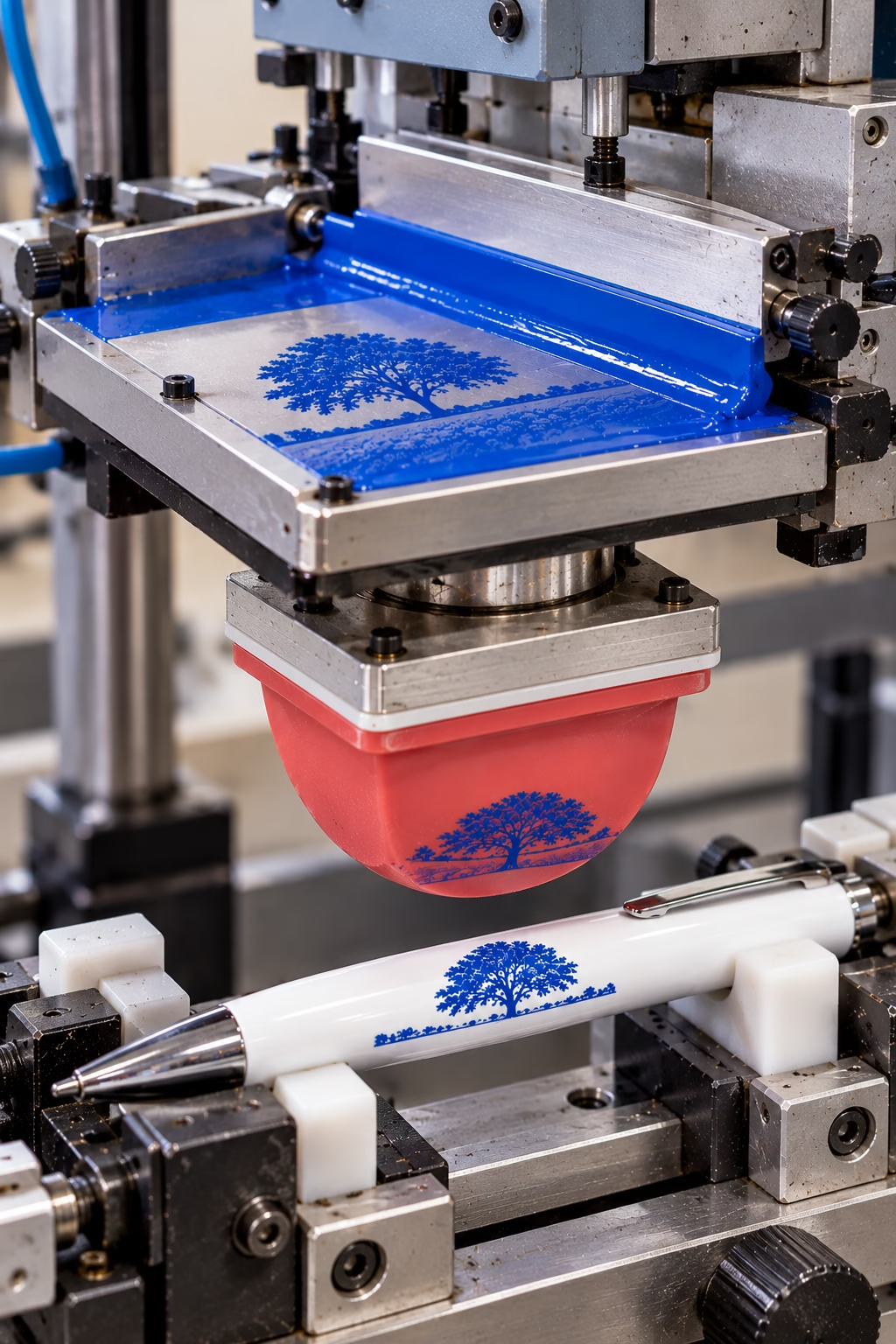
Tampography, also known as pad printing, uses a flexible silicone pad to transfer ink from an etched plate onto products with curved, uneven or irregular surfaces.
Tampography (Pad printing)
Developed: Early hand-operated pad transfer printing dates to around 1814 in Switzerland. Modern industrial pad printing was developed further by Wilfried Philipp in Germany during the 1960s, with silicone pads and mechanised equipment helping establish the process for commercial production.
Tampography, also known as pad printing, is a specialist printing method used to apply detailed images, lettering and logos to three-dimensional objects. It is particularly useful when a surface is curved, recessed, uneven or too small for conventional printing methods.
The process begins with an image etched into a plate, known as a cliché. Ink fills the recessed image areas, while a doctor blade or enclosed ink cup removes excess ink from the surrounding surface. A specially shaped silicone rubber pad presses against the plate, picks up the inked image and transfers it onto the product. The pad’s flexibility allows it to transfer detailed images onto many shapes and contours.
Advantages
- Prints on complex shapes – The flexible silicone pad can transfer images onto curved, concave, convex and irregular surfaces that are difficult to print using other methods.
- Ideal for product branding – Commonly used for promotional pens, electronic controls, medical components, toys, automotive parts and appliance markings.
- Fine detail and precision – Reproduces crisp logos, small lettering, symbols and detailed markings on relatively small areas.
- Suitable for different materials – With appropriate inks, surface preparation and curing, it can print on plastics, metals, glass, ceramics and other substrates.
Common applications: Promotional pens, golf balls, computer keyboards, appliance controls, medical devices, electronic components, toys, automotive parts and manufactured products requiring precise logos or markings.
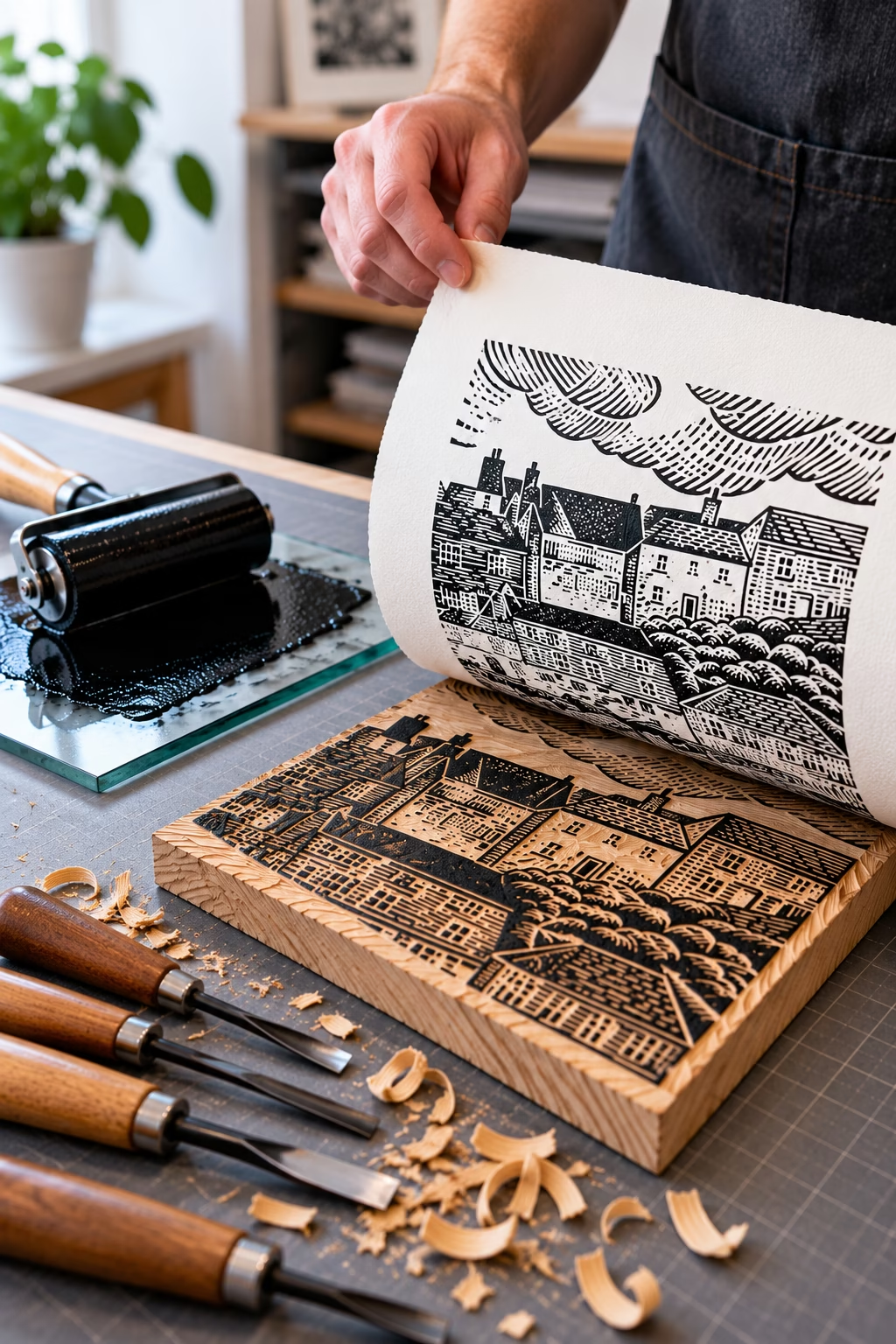
Relief printing transfers ink from the raised areas of a carved block onto paper. Techniques such as woodcut and linocut create distinctive prints with bold lines, shapes and textures.
Relief printing
Origins: The exact origin of relief printing is unknown. Woodblock printing, one of its oldest established forms, developed in China by around the 7th century CE
Relief printing is a family of printing techniques in which ink is transferred from raised areas of a prepared printing surface onto paper or another substrate. The areas that are not intended to print are cut, carved or otherwise recessed, leaving the image standing in relief.
The technique includes traditional methods such as woodcut and linocut, as well as letterpress printing, which uses raised type or printing plates. Simple potato prints and rubber stamps also use the same basic principle.
Relief printing is valued for its direct, tactile approach and its ability to produce bold shapes, strong contrasts and distinctive textures. Depending on the technique, it can be used for both handmade artistic prints and repeatable commercial printing.
Advantages
- Distinctive visual style – Produces bold shapes, strong contrasts and expressive textures.
- Accessible techniques – Methods such as linocut and simple block printing can be practised with relatively little equipment.
- Versatile applications – Suitable for fine art, illustration, decorative printing and letterpress work.
- Repeatable impressions – A prepared block, stamp or printing forme can produce multiple impressions of the same design.
Common applications: Fine art prints, handmade editions, illustrations, rubber stamps, decorative printing, book illustration and traditional letterpress.
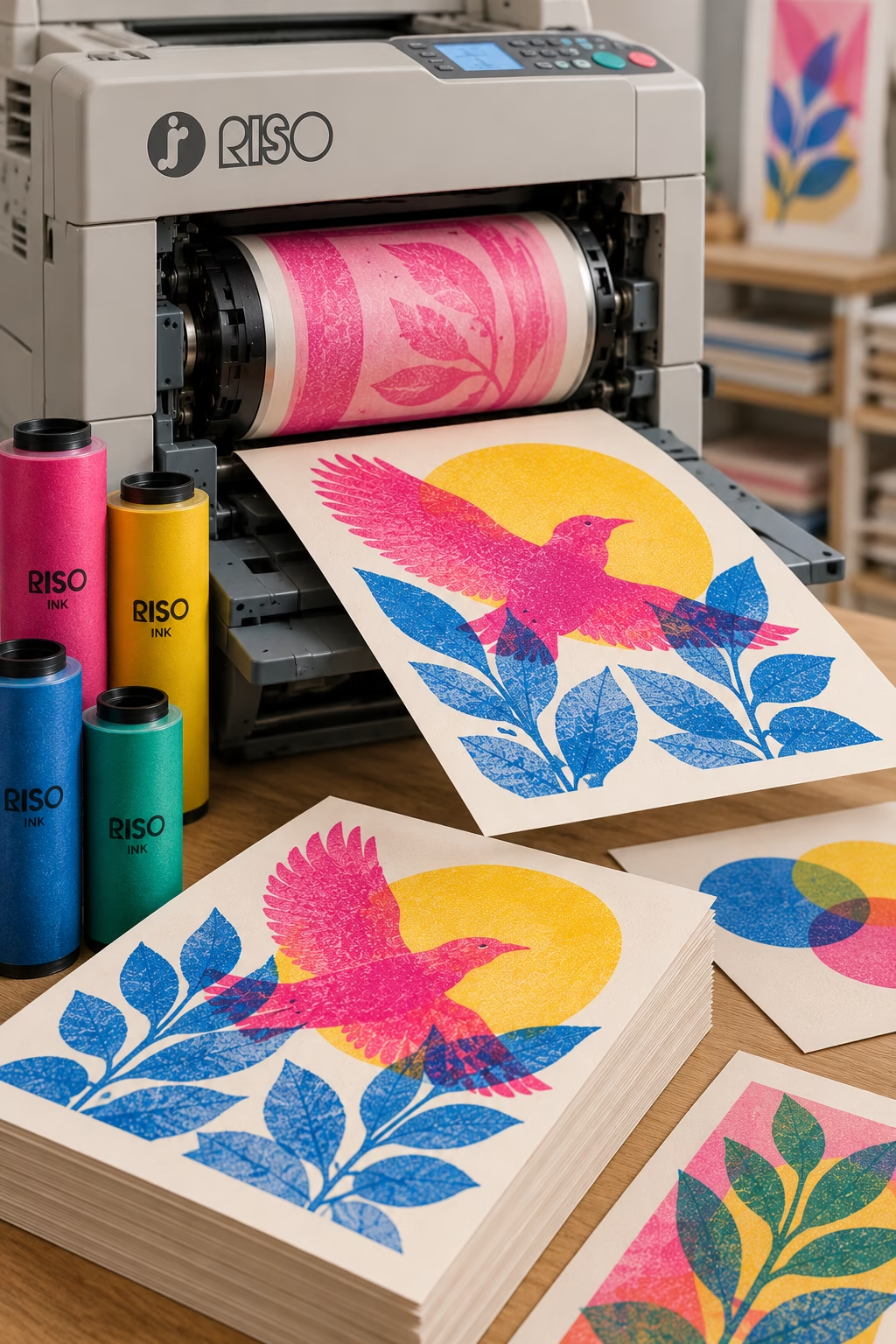
A stencil-based printing process that uses separate ink drums to build up vibrant colours and distinctive textured effects. Popular for posters, art prints, zines and independent publications, Riso printing is known for its bold colours and slightly imperfect registration.
Risograph Printing
Introduced commercially: 1980 — RISO Kagaku Corporation in Japan developed and launched its RISOGRAPH printing system. The company was founded by Noboru Hayama in 1946 and had previously specialised in stencil duplicating and printing equipment.
Risograph printing, often called Riso printing, is a digital duplicating process that uses a stencil, known as a master, to transfer ink onto paper. The master is created from digital artwork and wrapped around an ink drum. As the drum rotates, ink passes through the open areas of the stencil onto the paper.
Each colour is normally printed separately using a different master and ink drum. The colours are then layered to create the finished image. This process produces distinctive results, combining the efficiency of duplicating with the visual character of stencil-based printing. Risograph printing is particularly popular with artists, graphic designers, independent publishers and zine makers.
Advantages
- Distinctive colours – A wide range of specialist inks is available, including fluorescent pink, fluorescent orange and metallic gold, depending on the machine and supplier.
- Economical for short and medium runs – Can be cost-effective for repeat quantities without the plate-making costs associated with conventional offset lithography.
- Distinctive print character – Slight variations in colour registration, ink coverage and overprinting can create a characteristic appearance. The degree of variation depends on the machine and production settings.
- Efficient duplicating – Once a master has been prepared, the process can produce large numbers of copies quickly, with relatively low running costs for suitable jobs.
Common applications: Art prints, posters, zines, independent magazines, flyers, invitations, greeting cards, booklets, comics and creative stationery.
For more information RISO – History of RISOGRAPH printing
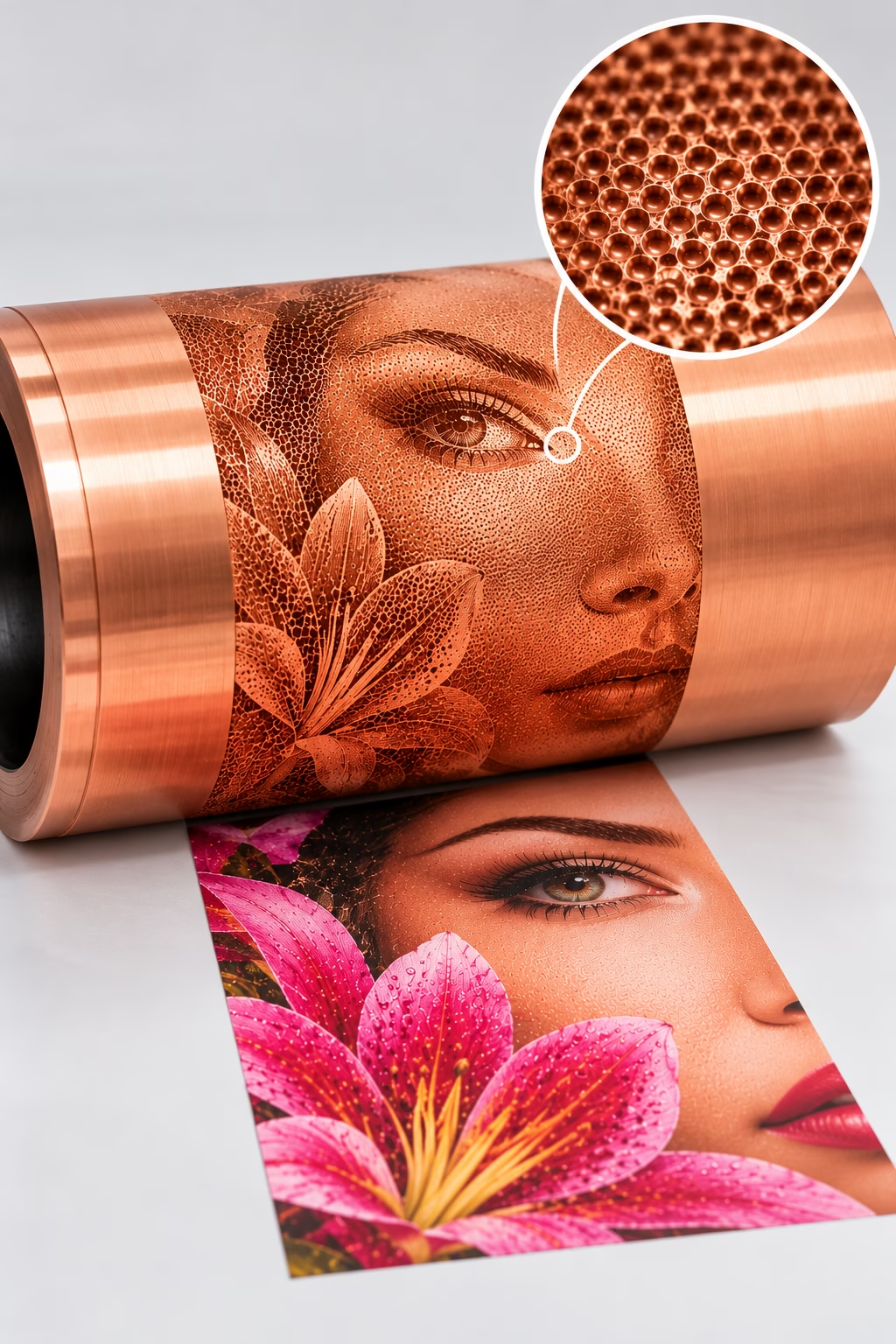
Rotogravure printing – a copper-plated cylinder engraved with thousands of tiny ink-holding cells reproduces fine detail, rich tones and vibrant colours.
Rotogravure (Gravure printing)
Developed: 1890–1893 — Czech inventor Karel Klíč (also known as Karl Klič) is credited with developing modern rotogravure. He developed the process in Britain, with the first rotogravure rotary press reported in operation in 1893.
Rotogravure is a high-volume rotary printing process that uses engraved cylinders to transfer ink directly onto a substrate. The image is made up of tiny recessed cells in the cylinder that hold the ink. As the cylinder rotates through an ink supply, a doctor blade removes excess ink from its surface, leaving ink in the recessed cells to transfer to the material being printed.
The size and depth of the engraved cells determine how much ink is transferred, helping reproduce tonal variations, rich colours and fine photographic detail. Once prepared, the cylinders can deliver consistent results over very long production runs.
Gravure is the broader family of intaglio printing processes, while rotogravure specifically refers to printing from engraved cylinders on a rotary press. Although the process can deliver excellent image quality at high speed, preparing the cylinders is expensive. This makes rotogravure most economical for long runs, particularly where large quantities of identical printed material are required.
Advantages
- Exceptional image quality – reproduces fine photographic detail, rich colours and smooth tonal gradations.
- Economical at high volumes – high production speeds and consistent output make it suitable for very long runs.
- Excellent ink density – produces deep blacks, strong colours and rich solid areas.
- Consistent repeat production – cylinders can be stored and reused for repeat jobs, subject to their condition and the requirements of the application.
Common applications: Flexible packaging, high-volume magazines and catalogues, wallpaper, decorative papers, and decorative laminates for furniture and flooring, as well as selected labels and specialist printed products.
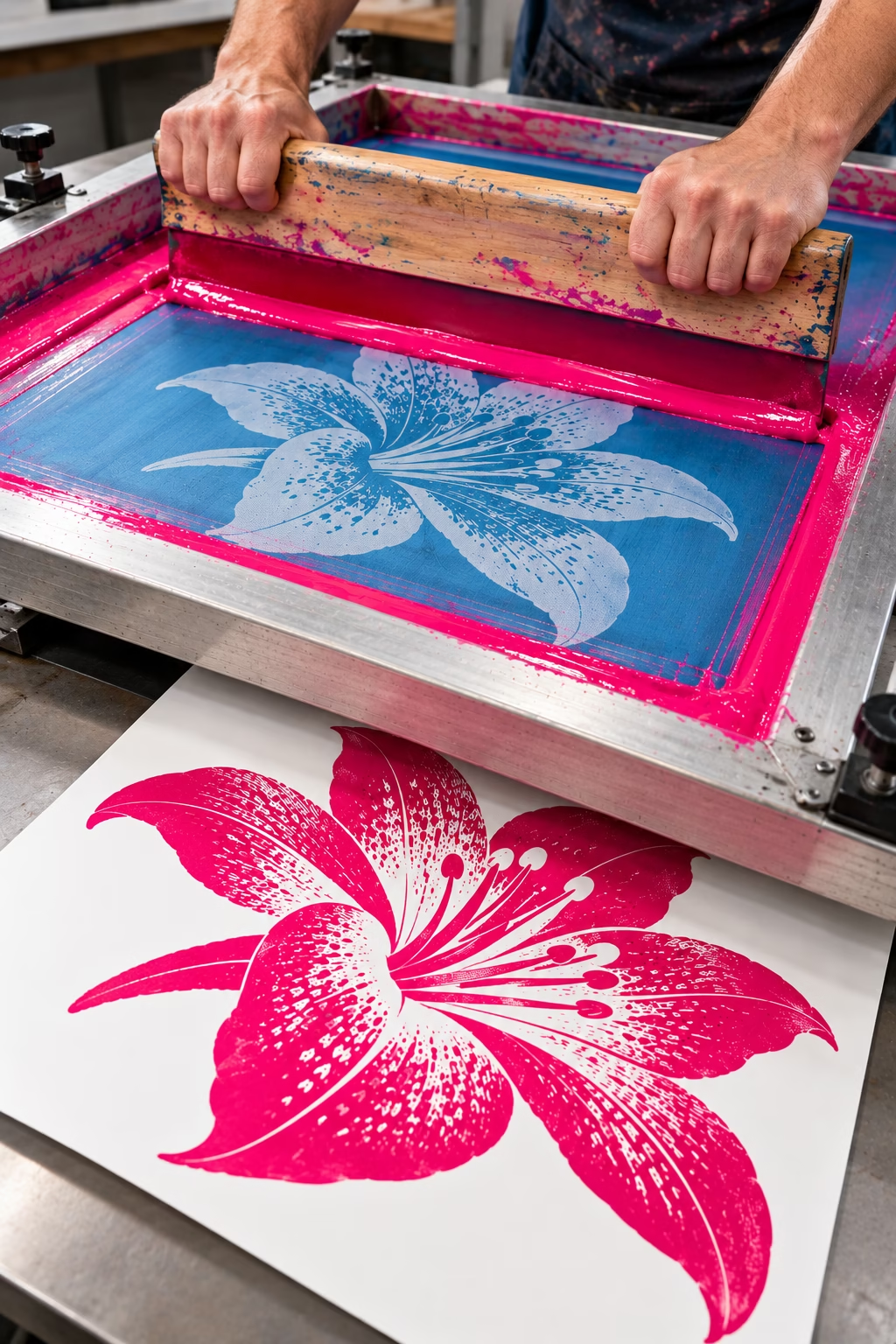
Ink is pushed through a fine mesh screen using a squeegee, transferring a stencil design onto the surface to produce bold colours, durable prints and specialist finishes.
Screen printing (Serigraphy)
Origins: Stencil-based printing techniques are thought to have developed in China around the 10th century, although the precise origins of screen printing remain uncertain. Modern development: Samuel Simon patented a screen-printing process in England in 1907.
Screen printing, also known as silk-screen printing (an older term), is a printing process that uses a fine mesh stretched across a frame. Areas that should not print are blocked by a stencil, while open areas allow ink to pass through the mesh onto the substrate. A squeegee forces the ink through the open areas to create the image.
In conventional screen printing, each colour normally requires a separate screen and print pass. Different mesh types, inks and curing methods can be selected to suit a wide range of materials, including textiles, paper, plastics, glass, wood and metal. The process can deposit relatively substantial layers of ink, making it useful when strong, opaque colours or specialist finishes are required.
Serigraphy: This term distinguishes screen printing used to produce fine-art prints from its commercial and industrial applications. It was adopted in the United States during the 1930s by artists seeking to establish screen printing as a recognised fine-art medium. The word combines the Latin sericum (silk) and Greek graphein (to write or draw).
Advantages
- Vibrant, opaque colours: Provides strong colour coverage, including on dark materials when suitable inks are used.
- Versatile substrates: Prints on paper, textiles, plastics, glass, wood and metal, subject to compatible inks and preparation.
- Durable results: Suitable inks and curing methods can provide excellent resistance to wear, washing and environmental exposure.
- Special effects: Supports metallic, fluorescent, textured and other specialist inks.
- Cost-effective at volume: Once screens are prepared, repeated printing can be economical for medium and large production runs.
Common applications: T-shirts, promotional products, posters, signage, glassware, industrial markings and printed electronics.
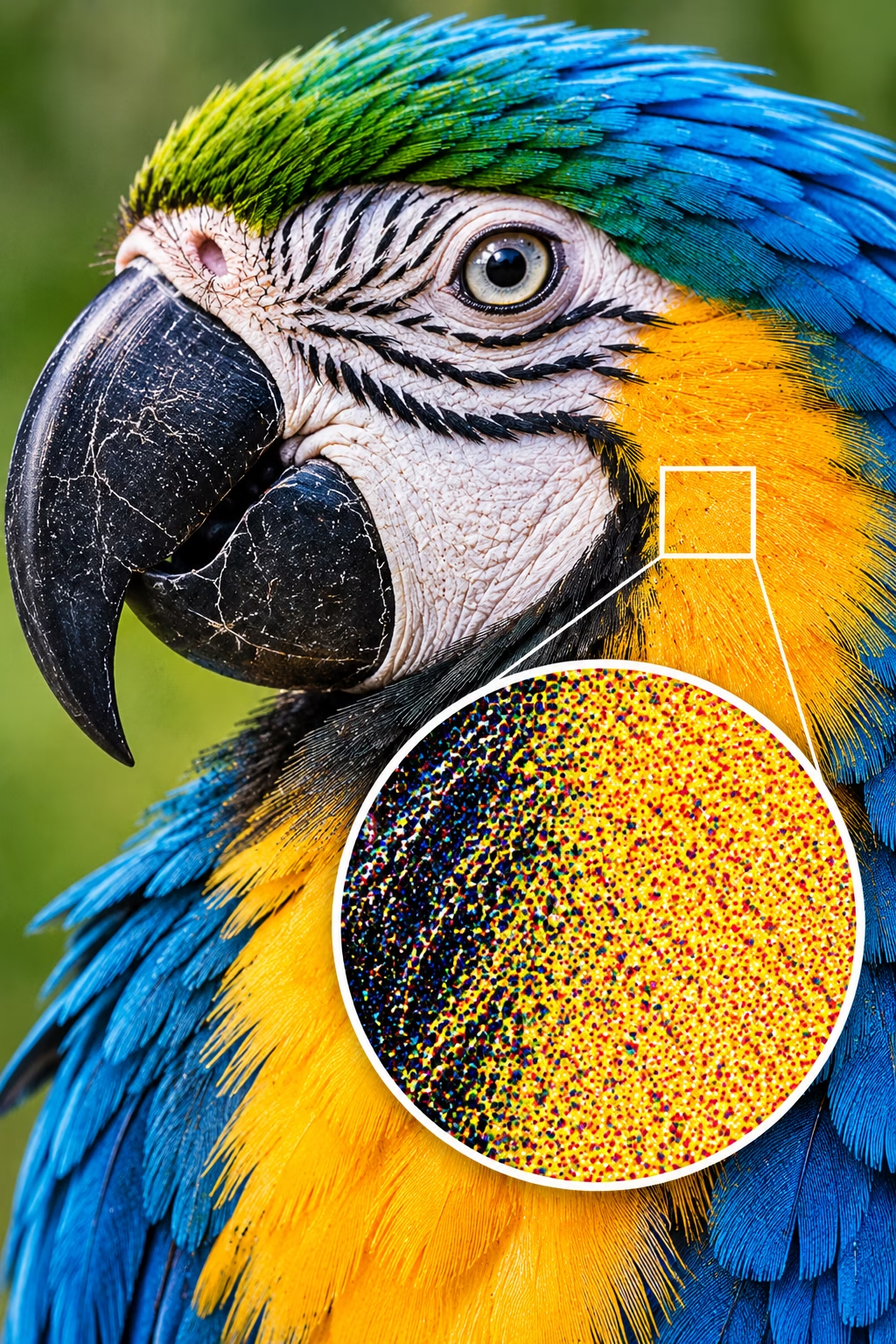
An advanced halftone technique that uses tiny, randomly distributed dots to reproduce continuous tones, delivering fine detail, smooth gradients and reduced visible screening patterns.
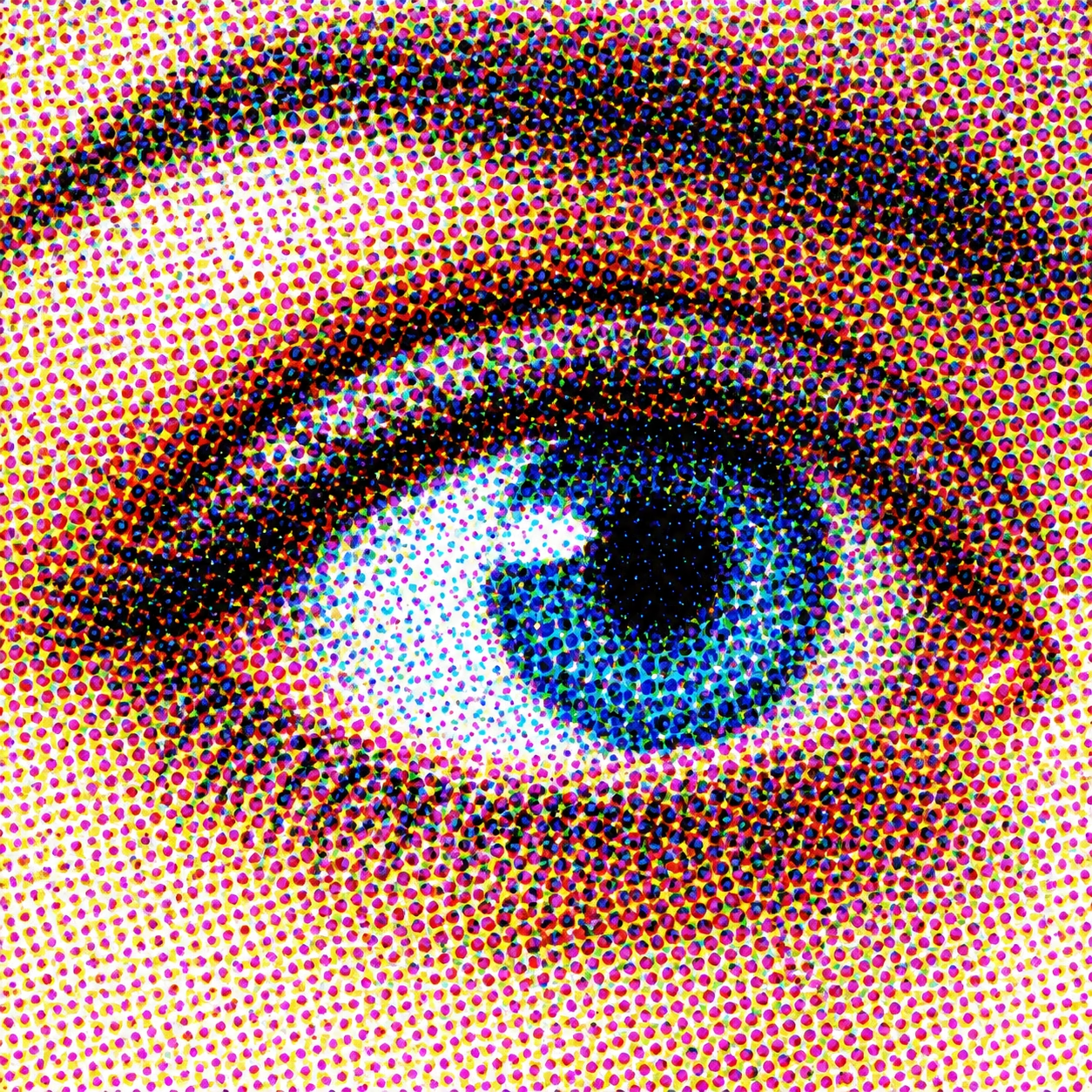
CMYK halftone screening
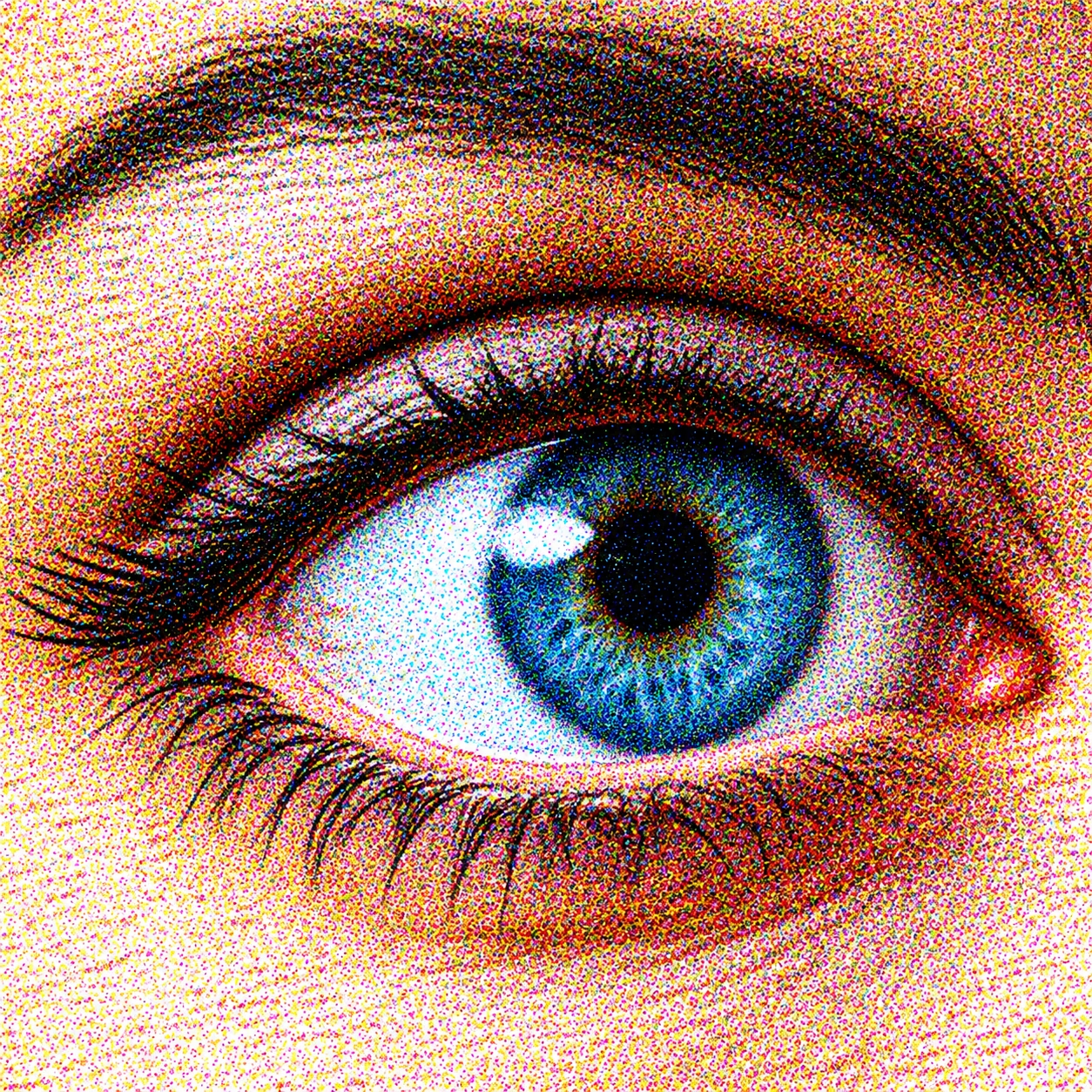
CMYK amplitude-modulated halftone screening
Stochastic screening (Frequency Modulated Screening)
Developed: 1984 — German researchers Gerhard Fischer and Karl Scheuter contributed to the development of frequency-modulated (FM), or stochastic, screening. The technology was introduced commercially in 1993 by companies including Linotype-Hell, with Diamond Screening, and Agfa, with CristalRaster.
Stochastic screening, also known as frequency-modulated (FM) screening, is a prepress technique used to convert continuous-tone images into patterns of printable dots. Unlike conventional amplitude-modulated (AM) screening, which uses a regular grid of dots that vary in size, stochastic screening uses dots of a relatively consistent size distributed in varying densities. Tonal values are controlled primarily by the number and distribution of dots rather than by changing their size.
This approach can reproduce fine detail and smooth tonal transitions while reducing the visibility of conventional halftone rosettes. However, the final result depends on the screening system, image preparation, printing process, substrate and press control.
Stochastic vs conventional screening
Conventional AM screening:
Dots are arranged in a regular grid, with their size changing to reproduce different tones. Screen angles are used to manage interactions between the colour separations and reduce unwanted patterns.
Stochastic FM screening:
Dots of a relatively consistent size are distributed in a controlled, irregular pattern. Tonal values are created by varying dot density, removing the need for conventional screen angles and reducing the risk of traditional halftone rosettes.
Advantages
- Fine image detail: Can reproduce fine details and sharp edges with minimal visible screening patterns.
- Smooth tonal gradations: Produces subtle transitions in colour and tone, reducing the appearance of conventional halftone rosettes.
- Reduced moiré risk: Avoids the traditional screen-angle interference associated with AM screening, although other forms of unwanted patterning can still occur.
- Consistent image texture: The absence of a regular halftone grid can give photographic images a more uniform appearance.
Common applications: High-quality commercial printing, photographic reproduction, magazines, brochures, premium packaging and other print work requiring fine detail and smooth tonal transitions.
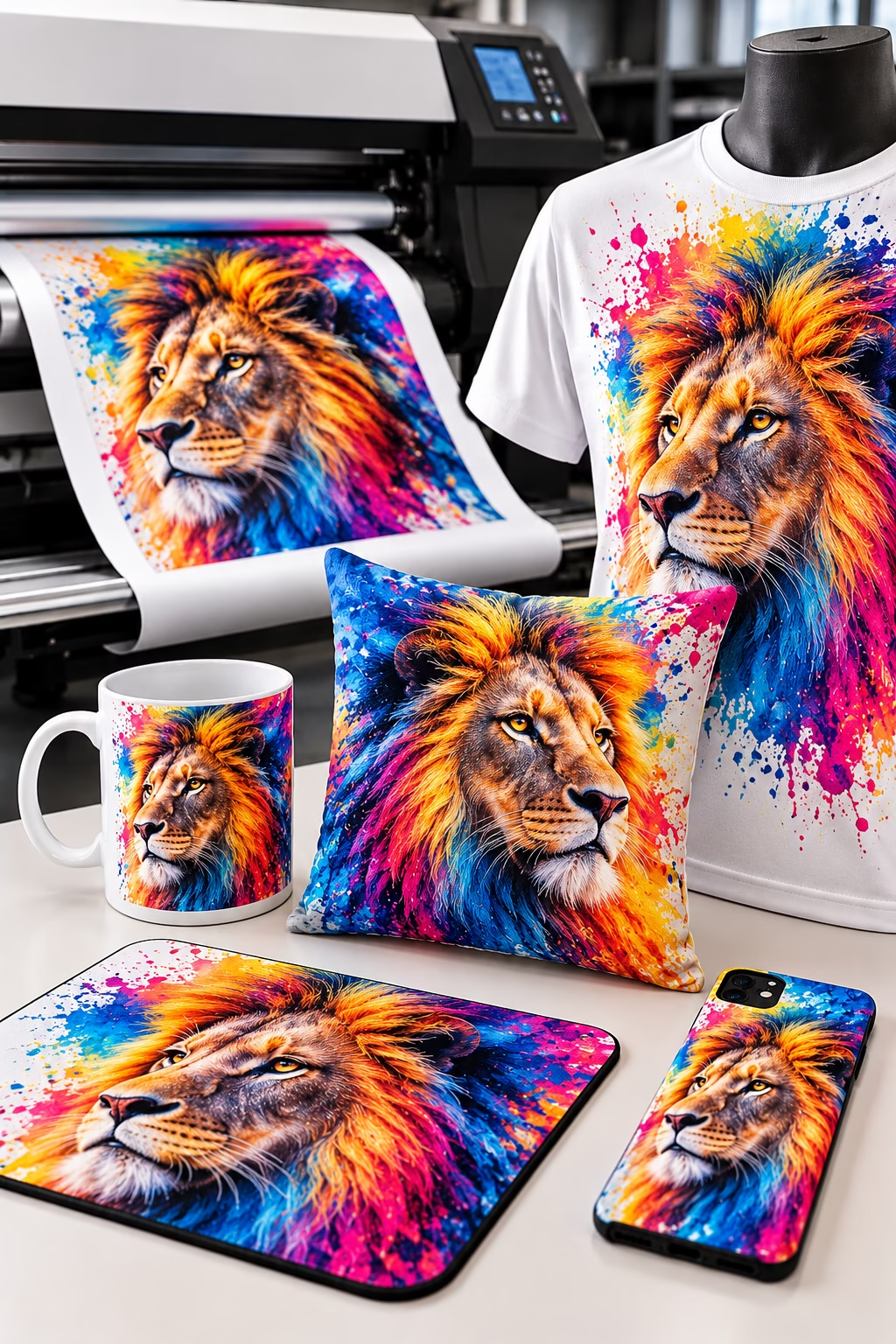
Dye-sublimation printing – Heat transfers specialised inks into polyester fabrics and polymer-coated products, creating vibrant, full-colour designs on clothing, mugs, cushions, mouse mats and phone cases.
Sublimation printing
Developed: 1957 — French researcher Noël de Plasse, working with Lainière de Roubaix, is credited with developing dye-sublimation printing for textiles. In 1982, Sony engineer Nobutoshi Kihara applied thermal dye-transfer technology to printing images from a still-video camera.
Sublimation printing uses heat to transfer dye into a compatible material. In textile printing, heat enables suitable disperse dyes to penetrate polyester fibres, producing a full-colour image without a separate layer of ink sitting on the surface. The technique is also used to decorate polymer-coated products, such as specially prepared mugs, panels and photo gifts.
The process is particularly effective for producing durable, full-colour images on compatible materials. It is not suitable for every fabric or substrate: polyester or an appropriate polymer coating is generally required. Many modern systems print the image onto transfer paper first, before heat and pressure transfer the dye to the final product.
Advantages
- Vibrant colours: Produces vivid colours and high-quality photographic images.
- Durable prints: The dye penetrates the compatible material, helping the image resist cracking and peeling; fade resistance depends on the materials, exposure and care.
- Excellent detail: Reproduces fine details, smooth gradients and complex designs.
- Soft-touch finish: On polyester fabric, the dye becomes part of the fibres, leaving no raised ink layer.
- Suitable for customisation: Makes it practical to produce personalised designs, names, numbers and short production runs.
Common applications: Polyester garments, sportswear, flags, soft signage, promotional products and polymer-coated photo gifts.
Find out more here: https://www.fespa.com
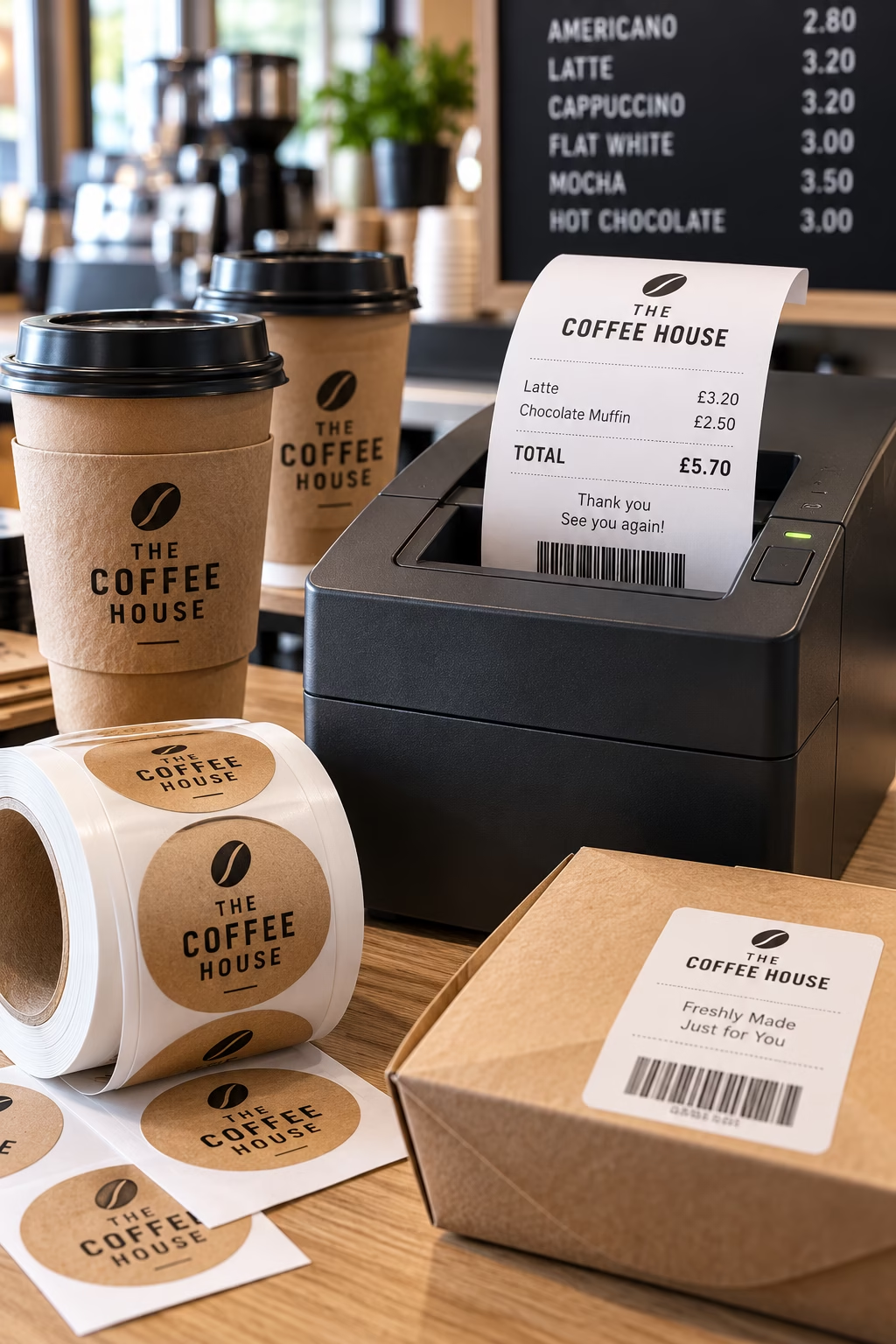
Thermal printing is widely used for receipts, product labels, barcodes and food packaging labels in cafés, shops and other businesses.
Thermal Printing
Developed: Thermal printing technology advanced during the 1960s and 1970s. In 1965, a patent application for a thermal printer involving Jack S. Kilby, Stephen P. Emmons and Earl G. Alexander was filed. Thermal-transfer barcode label printing reached an important milestone in 1981, when SATO introduced its M-2311 printer.
Thermal printing is a digital printing process that uses heat to create an image. There are two main methods: direct thermal printing, which uses heat-sensitive material that changes colour when heated, and thermal-transfer printing, which uses heat to transfer a coating of ink from a ribbon onto the printing surface.
Direct thermal printing is commonly used for receipts, tickets and short-term labels. Its images can fade when exposed to heat, light and other environmental conditions. Thermal-transfer printing is generally more durable and can produce long-lasting images on labels, packaging materials, tags and specialist products.
The process is fast, quiet and reliable, making it particularly useful for printing variable information such as barcodes, dates, serial numbers and product details.
Advantages
- Fast printing: Produces receipts, labels and other printed information quickly, making it suitable for high-volume applications.
- Fewer consumables: Direct thermal printing requires no ink, toner or ribbon, reducing consumable costs.
- Durable results: Thermal-transfer printing can produce long-lasting images with good resistance to smudging, abrasion and environmental exposure, depending on the ribbon and substrate.
- Variable data printing: Easily prints changing information such as barcodes, tracking numbers, dates and product codes.
Common applications: Retail receipts, shipping labels, barcode labels, tickets, product identification, packaging, warehouse labelling and industrial marking.
Find out more here: How-do-thermal-label-printers-work
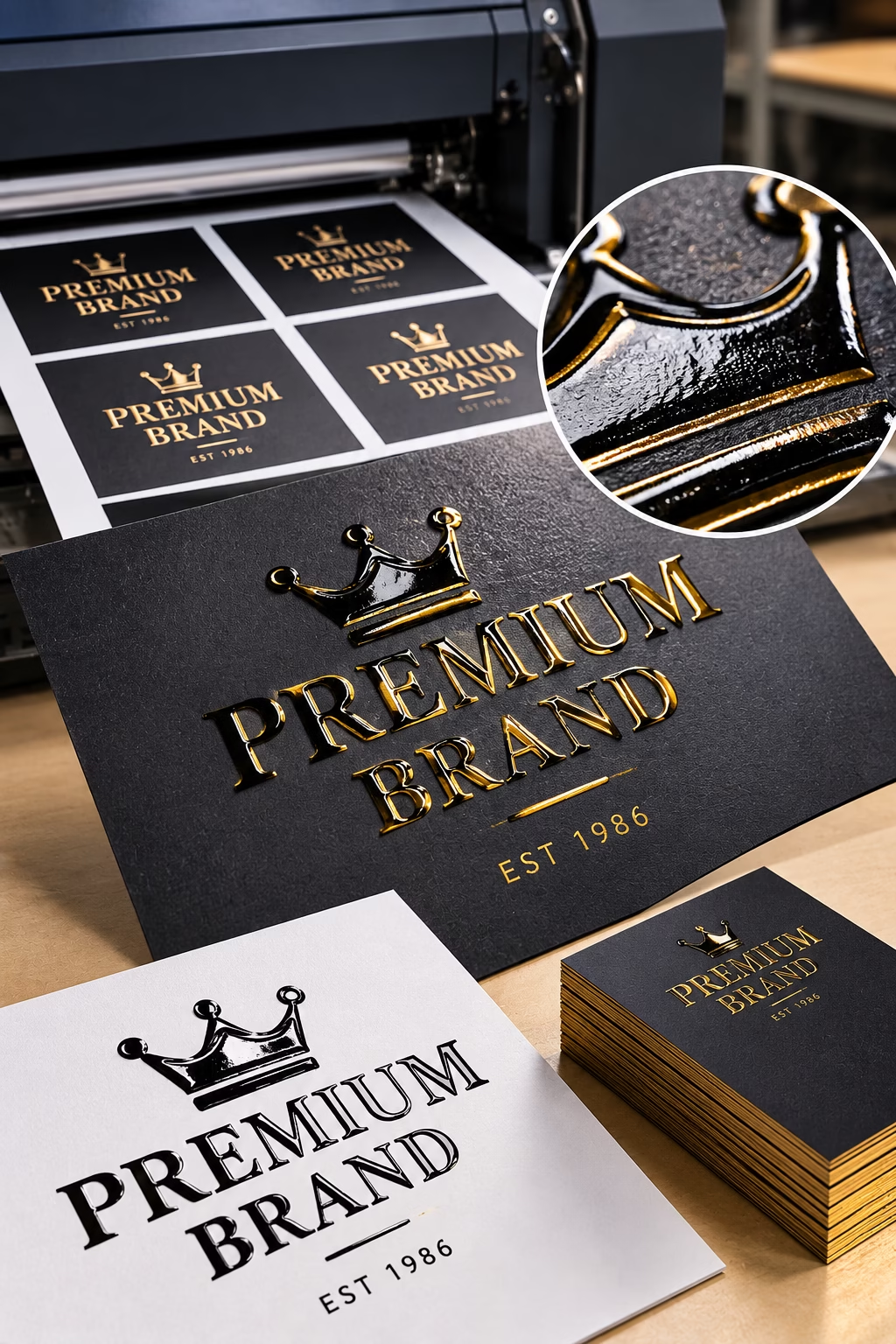
Thermography printing uses heat and a special resin powder to create raised, glossy lettering and decorative details, giving business cards, stationery and invitations a premium finish.
Thermography
Developed: The exact origin and invention date of conventional raised thermographic printing are not firmly established. The Thermo-Fax copying process, developed by Dr Carl S. Miller at 3M, was commercially introduced in 1950, but it was a different technology.
Thermography is a specialist print-finishing technique that creates raised, textured lettering and imagery on a printed surface. In conventional thermographic printing, a fine resin powder is applied to wet printing ink. Excess powder is removed, and the printed sheet is heated so that the powder melts and fuses with the ink, forming a raised, often glossy finish.
Unlike embossing, which raises the paper using pressure and a die, thermography builds up the surface using heat-activated powder. It is a post-printing process rather than a primary method of transferring an image onto a substrate.
Historical note: Thermography should not be confused with the Thermo-Fax copying process developed by Dr Carl S. Miller at 3M. Thermo-Fax used heat-sensitive copying technology and was commercially introduced in 1950; it was not the resin-powder finishing process described here.
Advantages
- Raised, glossy finish: Creates distinctive lettering and imagery with a premium appearance.
- Cost-effective: Provides a raised-print effect without the tooling required for traditional embossing or engraving.
- Enhanced visual impact: Makes text, logos and design details stand out from the surrounding surface.
- Ideal for stationery: Particularly suited to business cards, letterheads, invitations and corporate stationery.
Common applications: Premium stationery, invitations, business cards, certificates and decorative printed products.
For more information: Foil & Specialty Effects Association
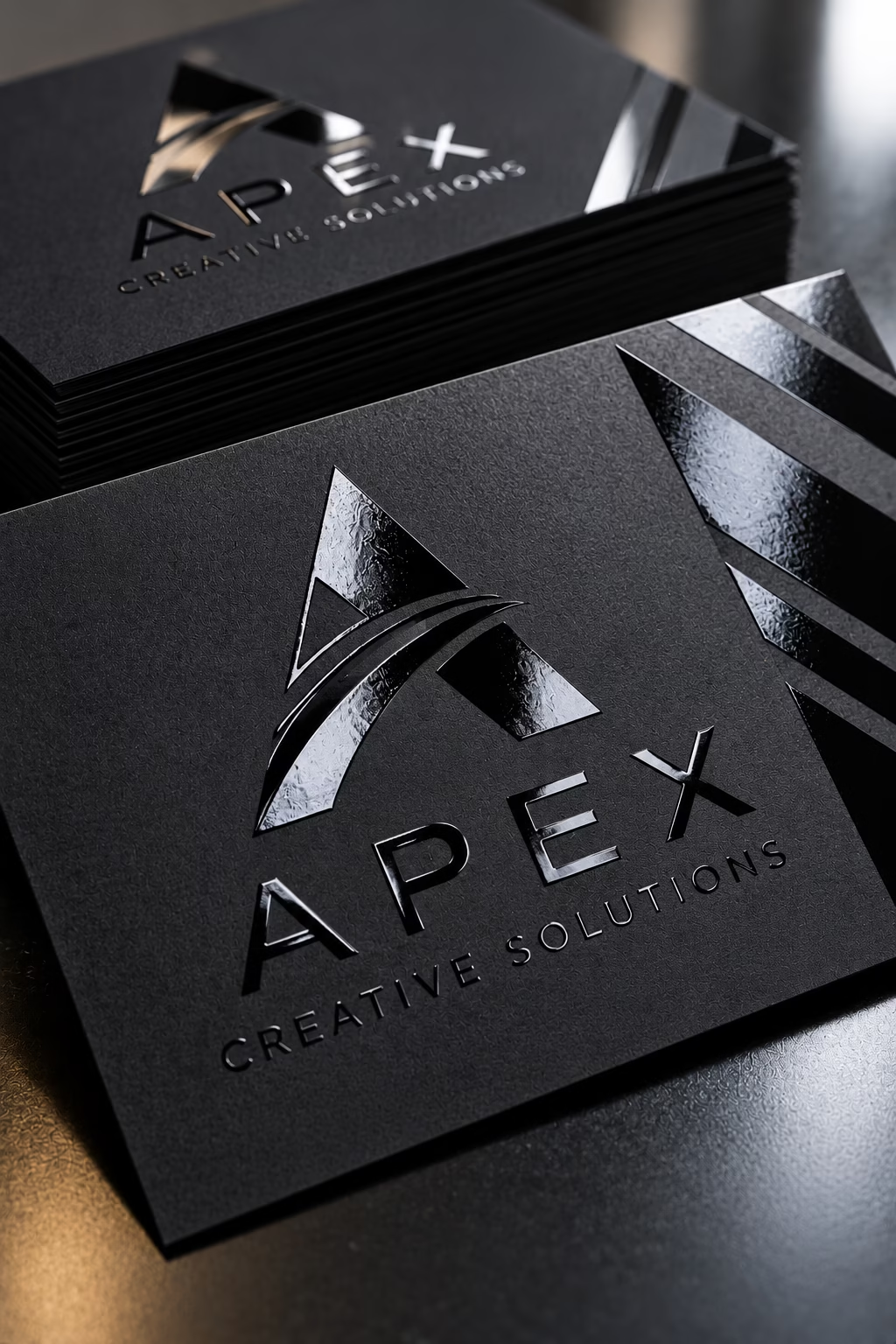
A selective UV coating adds a high-gloss finish to chosen areas of a printed design, creating striking contrast against a matt background. Commonly used on premium business cards, brochures, book covers and packaging.
UV Printing
Developed: UV-curable inks began to be introduced commercially during the 1960s. UV printing subsequently evolved through advances in curing technology and printing equipment, with no single inventor universally credited.
UV printing uses specially formulated inks that are cured almost instantly by exposure to ultraviolet light. Unlike conventional inks that dry through absorption or evaporation, UV inks harden when exposed to UV radiation. The process is used in both digital and conventional printing systems and can print onto a wide range of materials, including plastics, acrylic, glass, wood, metal and paper, depending on the printer, ink system and substrate.
Advantages
- Prints on diverse materials: Can print directly onto many rigid and flexible substrates that are unsuitable for conventional printing methods.
- Rapid curing: UV light hardens the ink quickly, allowing printed items to be handled soon after production.
- Sharp, detailed results: Produces crisp text, fine detail and vibrant graphics.
- Special effects: Some systems support white ink, clear varnish and layered printing to create opaque whites, textured finishes and raised effects.
- Durable finish: Correctly selected and cured inks can provide good resistance to handling and abrasion, depending on the application and substrate.
Common applications: Signage, display panels, promotional products, packaging prototypes, personalised gifts, labels and decorative printing on rigid materials.
Spot UV
Developed: No single inventor or definitive invention year is widely recognised. Spot UV developed alongside the adoption of ultraviolet-curable coatings in commercial print finishing.
Spot UV is a specialist print-finishing technique in which a clear, UV-curable coating is applied to selected areas of a printed surface. Ultraviolet light cures the coating rapidly, creating a glossy finish that contrasts with the surrounding material. It is often combined with matt lamination to make logos, images, patterns or lettering stand out through differences in sheen and texture.
Unlike UV printing, which can produce the main printed image, Spot UV adds a selective coating to existing printed artwork.
Advantages
- Selective emphasis: Highlights specific design elements, such as logos, headlines and images, without coating the entire surface.
- Gloss contrast: Creates a striking visual difference between glossy details and a matt background.
- Premium appearance: Adds a refined finish to corporate literature, promotional materials and packaging.
- Tactile effects: Specialist high-build coatings can create a noticeable raised texture as well as gloss.
Common applications: Business cards, brochure covers, book covers, presentation folders, invitations, premium packaging and promotional literature.
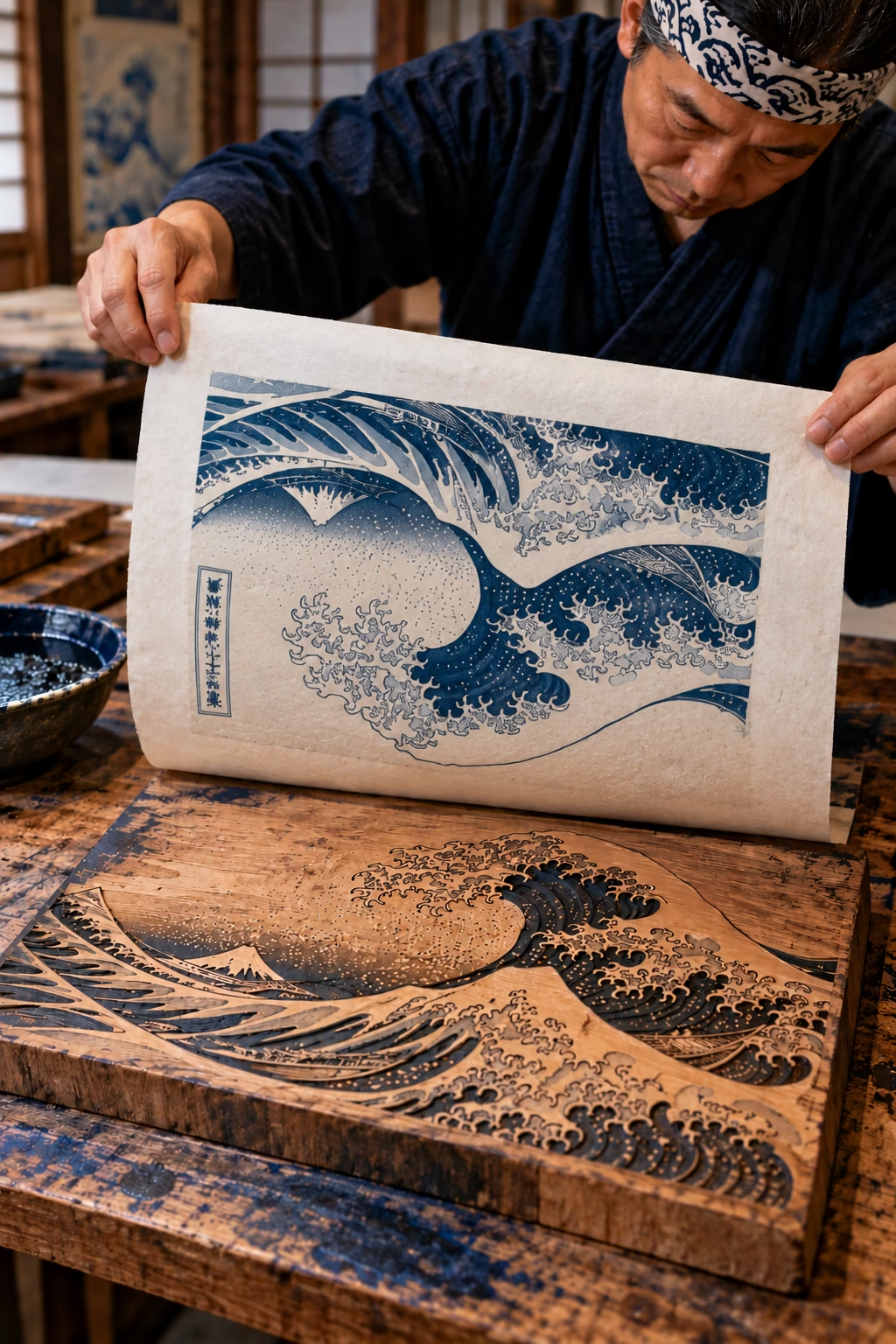
Woodcut
Originated: Around the 8th century CE in China, where early woodblock printing was used to reproduce images and text.
Woodcut is one of the oldest relief printmaking techniques. An image is carved into the surface of a wooden block, leaving the areas intended to print raised. Ink is applied to these raised areas and transferred to paper using pressure.
The grain and hardness of the wood influence the carving process and the character of the finished image. Woodcuts are known for their bold contrasts, strong lines and distinctive textures.
Woodcut vs wood engraving: Woodcuts are generally carved into the long-grain surface of the wood, making them well suited to bold, expressive imagery. Wood engraving traditionally uses the harder end-grain of the wood and fine engraving tools, allowing more intricate detail and subtle tonal effects.
Advantages
- Faster to carve: Bold designs can often be produced more quickly than the intricate detail required for wood engraving.
- Bold, expressive imagery: Naturally produces strong lines, solid areas and high-contrast images.
- Distinctive texture: Wood grain and carving marks can add character to the finished print.
- Well suited to larger designs: Effective for illustrations and decorative images that rely on strong shapes rather than fine detail.
- Suitable for repeated printing: A carved block can be inked and printed repeatedly to produce an edition.
Common applications: Traditional illustration, fine art prints, book illustration, posters, decorative prints and handmade editions.
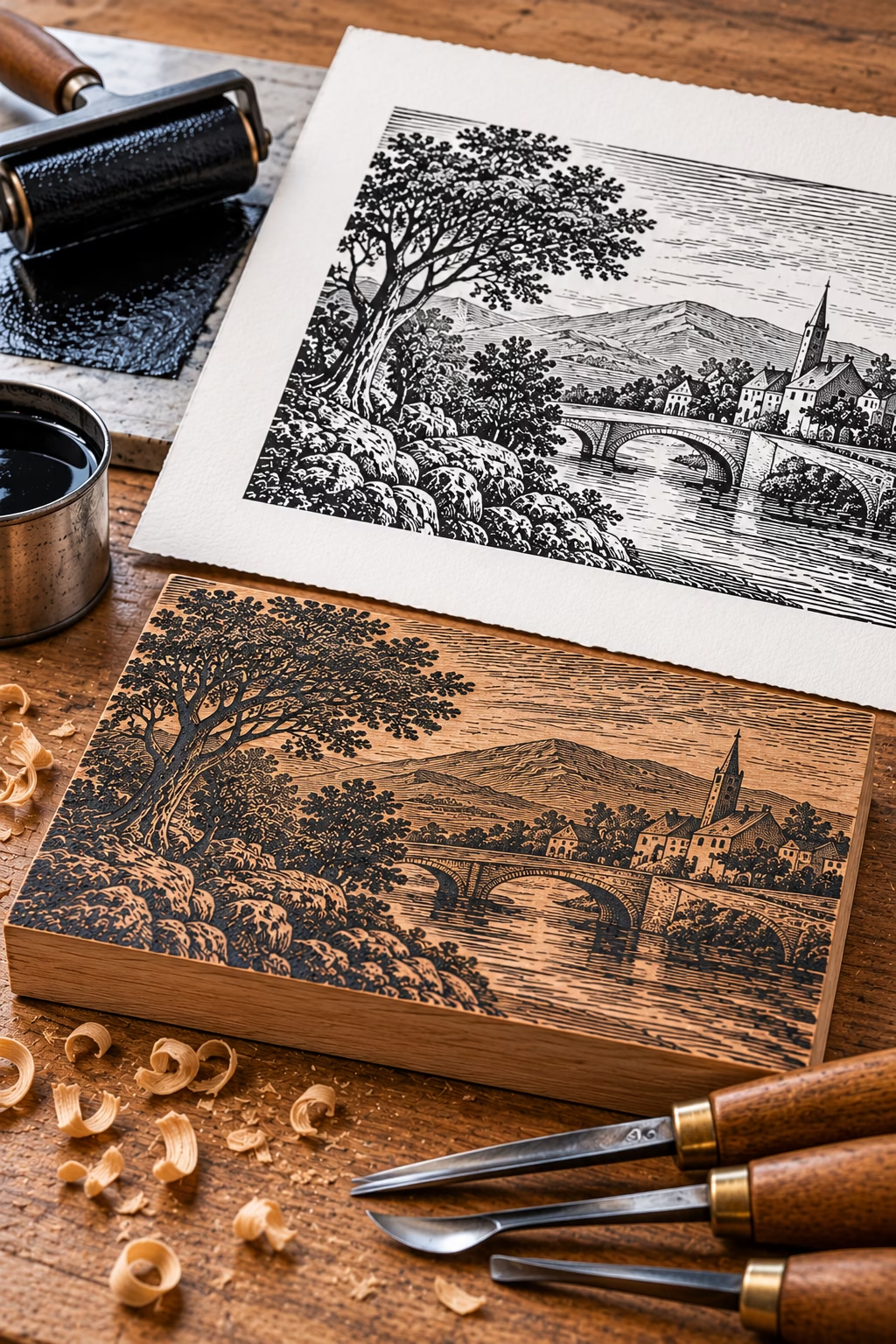
Japanese woodblock printing, ink transfers from a carved wooden block to paper. The image on the paper is shown rotated 180 degrees to demonstrate the importance of orientation during the printing process.
Wood Engraving
Originated: Developed in Britain in the late 18th century. Thomas Bewick was a major pioneer who helped establish wood engraving as a highly detailed illustration technique.
Wood engraving is a detailed relief printmaking technique traditionally carried out on the dense end-grain of a wooden block. Fine engraving tools are used to cut into the surface, leaving the areas intended to print raised.
The end-grain structure allows exceptionally fine lines and intricate detail compared with conventional woodcut techniques. Wood engraving became particularly important in book illustration, newspapers and other printed publications, where detailed images had to be reproduced accurately.
Advantages
- Exceptional fine detail: End-grain wood supports intricate lines and carefully controlled marks.
- Rich tonal effects: Fine lines, cross-hatching and varied marks create subtle shading and depth.
- Consistent impressions: A well-prepared block can produce numerous detailed prints.
- Precise reproduction: Historically valued for detailed illustrations in books, newspapers and other publications.
- Compact, detailed imagery: Enables intricate illustrations to be reproduced clearly, even at relatively small sizes.
Common applications: Fine art, book illustration, detailed monochrome images, newspaper illustrations and traditional printmaking.
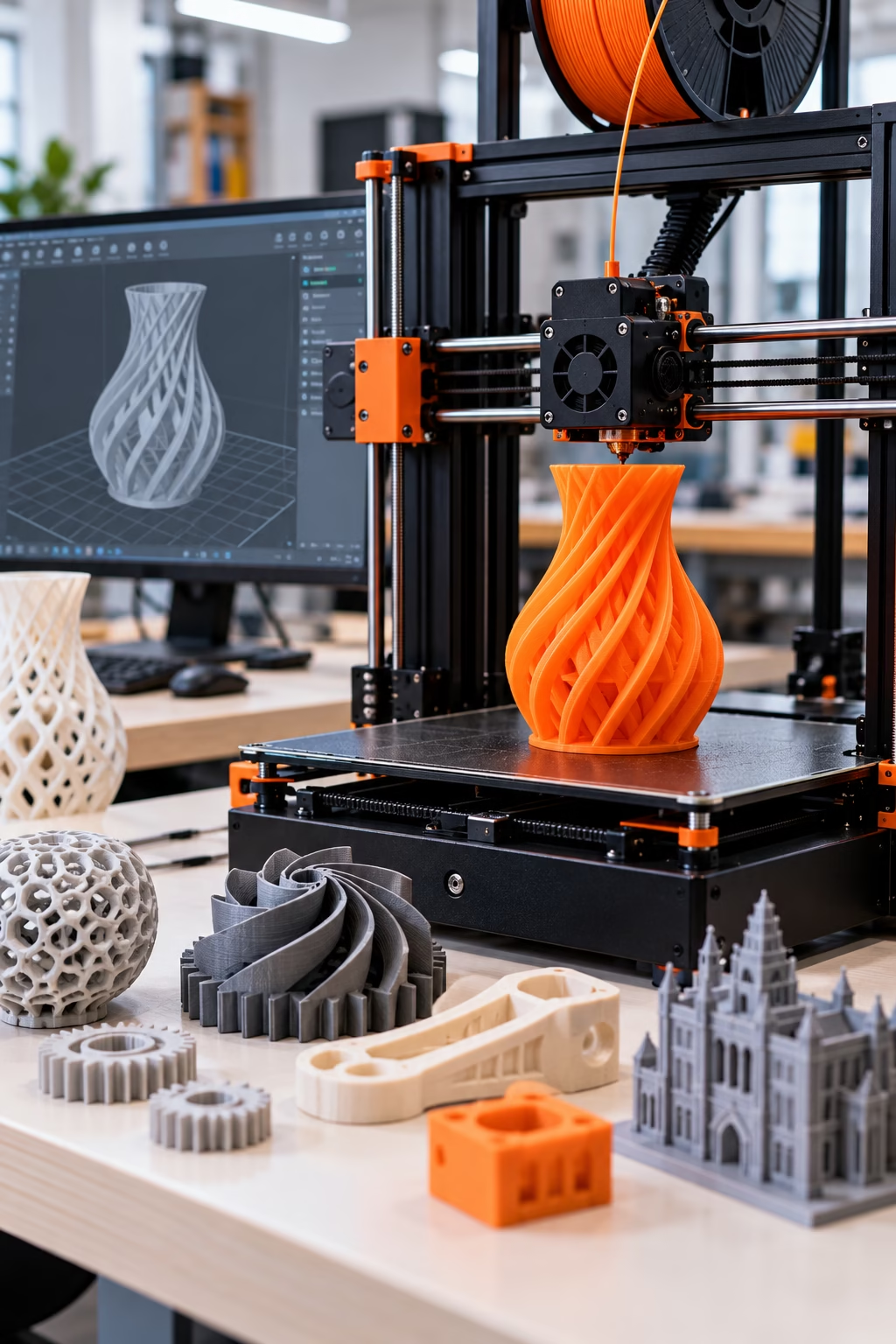
An additive manufacturing process that builds three-dimensional objects layer by layer from a digital design. Used for rapid prototyping, product development, customised components and intricate shapes that can be difficult to produce using traditional manufacturing methods.
3D Printing
Invented: 1984. Chuck Hull, who developed stereolithography, one of the first commercially significant 3D-printing technologies. Hull developed stereolithography and subsequently patented the technology in 1986.
3D printing, also known as additive manufacturing, creates three-dimensional objects by building up successive layers of material from a digital design. Depending on the technology, materials can include plastics, resins, metals and ceramics. Used in industries ranging from engineering and healthcare to architecture and product design, it enables complex shapes and customised products to be manufactured without traditional moulds or tooling.
Advantages
- Complex shapes – Produces intricate geometries that can be difficult or impossible to make using conventional manufacturing methods.
- Customisation – Makes it practical to create bespoke products and one-off designs.
- Reduced tooling costs – Often avoids the need for expensive moulds, dies or dedicated tooling.
- Rapid prototyping – Turns digital designs into physical models quickly, helping designers test and refine products.
Common applications: Product prototypes, engineering components, architectural models, dental appliances, medical devices, customised products, spare parts and educational models.
For more information: Industry resource: TCT
Other notable types of printing
Security Printing
Specialist printing used for documents, banknotes, certificates and anti-counterfeiting features.
Printed Electronics
Printing conductive or functional materials to create electronic circuits and components.
Transfer Printing
Transferring a design from an intermediate carrier onto another surface.
Heat Transfer Printing
Applying designs to fabric or other materials using heat and pressure.
Waterless Offset Printing
Offset lithography that uses a special plate surface without conventional dampening water.
Hybrid Printing
Combining two or more printing technologies in one production workflow.
Flock Printing
Applying short fibres to create a raised, textured finish.
Holographic Printing
Producing or applying holographic visual effects, often for security or decorative purpose.
Choosing the right printing method
No single printing method is ideal for every project. The best choice depends on the intended result and the practical requirements of production. When comparing printing methods, consider:
- Quantity: The number of copies required can influence the most economical production method.
- Substrate: Paper, board, film, fabric, glass and rigid materials have different printing requirements.
- Colour and image quality: Tonal reproduction, colour consistency, fine detail and special inks may affect the choice.
- Finishing: Lamination, varnishing, embossing, foiling and other finishing processes can influence both design and production.
- Cost and turnaround: Setup requirements, production speed, material costs and finishing all contribute to the final price.
Explore the world of PrePress