How to use AI for graphic design
Artificial intelligence is changing graphic design. It can generate images in seconds, explore creative directions, transform photographs, remove unwanted objects and help designers complete repetitive tasks more quickly than ever before.
But there is an important distinction between generating an image and creating an effective design. Good design starts with a purpose. It communicates the right message to the right audience, supports the brand and works in its intended setting. An image can be visually impressive yet completely wrong for the job. The secret to getting the most out of AI in graphic design is knowing where it helps, where it falls short and when professional judgement needs to take control.
Used well, AI can give designers more time to experiment, solve problems and develop better ideas. Used carelessly, it can produce generic visuals, introduce errors and create additional work further down the production process.
Start with the design brief, not the AI
Before opening an AI tool, establish what the design needs to achieve. This begins with understanding the client, the audience and the message. What do you want people to think, feel or do when they see the finished work? What makes the business or product different? Where will the design appear, and what practical requirements must it meet?
A brochure, website, exhibition display, social media advertisement and product package all have different requirements. An image that works beautifully as a website banner might be unsuitable for a small printed advertisement or a package with restricted space.
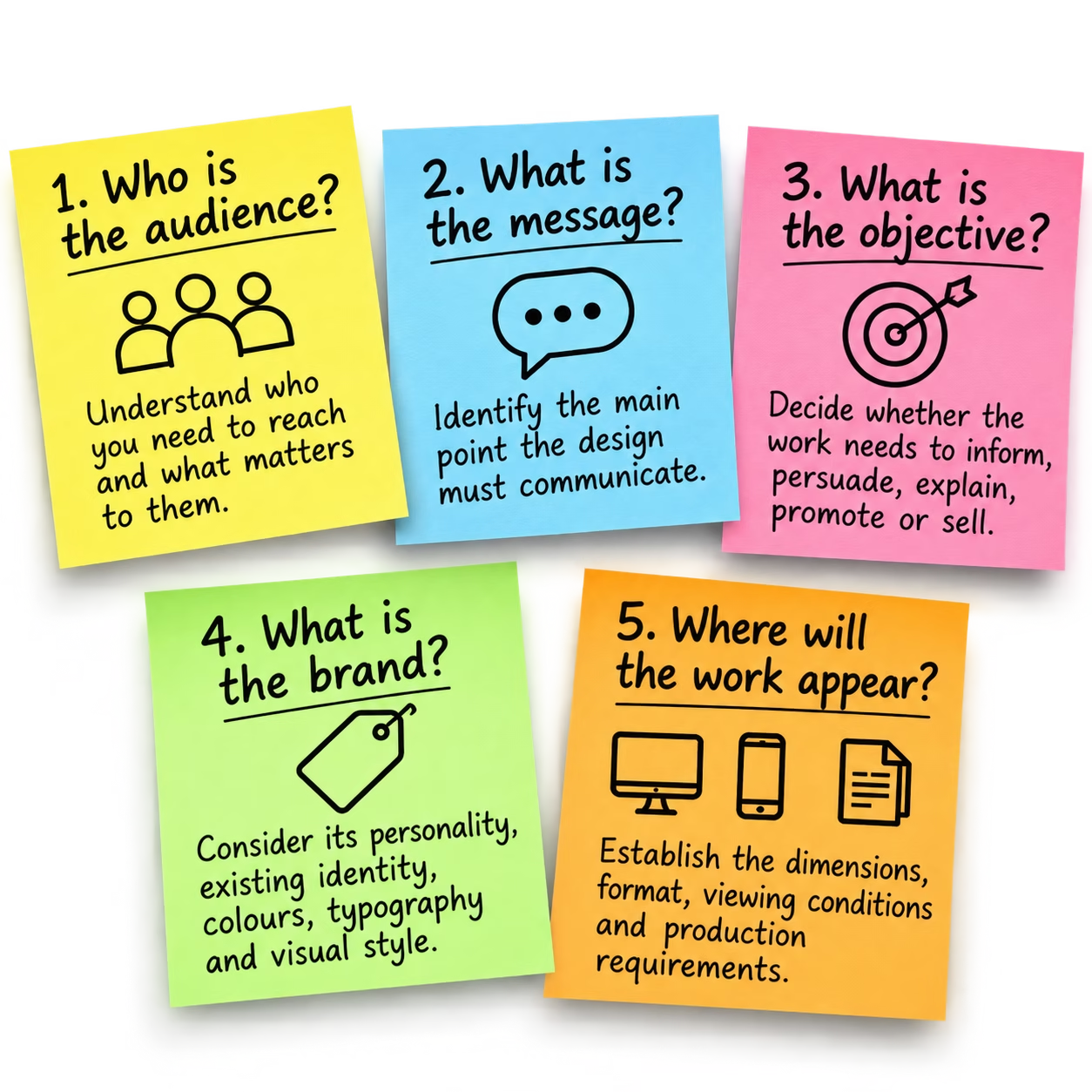
Start by answering five questions:
- Who is the audience? Understand who you need to reach and what matters to them.
- What is the message? Identify the main point the design must communicate.
- What is the objective? Decide whether the work needs to inform, persuade, explain, promote or sell.
- What is the brand? Consider its personality, existing identity, colours, typography and visual style.
- Where will the work appear? Establish the dimensions, format, viewing conditions and production requirements.
Only when you have answered these important questions can you decide how AI might help.. A clear brief gives you something against which to judge the results. Without it, you risk generating attractive images without knowing whether any of them actually solve the problem.
Use AI to explore ideas and creative directions
One of the most useful applications of AI is getting beyond the blank page. A designer might have a campaign to develop but be unsure how best to visualise it. AI can help explore several possibilities quickly, providing material to assess, discuss and refine.
You might investigate different compositions, photographic approaches, lighting, environments, colour combinations, viewpoints, visual metaphors or illustration styles. For example, a campaign promoting a premium product could be explored through several distinct directions:
- A clean, minimalist studio photograph.
- A dramatic close-up emphasising material and texture.
- A lifestyle setting showing the product in use.
- An unexpected visual metaphor that communicates the product’s main benefit.
These are different creative approaches, not simply four variations of the same picture. The important word is explore. The first generated image should rarely be treated as the finished design. Generate alternatives, compare them against the brief and identify what works.
Sometimes the most valuable result is not the image itself but the idea it suggests. A generated composition might reveal a better viewpoint, an interesting relationship between objects or a visual concept you subsequently develop using your own design skills. Treat AI as another form of visual research and sketching, not as a substitute for creative thinking.
Learn how to write effective AI prompts
A useful prompt tells the AI what you are trying to achieve and gives it enough information to produce a relevant result. Long prompts are not automatically better. A concise, well-directed instruction is often more useful than a paragraph filled with fashionable adjectives. For image generation, consider these elements:
- Subject: What needs to appear in the image?
- Purpose: What should the image communicate?
- Composition: Should it be a close-up, wide shot, centred composition or something more asymmetric?
- Viewpoint: Should the subject be seen at eye level, from above or from a three-quarter angle?
- Lighting: Is natural daylight, controlled studio lighting or dramatic side lighting appropriate?
- Environment: Where does the subject belong?
- Visual character: Should the result be photographic, editorial, minimalist, technical or industrial?
- Format: What aspect ratio and approximate composition are required?
- Space for typography: Does the layout need clear space for a headline or other copy?
Remember, the better the prompt, the more relevant the result is likely to be.
Example: from a vague prompt to a useful brief
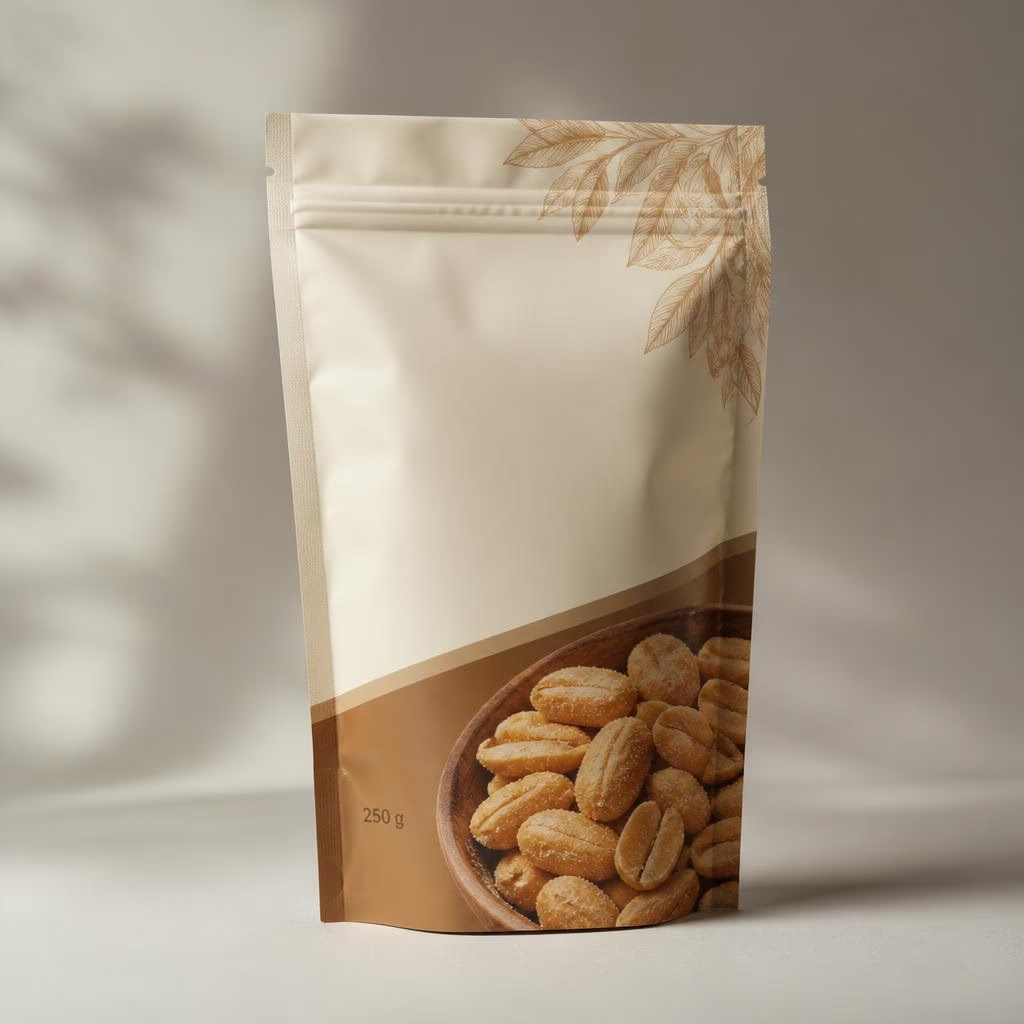
A vague instruction such as “Create a packaging design for peanuts” leaves too many important decisions unresolved. A more useful prompt would be:
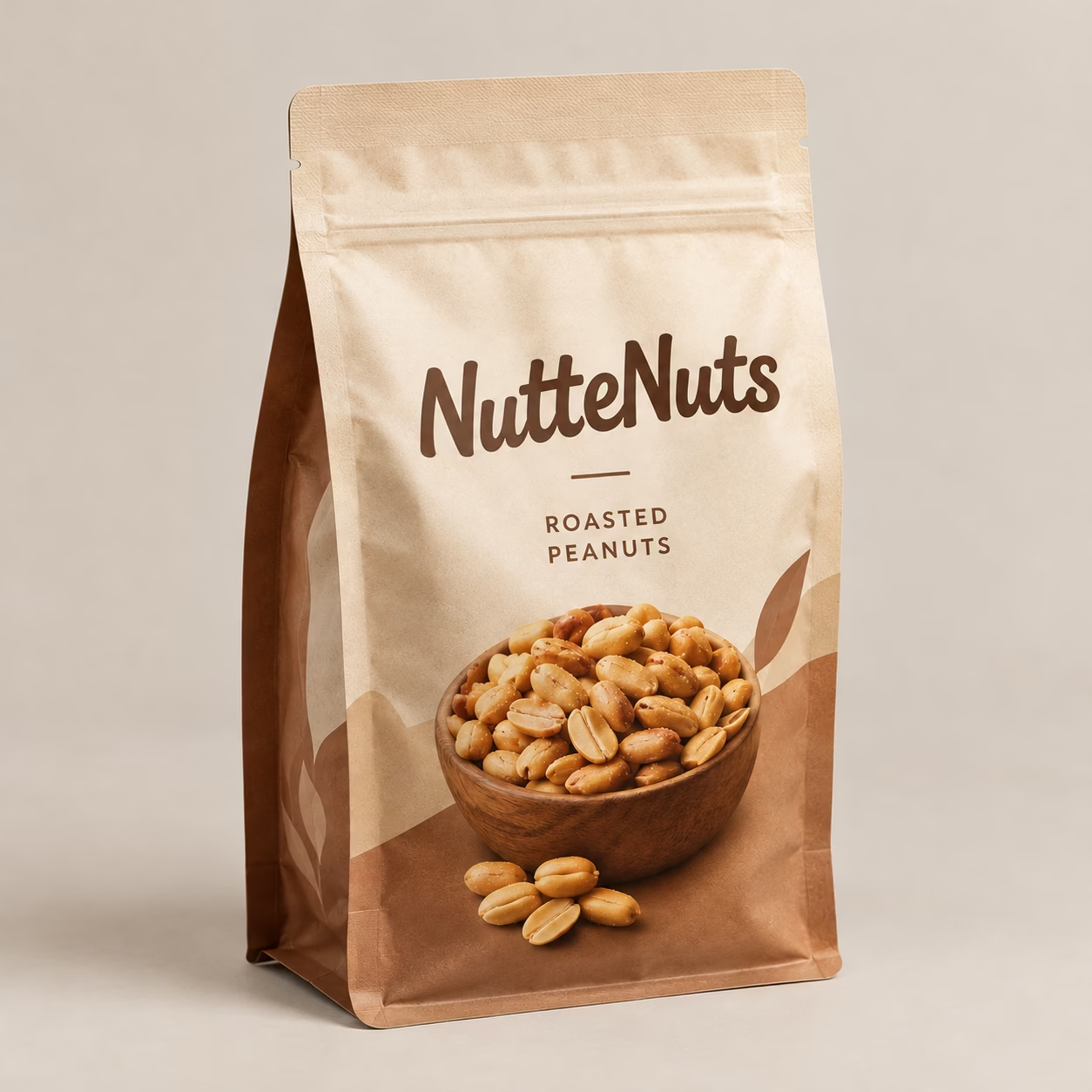
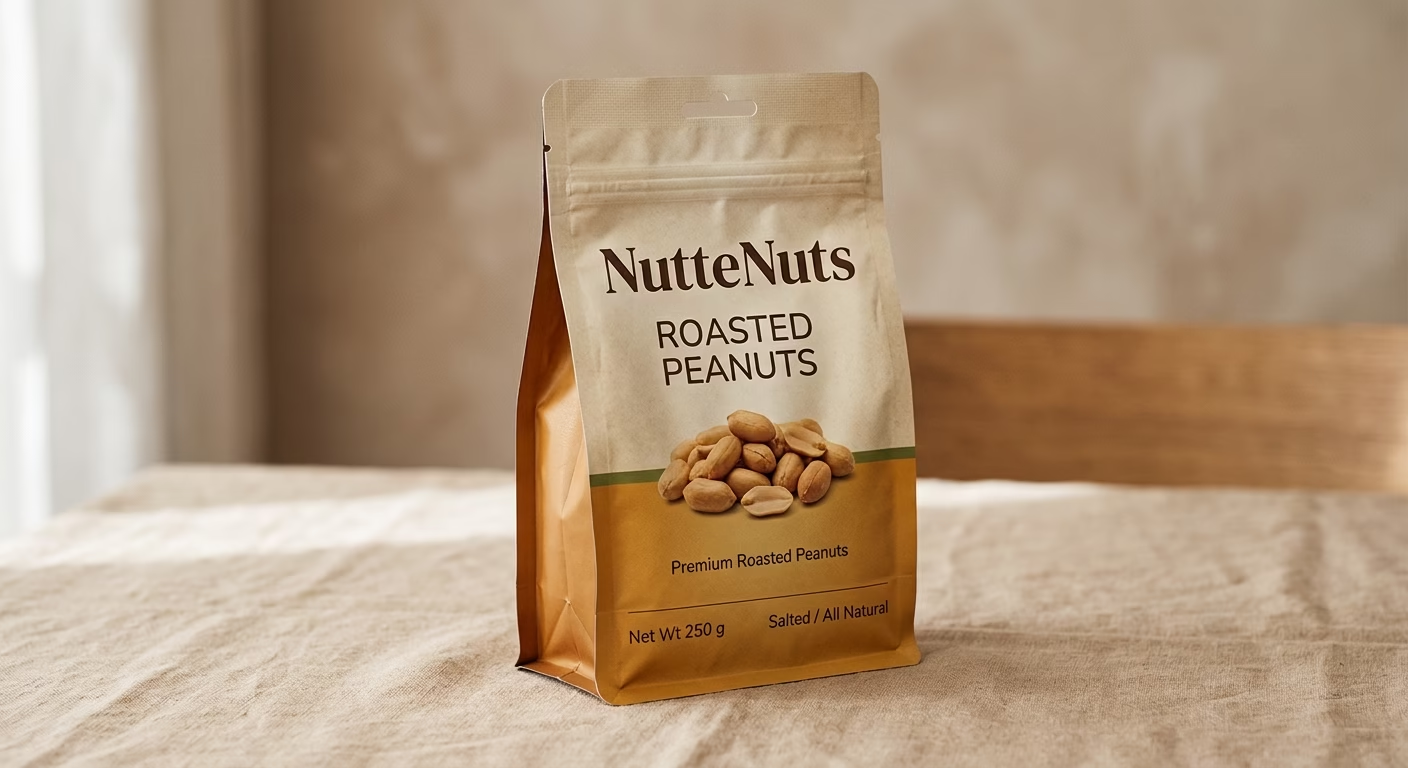
Create a realistic studio photograph of a proposed 250 g stand-up pouch of roasted peanuts for a premium snack brand called NutteNuts. Use a warm, natural colour palette and restrained contemporary styling. Show the complete front of the pouch at a three-quarter angle, with realistic packaging material, believable proportions and soft daylight. Leave a clear area for the brand name and product description. Use a neutral studio background, with no additional products, invented claims or unrelated text. The result should look like a professional product photograph, not an illustration.
This gives the AI a clearer subject, purpose, composition and visual direction. However, it is important to recognise what the result is: a visual concept or proposed product mock-up. It is not necessarily finished packaging artwork. The actual packaging design still needs to be constructed and checked in the appropriate design software, with the correct copy, dimensions, dieline and production specifications.
Examples of images generated from the prompt above using Gemini, ChatGPT and Leonardo.
Refine the result rather than starting again
Once you have a promising image, identify what needs to change. Instead of asking for an entirely new image, you might request a different camera angle, more space to the left, a simpler background or softer lighting. Where the tool supports local editing, make changes to specific areas while preserving the elements that already work.
This can make the process more controlled and reduce the risk of losing a good composition while trying to improve a minor detail. The aim is not to become an expert at writing elaborate prompts. It is to become better at defining the result you need and evaluating what the AI produces.
Develop a professional AI-assisted design workflow
AI is most useful when it becomes part of a considered design process rather than an isolated activity.
1. Define the brief: Establish the objective, audience, brand, format and constraints. Identify which parts of the project genuinely need AI assistance.
2. Explore contrasting concepts: Generate a range of visual directions. Look for meaningful differences in composition, message and approach rather than producing numerous near-identical variations.
3. Select the strongest direction: Evaluate the results against the original brief. Consider communication, brand suitability, originality and practical application, not simply which image looks most impressive.
4. Refine the selected material: Use AI to improve specific elements, extend backgrounds, remove unwanted objects or develop supporting imagery. Retouch the results where necessary.
5. Complete the actual design: Bring the chosen material into the appropriate design application. Establish the typography, hierarchy, layout, brand assets, supporting information and relationships between all the elements.
6. Check the artwork: Inspect the image carefully for visual errors, inconsistencies and technical problems. Check its suitability for the intended output, including print requirements where relevant.
7. Approve and deliver: Verify the final copy, permissions, specifications and client approval. Keep the approved artwork and any useful production records.
This workflow leaves the designer in control throughout. AI can contribute at several stages, but it does not define the brief, determine whether the solution is appropriate or take responsibility for the finished work.
Where AI can save designers the most time
AI is particularly useful for tasks that would otherwise involve repetitive editing or considerable manual effort.
Image editing and retouching
AI-assisted tools can help remove unwanted objects, extend backgrounds, replace selected elements and adapt existing photographs. Results vary according to the image and the tool, so the edited areas still need careful inspection. A distracting object in a product photograph, for example, might be removed quickly. The designer should then check the surrounding edges, reflections, shadows and textures to make sure the correction looks natural.
Expanding and adapting photographs
A photograph may work perfectly in a landscape layout but leave insufficient space for a portrait version. Generative expansion can sometimes extend the canvas by creating additional background or scene content. This can help adapt an image for different layouts without immediately commissioning another photograph. However, the new areas are generated rather than recovered from the original scene. Check that the extended environment remains believable and that important details have not been distorted.
Creating supporting imagery
AI can produce backgrounds, textures, atmospheric environments and visual elements that would otherwise require additional photography or illustration. This can be especially useful when a design needs a particular setting that is expensive, impractical or difficult to photograph. Use generated imagery where it adds value, but avoid introducing unnecessary visual detail simply because it is easy to create.
Exploring graphic elements and vectors
Some design applications provide AI-assisted tools for creating vector graphics, patterns, icons or editable graphic elements. These can accelerate early experimentation, but capabilities vary between tools. Always establish whether the result is genuinely editable vector artwork, a raster image or another format that will need further work. Inspect paths, shapes, colours and small details before using the material in finished artwork.
Producing alternative layouts and formats
AI-assisted features can help with variations, resizing, reframing and adapting content for different applications. The designer must still check the hierarchy and balance of each version. A layout that works at one size may become crowded or difficult to read when reduced to a small advertisement or adapted for a different format. The principle is straightforward: save time on repetitive work so that more time can be devoted to decisions that improve the design.
Know the limitations of AI-generated imagery
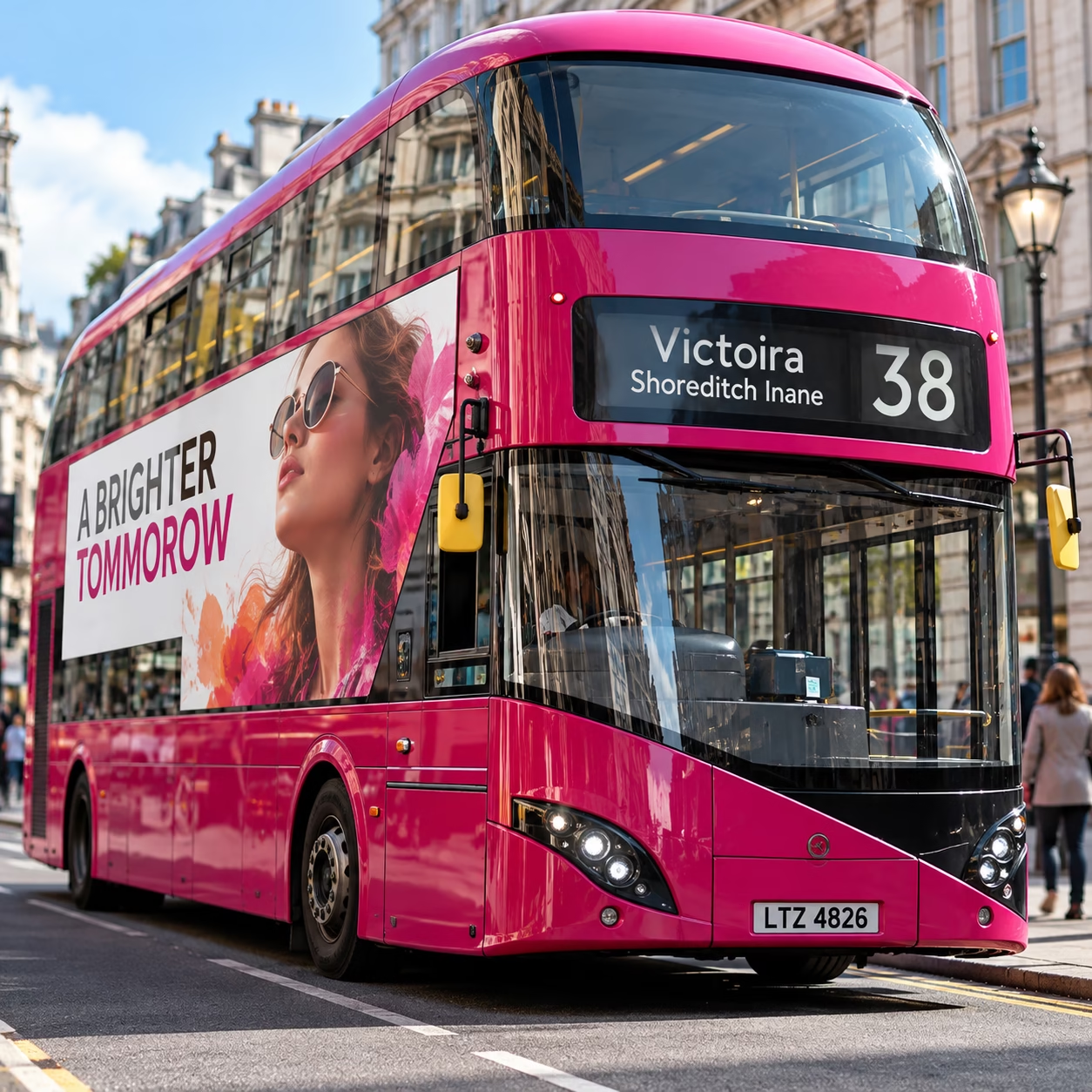
AI can produce convincing results, but visual plausibility is not the same as accuracy. An image may look correct at first glance while containing small inconsistencies that become obvious when examined closely or used in a professional setting.
Common problems include:
- Distorted hands, faces, objects or product details.
- Inconsistent reflections, shadows, perspective or lighting.
- Repeated or strangely connected elements.
- Unconvincing textures and materials.
- Unwanted objects, marks or details in the background.
- Incorrect or invented lettering, labels and symbols.
- Visual elements that change between generated variations.
The risk is not limited to obviously bad images. A largely convincing image can contain one important error that undermines the entire result. The level of scrutiny should reflect the intended use. A decorative background may tolerate minor imperfections that would be unacceptable in a product photograph, technical illustration or image intended to represent a real person, place or object.
Where factual accuracy matters, verify the details against reliable source material rather than assuming the AI has reproduced them correctly.
The three images below all contain errors, can you see them?


Be particularly careful with logos and brand identity
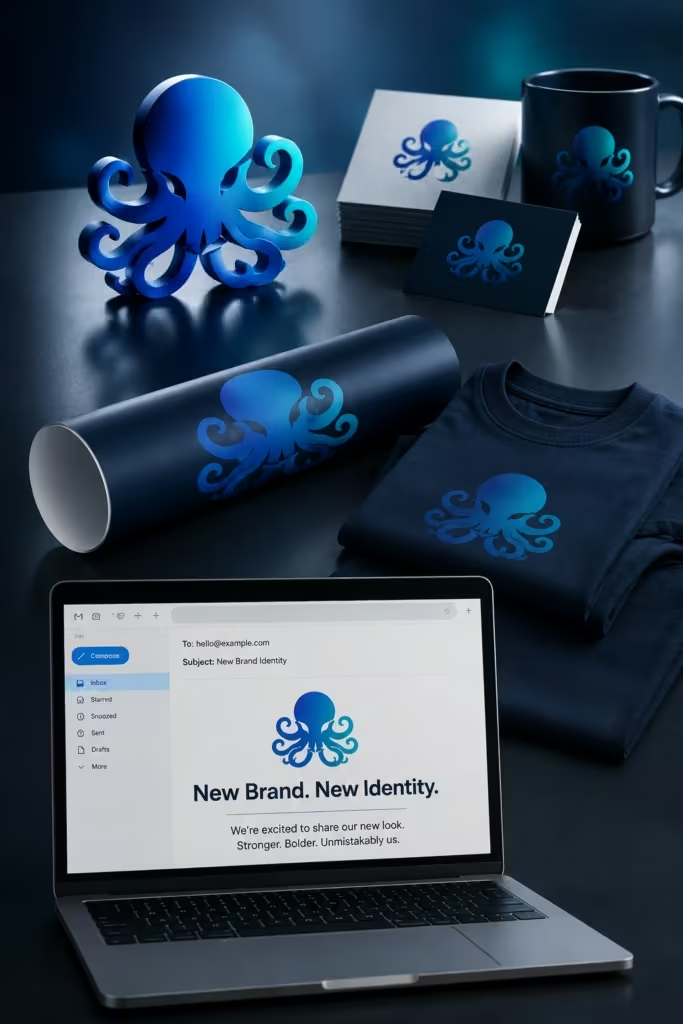
AI can help explore early branding concepts. It can suggest visual directions, symbols, colour combinations, moods and possible relationships between a name and an image. That makes it a useful starting point for discussion and experimentation.
However, a logo is not simply an attractive symbol. A professional identity must represent the organisation, communicate an appropriate personality and remain distinctive. It should work at different sizes, reproduce reliably and function across digital media, stationery, signage, packaging and print.
A generated logo may contain awkward letterforms, inconsistent spacing, unnecessary detail or shapes that become unclear when reduced. It may also resemble an existing identity. Before an identity is adopted, it needs to be checked against existing brands and relevant trademarks. An AI-generated result should not be assumed to be original or legally available merely because it looks different from the other images produced in the same session.
The final identity will usually need careful refinement in vector software, with deliberate decisions about typography, spacing, proportions, colour and alternative versions. AI can accelerate exploration, but it cannot guarantee a distinctive, appropriate and production-ready identity.
Don’t let AI make every brand look the same
There is a less obvious danger in relying too heavily on generated imagery. AI systems learn patterns from existing visual material. They can therefore be very good at producing imagery that looks familiar, polished and immediately appealing. That can also make it easy to produce something forgettable.
If businesses repeatedly use similar prompts, fashionable aesthetics and familiar visual conventions, their communications can begin to look remarkably alike. A design may be attractive without giving the audience any meaningful reason to remember the brand. The answer is not to avoid familiar visual approaches altogether. Sometimes they are appropriate. The important question is whether the result expresses something distinctive about the business. Ask yourself:
- Does the image support the brand’s personality?
- Does it communicate something relevant to the audience?
- Is the visual approach appropriate for this particular product or service?
- Could the same image be used by dozens of competing businesses without anyone noticing?
That last question is particularly revealing. AI should help you develop a stronger visual idea, not simply produce a more polished version of a generic one.
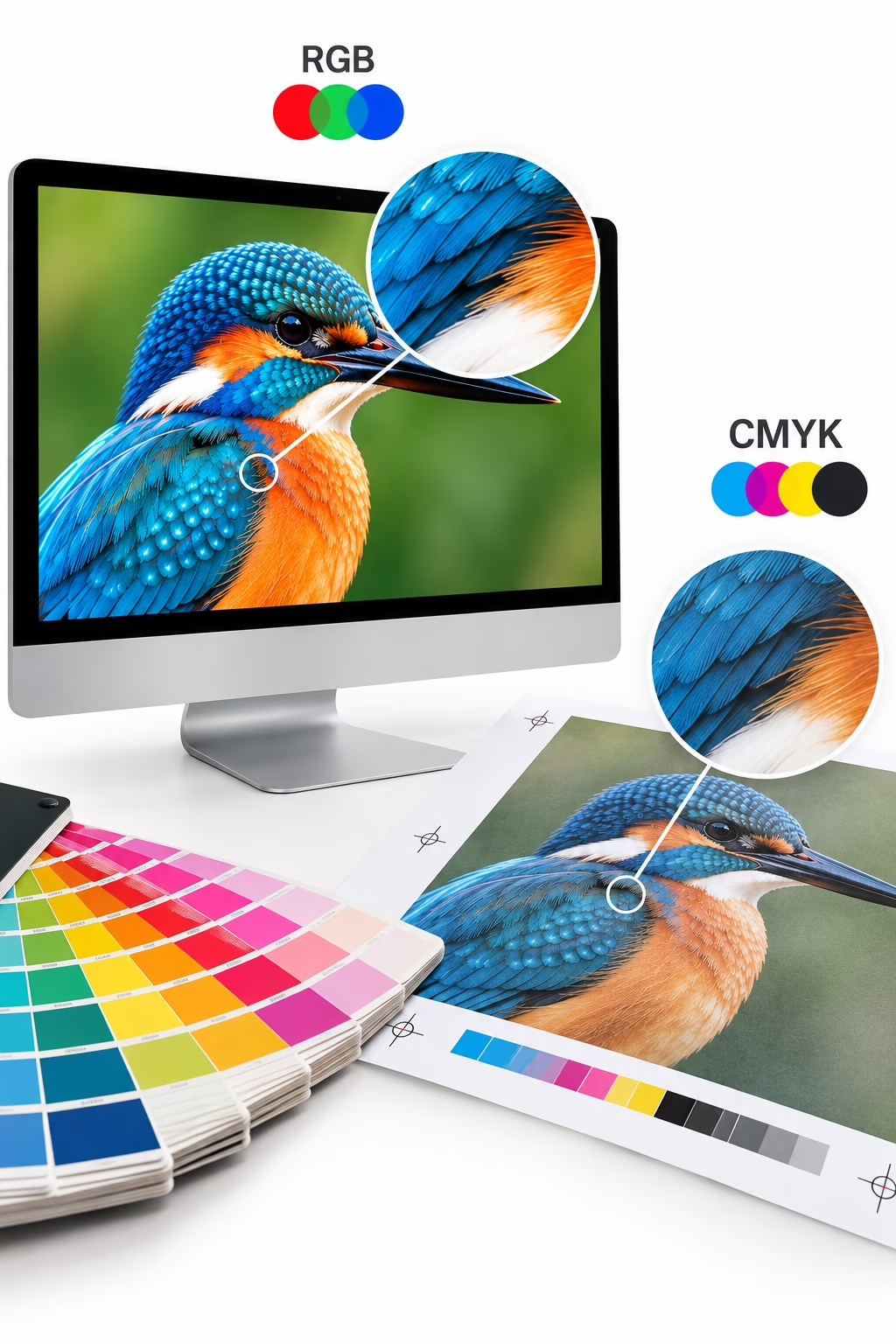
Preparing AI-generated artwork for print
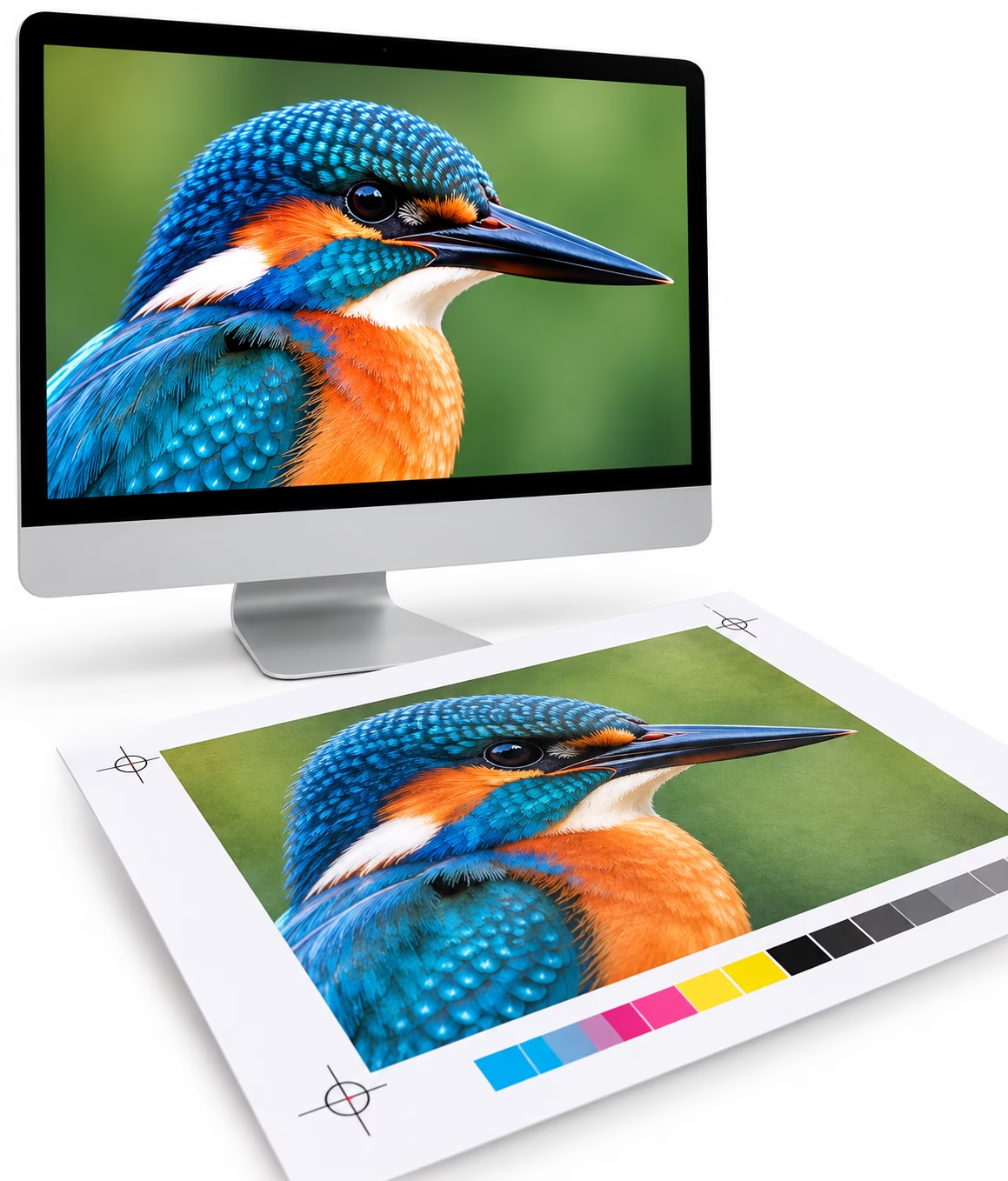
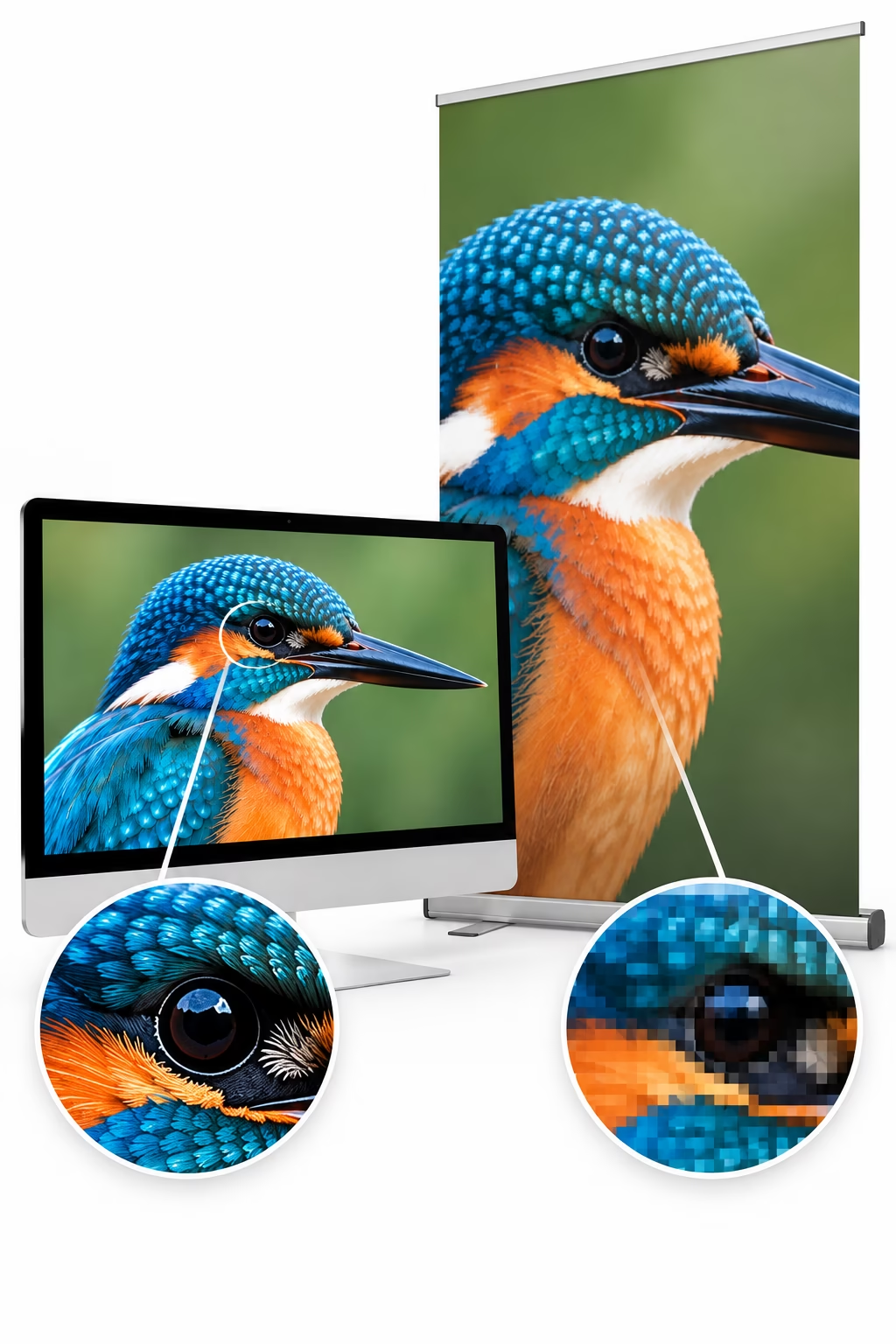
An image that looks superb on screen is not automatically ready for printing. Print production introduces requirements that image generation alone does not resolve. The designer must ensure that the selected material is technically suitable for its intended size, process and finished application.
AI cannot product print ready, editable artwork for print. You still need to make up the final artwork in a professional application and create and import the various images and fonts. Ensure your prompt requests high resolution images
Resolution and final size
Check the image’s pixel dimensions and its effective resolution at the intended reproduction size. An image that appears sharp on a computer display may become soft or visibly pixelated when enlarged for a brochure, exhibition panel or poster. Increasing the resolution setting alone does not necessarily create genuine detail; image resampling and AI-assisted upscaling can add or estimate pixels, but the result still needs assessment.
The appropriate resolution depends on the final dimensions, viewing distance, printing process and supplier’s specifications. Do not assume that one resolution figure is suitable for every application.
Colour and reproduction
AI-generated images are commonly produced in RGB colour spaces. Depending on the printing workflow, they may need to be converted or otherwise prepared for the intended output conditions. Colour management matters. The result depends on factors including the source image, colour profile, printing process, substrate and output conditions. Simply converting an image to CMYK does not guarantee an accurate match to what you see on screen. For colour-critical work, follow the printer’s specifications and use an appropriate colour-managed workflow.
Bleed, cropping and composition
If an image extends to the edge of a printed page, it may need to extend beyond the trim line to provide bleed. The required amount depends on the job and printer’s instructions.
AI-generated images should therefore be composed with the final layout in mind. Check that important subjects, faces, product details and other critical elements will not be lost when the design is trimmed or adapted to a different format.
Typography and fine detail
Do not rely on generated lettering for important headlines, product names, prices, legal copy or other critical information. Set and proofread the actual text in the design application.
Inspect fine lines, intricate textures, small objects and repeated patterns at an appropriate scale. Details that appear convincing in a preview can become unclear, inconsistent or distracting in the finished print.
Packaging and technical artwork
Packaging requires particular care. A convincing three-dimensional mock-up does not constitute a finished packaging file. The production artwork may need an approved dieline, accurate dimensions, folds, seams, glue areas, bleed, barcode placement, required product information and other manufacturing specifications. These must be established and checked separately.
AI cannot reliably prepare complex packaging structures, intricate patterns or the precise typographic trapping required for some packaging print processes.
The same principle applies to other specialist work: AI can help produce the visual material, but it does not remove the need to prepare and verify the final artwork. The designer remains responsible for making sure the finished file is appropriate for its intended use.
Copyright, licensing and commercial use
Copyright and AI are complicated subjects, and the rules are not identical in every country. The fact that an image has been generated by AI does not automatically mean that it is free of intellectual-property risks, exclusive to the person who generated it or protected by copyright in the way a human-created work might be.
In the UK, the government published a report on copyright and artificial intelligence in March 2026. It discusses possible changes to the treatment of copyright and AI-generated works, but proposals must not be confused with changes that have actually become law. Check the current position before relying on a particular interpretation. Before using AI-generated material commercially:
- Read the terms of the specific AI service and check the permissions applying to your intended use.
- Establish whether any relevant restrictions apply to particular features, plans or beta tools.
- Consider whether the work needs to be exclusive or whether similar outputs could be generated by other users.
- Check for possible similarities to existing artwork, logos, characters or other protected material.
- Obtain appropriate advice for commercially important or legally sensitive projects.
Some providers offer additional assurances for particular tools or business plans. These should be assessed against the actual terms and scope of the service rather than treated as universal guarantees.
AI-generated artwork can be useful for commercial design, but the decision to use it should be informed rather than automatic.
Read more here:
Protect confidential client material
The same care applies to the material you supply to an AI service. A designer may receive confidential product photography, unpublished packaging, client presentations, campaign concepts or commercially sensitive documents. Uploading these materials to an external service without checking the conditions could create contractual, privacy or confidentiality problems. Before uploading client material, check:
- Whether the client has authorised its use with the proposed AI service.
- What the service’s current privacy, data-use, retention and training terms say.
- Whether the material contains personal information or commercially sensitive details.
- Whether contractual confidentiality obligations restrict where the material can be processed.
- Whether you have the necessary rights to use the supplied photographs, illustrations, logos and other assets.
Services differ in how they handle content. Do not assume that all AI tools have the same protections or settings. For example, Adobe states that its Firefly models are not trained on customer content. That is a provider-specific commitment, not a reason to assume that every other AI service operates in the same way. Check the current terms of the actual product you intend to use. If the material is particularly sensitive, use an approved workflow or seek permission before proceeding.
Keep appropriate records and consider disclosure
For professional projects, it can be useful to record how AI was used, especially where the work is commercially important, subject to client approval or likely to be revised later. A simple record might include the tool used, the source material supplied, the main changes made by the designer, the approved final version and any relevant permissions.
This does not mean every experiment needs a lengthy report. Keep records proportionate to the project and any contractual or regulatory requirements. Some tools can also attach Content Credentials or other provenance information to digital files. These may help identify aspects of how content was created or modified, although their availability and the information they contain vary.
Disclosure requirements also depend on the circumstances. In the European Union, Article 50 of the AI Act introduced transparency obligations applying from 2 August 2026. These cover specified situations involving AI-generated or manipulated content; they do not amount to a universal rule that every AI-assisted graphic design must carry a visible label. The precise obligations depend on the type of content, the role of the person using the system and the applicable exceptions.
UK and other national requirements may differ. Where disclosure is required by law, a client agreement, a publication’s policy or the nature of the work, follow the relevant requirements. Where it is not mandatory, transparency may still be appropriate for work in which authenticity matters.
Read more here:
Always check the finished artwork
We should not need to tell you this, but never assume that an AI-generated image is technically correct simply because it looks convincing. Before using it, inspect the image carefully and ask:
- Does it answer the original brief?
- Is the composition right for the intended layout?
- Are the objects, materials, proportions and perspective believable?
- Are there unwanted details, visual artefacts or inconsistencies?
- Does the image represent the actual product or subject accurately?
- Is the resolution suitable for the final size?
- Is the colour appropriate for the intended output?
- Does it leave sufficient space for the typography?
- Are the correct brand assets and text being used?
- Have the necessary rights, permissions and approvals been checked?
- Will the finished artwork work in its actual print or digital application?
If something is wrong, correct it. Use retouching, image editing, manual illustration or a different source image where appropriate. Regenerating the image is not always the best answer. The final inspection should be part of the design process, not an afterthought.
AI cannot replace professional judgement
AI can make the production of visual material faster and can help designers explore possibilities that might otherwise take considerable time to develop. But speed is not the same as quality.
A weak brief remains a weak brief. An inappropriate visual idea does not become effective simply because it has been rendered beautifully. Poor typography, an inconsistent brand identity or unsuitable artwork will not be corrected automatically by generating more images. The designer still needs to understand communication, composition, typography, colour, branding, audience and production. Those skills determine which ideas are worth developing, what needs correcting and whether the finished work does its job.
There is also a danger in allowing automation to remove every opportunity to think, experiment and solve problems. Sketching, testing alternatives, rejecting ideas and refining a concept are all part of creative development. AI can assist that process, but it should not eliminate the thinking that gives it value. The objective is not simply to produce more work in less time. It is to use the time saved to make better decisions and produce stronger results.
Use AI to do more with your design skills
The best way to approach AI in graphic design is to treat it as another tool in the designer’s toolbox. It is not your friend and it does not care if what is supplied is incorrect. If anything goes wrong it is your fault, Do not blame the tools.
Use it to explore ideas, experiment with visual directions, improve images, create alternatives and reduce repetitive work. Learn which tasks it handles well and which require more direct human involvement. Then take control of the result. Apply your knowledge of design, branding, typography and production. Question what the AI has produced, correct its weaknesses and make sure the finished artwork is suitable for its intended purpose. AI can make creating easier. It is the quality of your decisions that makes the difference.
Explore the world of PrePress