What Is PDF/X? When and why you need it for print
What Is PDF/X? When and why you need it for print
If you have ever sent artwork to a printer, you have probably encountered requests such as “Please supply a PDF/X-1a” or “Export as PDF/X-4 with bleed and crop marks”.
PDF/X sounds technical, but it is essentially a set of standards designed to make the exchange of PDF files between designers and printers more reliable. However, does every print-ready PDF really need to comply with one of these standards? And are the different PDF/X formats always the best choice?
At PrePress, we have spent decades preparing artwork for commercial printing. Our experience is that a correctly prepared standard PDF can be just as suitable for print production as a PDF/X file. The important thing is how the PDF is constructed, not simply what its file properties say. Let’s look at what PDF/X actually does, the differences between the formats and why choosing the right export settings matters.
What is PDF/X?
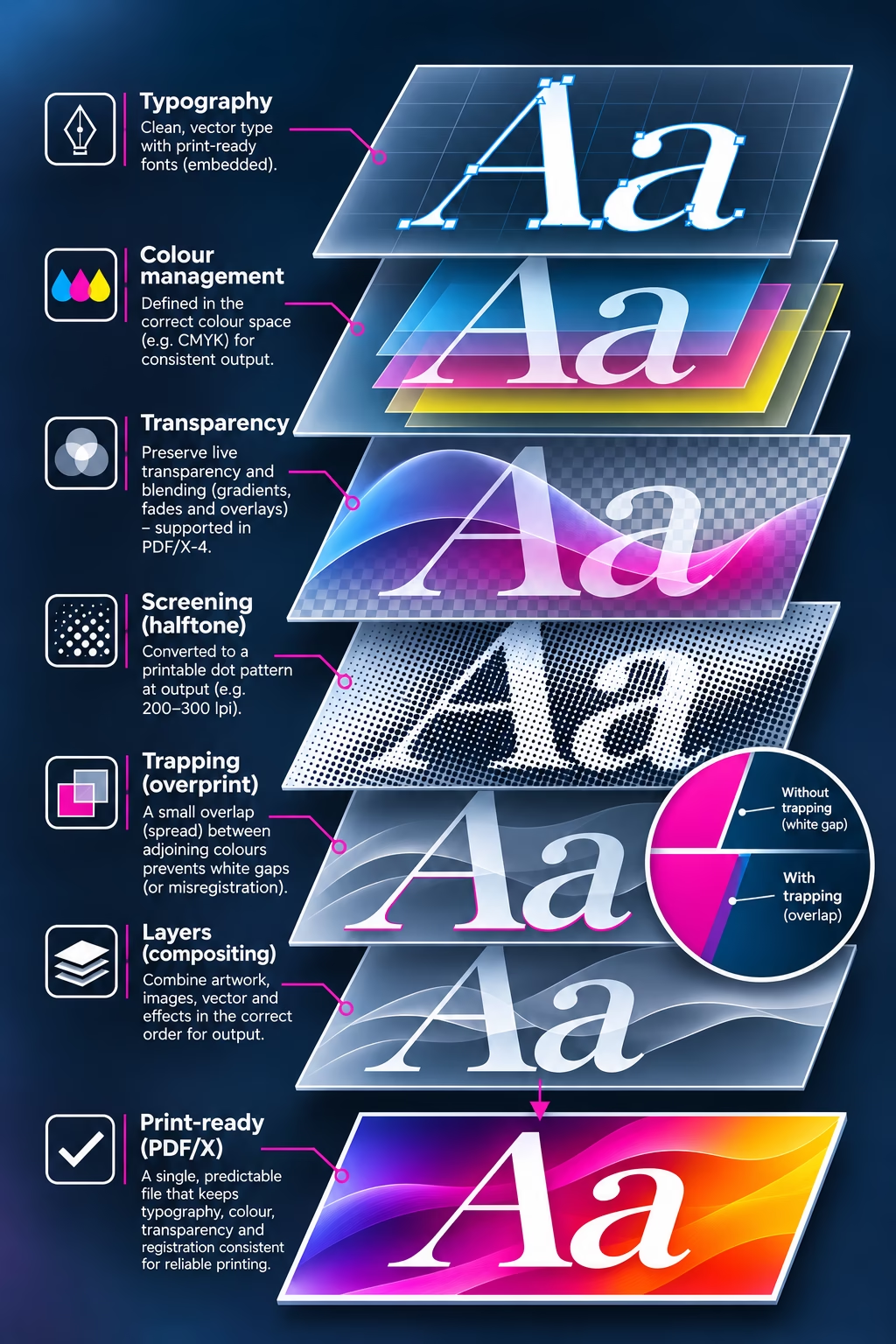
PDF/X is a family of ISO standards developed specifically for exchanging digital artwork between designers, publishers and commercial printers. The X stands for Exchange. The purpose is to remove some of the uncertainties that can arise when transferring artwork from one computer system or production environment to another. PDF/X standards establish requirements covering areas such as:
- Fonts: Fonts must be embedded in the PDF, preventing unexpected font substitution.
- Images: External image dependencies are not permitted; required image content must be contained within the PDF.
- Colour: Colour spaces and colour management must follow the requirements of the selected standard.
- Transparency: The treatment of transparency depends on which PDF/X version is used.
- Output intent: The intended printing condition must be identified.
- Page dimensions: The PDF must contain the appropriate page-box information for production.
These rules are intended to make files more predictable and reduce common problems during prepress and printing.
Understanding the different PDF/X formats
There are several PDF/X standards, but three are particularly relevant to everyday commercial print production.
PDF/X-1a
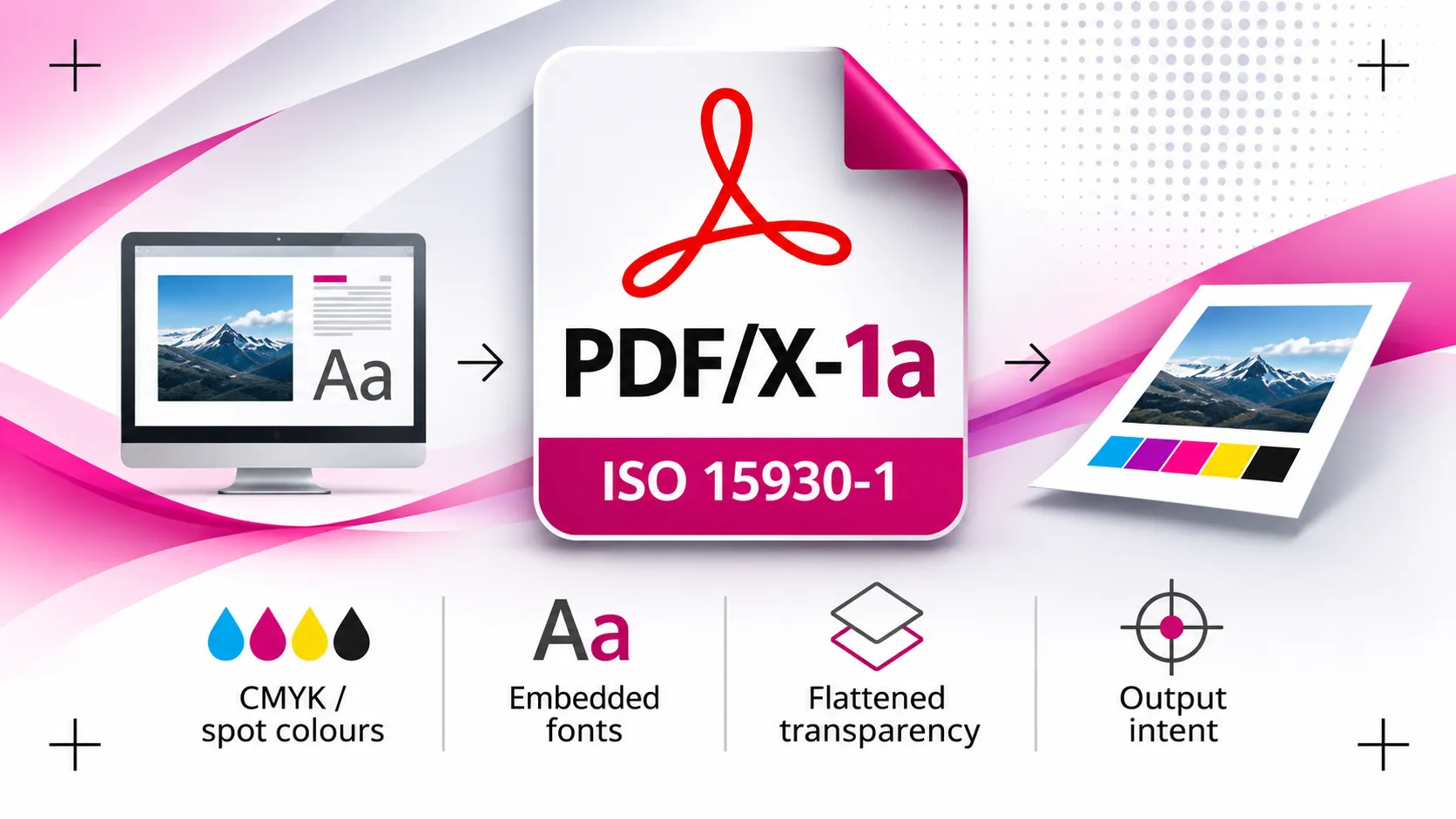
PDF/X-1a was introduced in 2001 and is based on PDF 1.3 technology. It is one of the most restrictive PDF/X formats, designed around a traditional CMYK printing workflow. Its main characteristics include:
- Colours must be CMYK, greyscale or designated spot colours.
- Fonts must be embedded (subsetting is permitted).
- Live transparency is not permitted and must be flattened.
- An output intent must identify the intended printing condition.
- Appropriate page-box information must be included.
PDF/X-1a was widely adopted by commercial printers because it provides a relatively predictable, self-contained file for traditional production workflows.
However, its restrictions can create difficulties when working with modern design applications and effects such as drop shadows, blending modes and transparent images.
PDF/X-3
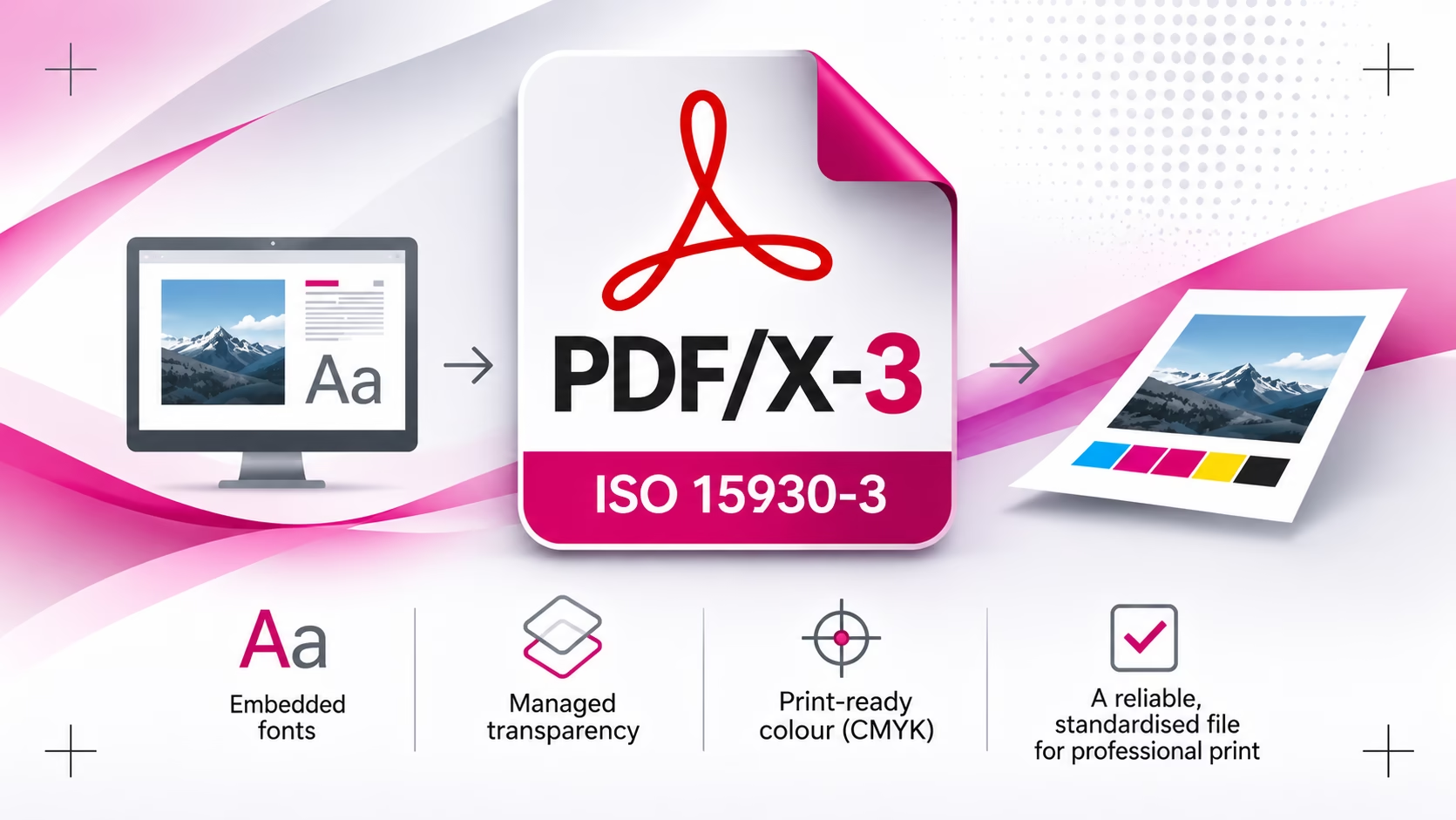
PDF/X-3 was introduced in 2002.
It builds on the earlier PDF/X-1a standard by allowing colour-managed workflows, including appropriately profiled RGB and Lab colour spaces.
Its main characteristics include:
- Supports CMYK and spot colours.
- Allows ICC-profiled RGB and Lab colour.
- Fonts must be embedded.
- Live transparency is not permitted.
PDF/X-3 offers greater flexibility for colour-managed production, although it is less commonly requested today.
PDF/X-4
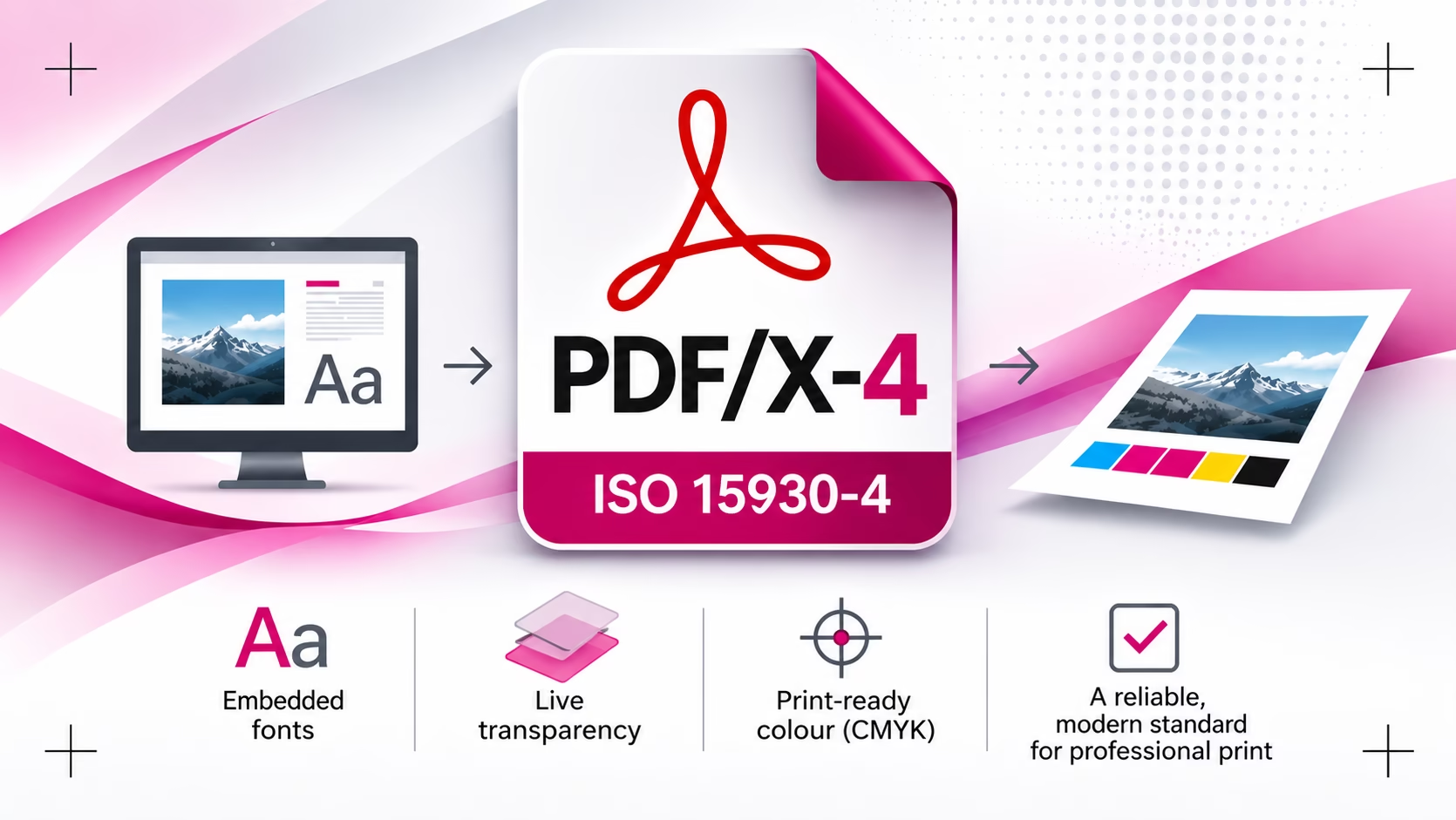
PDF/X-4 was introduced in 2008 and is designed for more modern print production workflows. Unlike PDF/X-1a, it allows live transparency and supports colour-managed content without requiring everything to be converted to CMYK during PDF creation. Its main characteristics include:
- Supports CMYK, RGB, Lab and spot colours, subject to the standard’s requirements.
- Supports live transparency without flattening.
- Supports optional content layers.
- Requires embedded fonts.
- Includes an output intent.
PDF/X-4 is generally the preferred choice for modern digital and offset printing workflows where the RIP and colour management systems are configured to handle it correctly. It also preserves more of the original design information, reducing the need to flatten complex artwork during export.
Why PDF/X-1a can cause problems
PDF/X-1a was developed around technology that is now more than 20 years old. Although it remains a valid standard, its restrictions can make it less convenient when preparing artwork using modern design applications. One of the biggest issues is transparency. Modern design software makes extensive use of transparency, opacity, blending modes, soft shadows and other visual effects. PDF/X-1a does not support live transparency. These effects must therefore be flattened during export. Flattening breaks complex artwork into combinations of vector and raster elements. Although this can work perfectly well, it can sometimes introduce complications, including:
- Fine white lines appearing between flattened elements.
- Text or vector objects being converted into raster elements.
- Unexpected changes to overprinting.
- Increased file complexity.
- Export errors when complex effects are involved.
Colour is another consideration. PDF/X-1a requires all content to be CMYK, greyscale or spot colour. RGB and Lab content must be converted before the PDF can comply.
If the conversion settings are incorrect, the resulting colours may not be what the designer intended. These are not reasons why PDF/X-1a can never be used successfully. They are reasons to understand its limitations and choose the appropriate export settings.
Why these specific PDF errors happen
Some of the most frustrating problems encountered during PDF export and print production are caused by the way transparency, colour and image data are handled. Understanding why these errors occur helps explain why a file that looks perfectly acceptable in the design application can sometimes behave differently when exported, opened in Acrobat or processed by a printer’s RIP (Raster Image Processor).
Random white lines – the hairline or stitching bug
One of the most frequently encountered problems with flattened PDFs is the appearance of very fine white or dark lines between objects. These are commonly known as stitching artefacts or hairlines.
When artwork containing transparency is exported to a format that does not support live transparency, such as PDF/X-1a, the software has to flatten the artwork. This process divides complex transparent areas into a combination of vector shapes and rasterised sections. Where these individual sections meet, PDF viewers can sometimes display extremely fine white lines. This is usually caused by anti-aliasing, where the viewer attempts to smooth the boundaries between adjacent elements.
Importantly, these lines are not necessarily present in the actual print data. They can be nothing more than a screen-display artefact, particularly when viewed at certain magnifications in Acrobat or other PDF viewers. However, genuine stitching problems can occur during output if the RIP or printer processes the boundaries incorrectly.
The distinction is important:
if the lines disappear when you change the PDF viewer’s smoothing settings or inspect the file at a different magnification, they are probably display artefacts rather than faults in the artwork.
Gradient and transparency glitches
Gradients, drop shadows, feathering and partially transparent objects can become more complicated when flattened. Consider a transparent shadow sitting over a smooth gradient. The software must calculate how the shadow interacts with the underlying colours and then divide the resulting artwork into suitable vector and raster elements. Depending on the complexity of the artwork and the flattening settings, this can produce:
- Visible boundaries between rasterised and vector elements.
- Unexpected hard edges where a smooth transition should exist.
- Banding or changes in gradient appearance.
- Fine stitching lines.
- Changes to the appearance of overlapping objects.
The resolution used when rasterising these effects also matters. If it is too low, the resulting elements may look coarse, particularly around fine text, vector edges and detailed graphics. Modern PDF workflows using live transparency avoid the need for this particular flattening process, although the receiving RIP must still interpret the transparency correctly.
Unexpected colour shifts
Colour changes can occur when artwork contains a mixture of RGB, CMYK, Lab and spot colours. A typical example might be an RGB image containing a transparent drop shadow placed over a CMYK background. When exporting to PDF/X-1a, the artwork must be converted to the permitted colour spaces. The software has to interpret the original colours, apply the relevant colour profiles and convert them into the required output space.
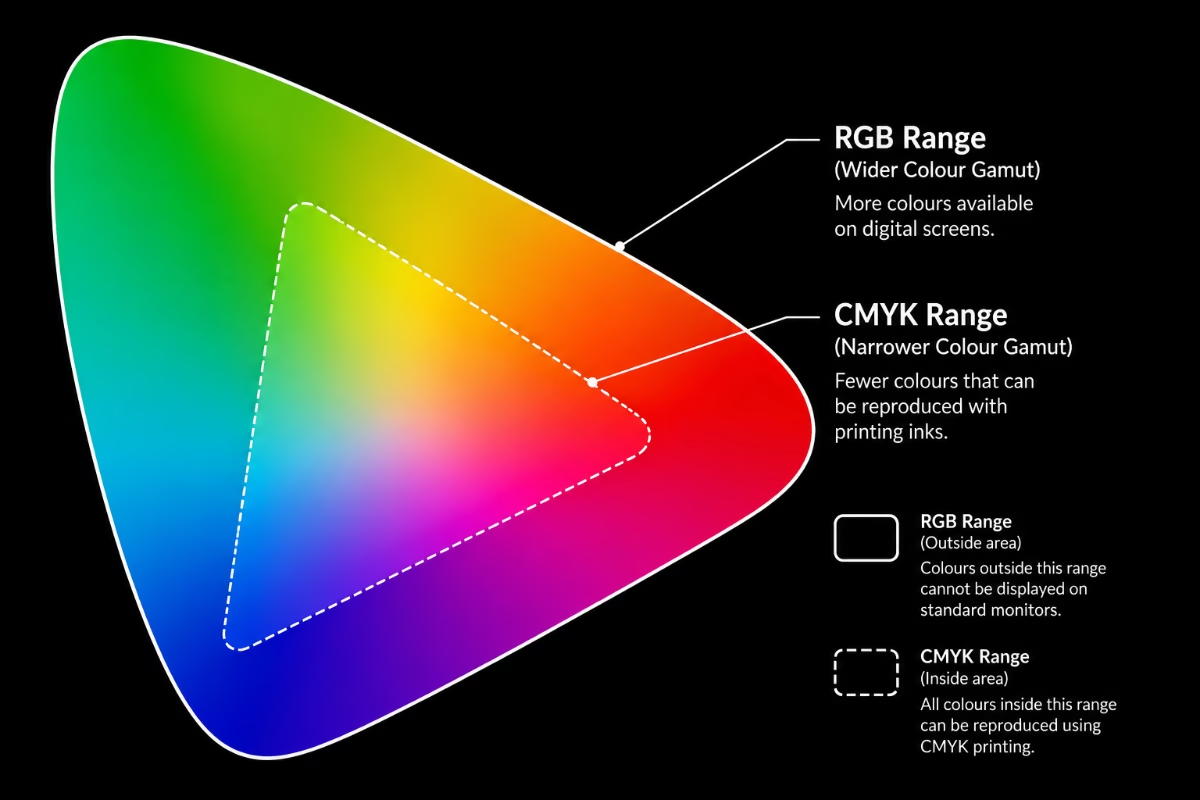
If the correct profiles, rendering intents or conversion settings are not selected, the resulting colours can differ considerably from the original design. Bright RGB colours may become duller when converted to the smaller CMYK colour gamut. Transparent effects can also change appearance depending on the colour space used for blending.
PDF/X-4 provides greater flexibility by retaining appropriately profiled RGB and other colour-managed content, allowing conversion to take place later in a managed production workflow. However, this does not automatically guarantee accurate colour reproduction. The output intent, colour profiles and printer’s RIP settings must still be correct.
Compressed TIFF files and image quality
TIFF is widely used in professional graphic design and prepress because it supports high-quality image data, different colour spaces, transparency and several compression methods. However, not all TIFF compression is the same. There are two important distinctions:
- Lossless compression: Methods such as LZW and ZIP reduce file size without discarding image information. The original image data can be reconstructed exactly.
- Lossy compression: JPEG compression reduces file size by discarding image information. This can introduce compression artefacts, particularly around fine detail, text, sharp edges and high-contrast areas.
A TIFF file using JPEG compression is not automatically defective, and modern RIP systems can generally process it correctly. The concern is more about the quality of the image data and the compatibility of particular software or legacy workflows. Repeatedly saving JPEG-compressed images can also introduce further deterioration.
For critical print production, lossless TIFF compression using LZW or ZIP is a sensible choice when TIFF is required. It preserves the original image data without introducing additional compression artefacts. The important point is to distinguish between an image-quality problem and a file-processing problem. Lossy compression does not, by itself, mean that a TIFF will be rejected by a printer.
Why a PDF can pass one system and fail another
A PDF is not simply a static picture of a page. It contains instructions describing text, vectors, images, colour spaces, transparency and other elements that must be interpreted by the software processing it. Different RIP systems, software versions and production workflows can handle these elements differently.
A PDF that works perfectly in one environment may expose a compatibility issue in another, particularly where older equipment or software is involved. This is one reason why printers have traditionally specified particular PDF/X standards. They want files that fit their established production workflow. However, specifying PDF/X-1a or PDF/X-4 does not eliminate the need for proper preflight, nor does it guarantee that every element will reproduce correctly.
The bigger question: Who should accommodate whom?
This is where the practical experience of a prepress studio becomes important. When a printer rejects a correctly constructed PDF because it does not fit their preferred workflow, the solution often falls back on the design studio to change the way the artwork is prepared. That might mean flattening transparent objects, rasterising complex graphics, converting RGB images to CMYK, changing compression settings or exporting the artwork using an older PDF compatibility setting.
Sometimes these adjustments are entirely justified. A specialist printing process or a particular production requirement may genuinely demand them. But there is a bigger question. If a designer does not understand how to prepare artwork correctly for print, how are they expected to understand why a printer is requesting that they rasterise particular elements, flatten transparency or change image compression?
And should the designer really have to compromise the original artwork simply to accommodate limitations in the printer’s workflow? The responsibility for a successful printed result should be shared. Designers must understand how to prepare technically correct artwork, while printers must maintain production systems capable of processing modern, properly constructed PDF files.
At PrePress, we believe the emphasis should be on understanding the artwork, identifying genuine problems and selecting the appropriate solution. Changing a file simply to make it pass a particular preflight check is not necessarily the same as improving it.
The objective should always be to produce the best possible print result, not simply to produce a PDF that satisfies a software preset.
Is PDF/X-4 always better?
PDF/X-4 offers considerable advantages, particularly when working with modern design applications and complex artwork. However, it is important to understand that PDF/X-4 is not a guarantee of trouble-free printing. It allows the PDF to retain live transparency, colour profiles and other information that must subsequently be interpreted correctly by the printer’s RIP and colour management workflow. If that workflow is incorrectly configured, problems can still occur. For example:
- RGB content may be converted using an unsuitable colour profile.
- Spot colours may be incorrectly interpreted or substituted.
- Transparency may render differently in an incompatible or incorrectly configured RIP.
- Fonts or other resources may already have been compromised before the PDF was exported.
A PDF/X-4 file can be technically compliant and still produce an unsatisfactory printed result. The standard cannot compensate for poor artwork preparation, incorrect colour management or problems within the printer’s production system.
What about a straight forward print ready PDF?
This is where we believe the emphasis should be placed. A standard PDF is not automatically an inferior print file. PDF is an established format for commercial printing, and a correctly constructed PDF can contain everything required to produce a high-quality printed result. This includes:
- Correct page dimensions.
- Appropriate bleed.
- Correct colour information.
- Suitable image resolution.
- Embedded fonts.
- Correct transparency and overprint handling.
- Appropriate trim and bleed boxes.
A standard PDF can be exported using a suitable print preset, checked through preflight and supplied to the printer without necessarily carrying a PDF/X designation. The important distinction is that a standard PDF does not automatically have to comply with the additional restrictions imposed by PDF/X. Of course, individual printers may have specific requirements, and their preferred format should always be established before supplying artwork.
At PrePress, we have never believed that selecting a PDF/X preset should be treated as a substitute for properly preparing and checking the artwork.
What you need to get right to make a PDF print-ready?
Regardless of which PDF format you use, these are the basics to get right, every time, no excuses.
Correct document dimensions
The document must be set up to the correct finished size, including the appropriate page boxes.
Bleed
Background colours and images that extend to the edge of the finished page should normally extend at least 3mm beyond the trim edge, unless the printer specifies otherwise.
Colour
Use the appropriate CMYK profiles and spot colours for the intended printing process. RGB content may also be suitable where the printer operates a managed PDF/X-4 workflow.
Image resolution
Images should have sufficient effective resolution for the intended reproduction size and printing process. Around 300ppi at final size is a common guideline for conventional commercial print, but it is not a universal requirement.
Fonts
Ensure fonts are correctly embedded in the PDF, subject to their licensing restrictions. Alternatively, text can be converted to outlines where appropriate.
Transparency and overprinting
Check that transparency effects, overprinting and spot colours behave as intended.
Crop marks
Crop marks should only be included when requested by the printer. Many modern workflows use the PDF’s trim and bleed boxes rather than relying on marks supplied in the artwork.
How do you check whether your PDF is correct?
The best way to check a PDF before sending it to print is to use a preflight application. Preflight checks examine the technical construction of a PDF and identify potential problems before the file reaches the printing stage.
There are several options available:
Adobe Acrobat Pro
Acrobat Pro includes a Print Production section with a Preflight facility. This allows you to inspect fonts, image resolution, colour spaces, page dimensions, transparency and other production characteristics.
Enfocus PitStop Pro
A professional prepress tool used to inspect, analyse and correct PDF files. It offers extensive control over PDF construction and print-production requirements.

Markzware FlightCheck
A specialist preflight application designed to identify potential problems in files prepared for professional production.
There are also other online and desktop PDF checking tools, although their capabilities vary considerably. Remember that passing a preflight check does not automatically guarantee a perfect printed result. It confirms that the file meets the selected technical requirements.
PrePress opinion: Get the PDF right, not just the PDF/X label
PDF/X has an important place in commercial printing. It was developed to improve the reliability of file exchange and reduce the number of problems encountered during production. However, it is easy to become overly focused on the PDF/X designation rather than the actual quality and construction of the artwork.
PDF/X-1a remains useful in certain established workflows, while PDF/X-4 offers greater flexibility for modern production. Both have there problems and this ha lead to mistrust. But whatever your point of view at the end of the day a correctly prepared standard PDF can also be perfectly acceptable. The printer’s requirements, the production equipment and the quality of the supplied artwork should determine which format is appropriate.
At PrePress, we have been preparing digital artwork for print since 1989. Our approach has always been straightforward: prepare the artwork correctly, understand the production requirements and supply a file that will reproduce as intended.
A PDF/X label doesn’t make bad artwork good, and a standard PDF doesn’t make good artwork unsuitable for print.
Explore the world of PrePress